7 - 17
IPN 074-397-P1G
HAPSITE Smart Operating Manual
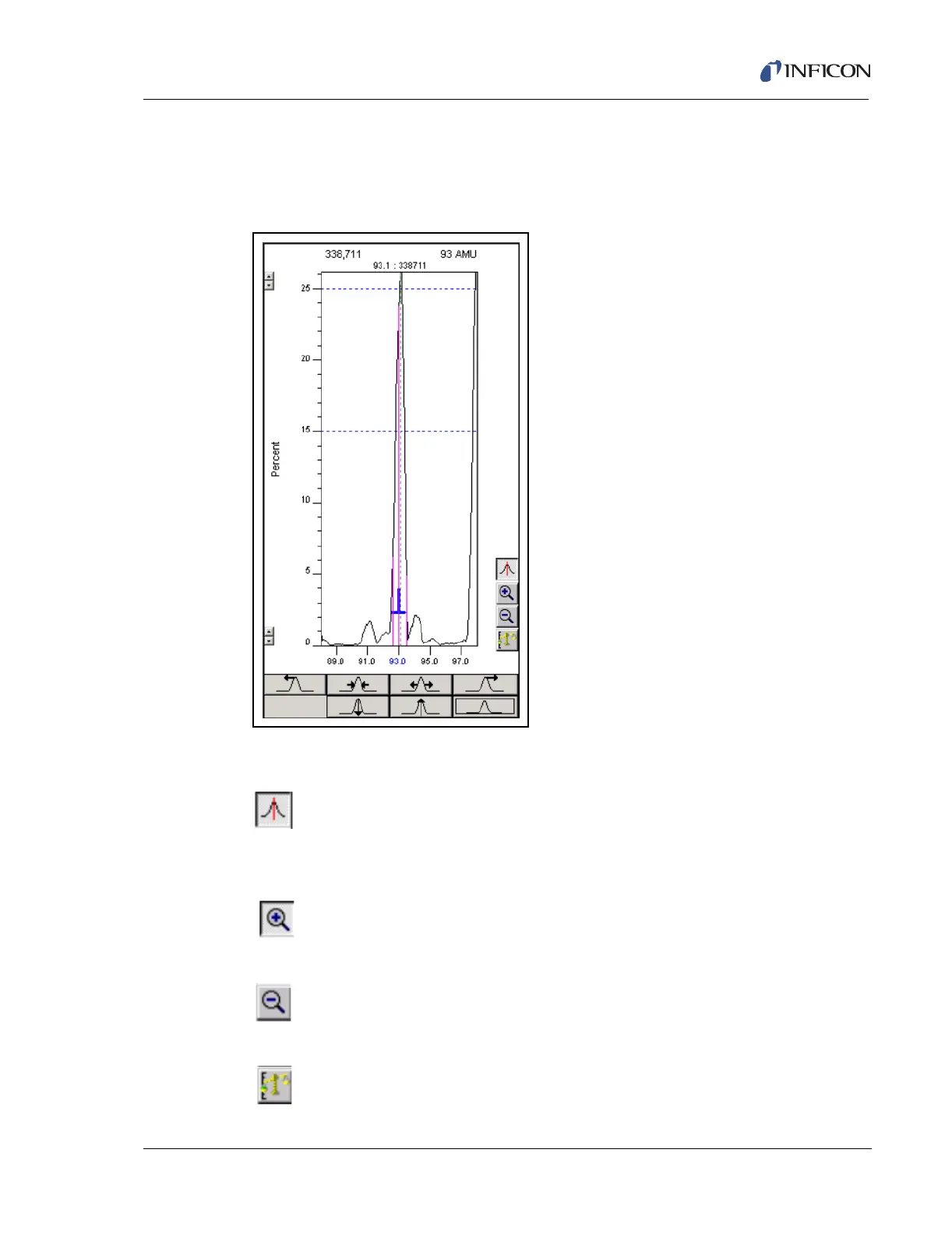
7.5.4 Peak Scan Window
The Peak Scan Window, see Figure 7-21, displays the mass peak and enables the
user to manually control/tune the mass peak.
Figure 7-21 The Peak Scan Window and Controls
7.5.4.1 Peak Scan Window Controls
Mass Adjust . . . . . . . . . . . . Enables the cursor to select a mass peak
and drag the mass peak to a different
position on the mass axis.
Zoom . . . . . . . . . . . . . . . . . . Enables the cursor to select a section of the
peak scan window and zoom to that section.
Zoom Out. . . . . . . . . . . . . . . Returns the window to the original X axis and
Y axis scale.
Zoom Out Y axis . . . . . . . . . Returns the Y axis to original scale.













 To Next Page