12 - 20
IPN 074-397-P1G
HAPSITE Smart Operating Manual
NOTE: To investigate problems use the View Reports function to examine the
Calibration Report. If an outlying point is detected on the curve, delete the
point by highlighting and clicking delete.
11e When the curve is complete, save the Library and the Method. The Quant
library is now part of the Method.
HINT: Whenever this method run from the front panel or the laptop, the method
will report concentration for the target compounds by selecting the
Quantitative tab of the report.
12.7 Using the ID Unknown Function
Files can be reprocessed on the laptop using the ID UNKNOWNS function.
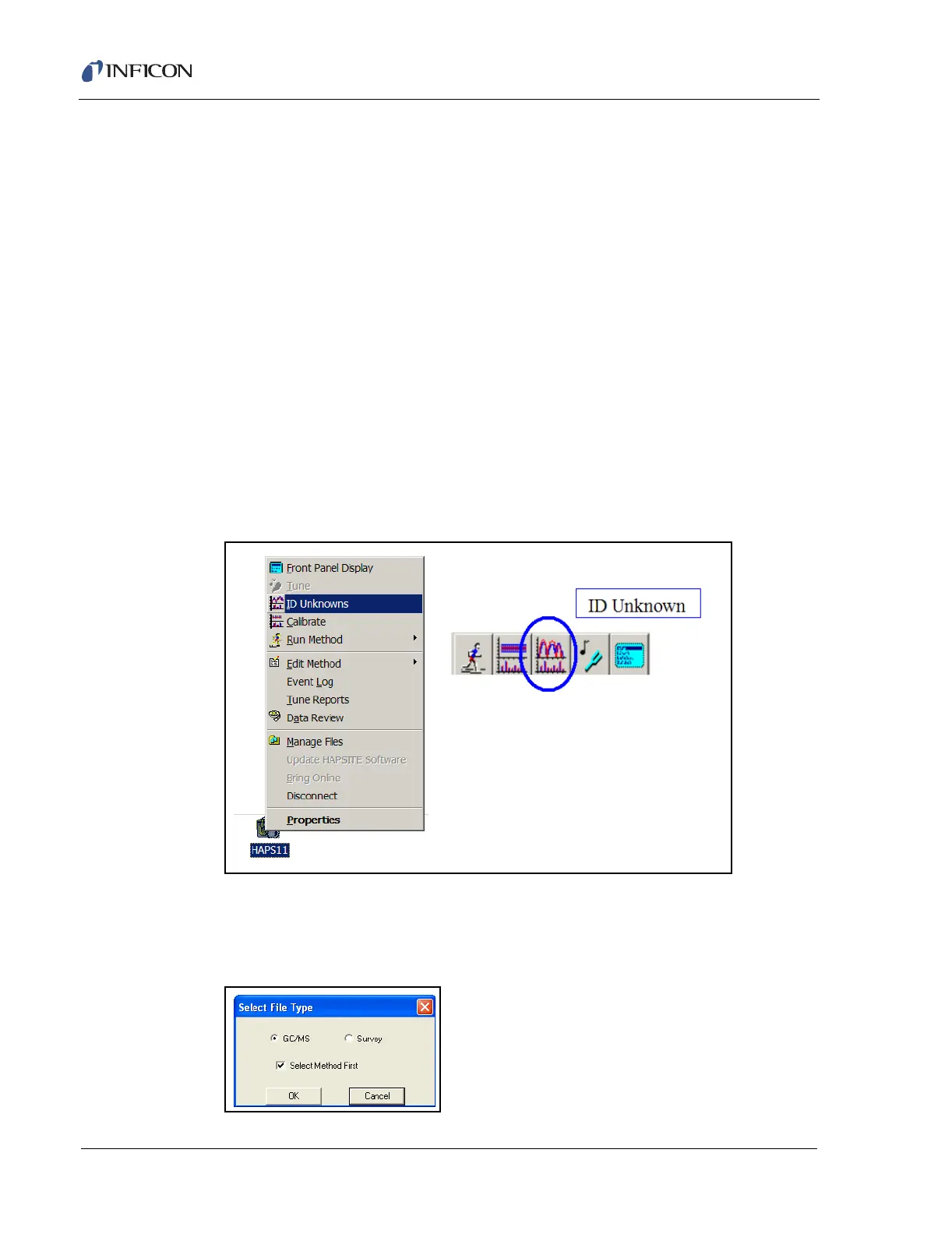
1 The ID Unknowns function can be accessed from the Function drop down
menu, by clicking the right mouse button on the HAPSITE icon, by the toolbar
or via the Status icon and Function tab. See Figure 12-21.
HINT: The ID Unknowns function is very similar to the Calibrate function.
Figure 12-21 Accessing ID Unknowns Function
1a Selecting ID Unknowns will display the Select File Type dialog box used to
select the type of quantitative method, GC/MS or Survey (MSONLY). See
Figure 12-22.
Figure 12-22 Selecting the File Type













 To Next Page