12 - 19
IPN 074-397-P1G
HAPSITE Smart Operating Manual
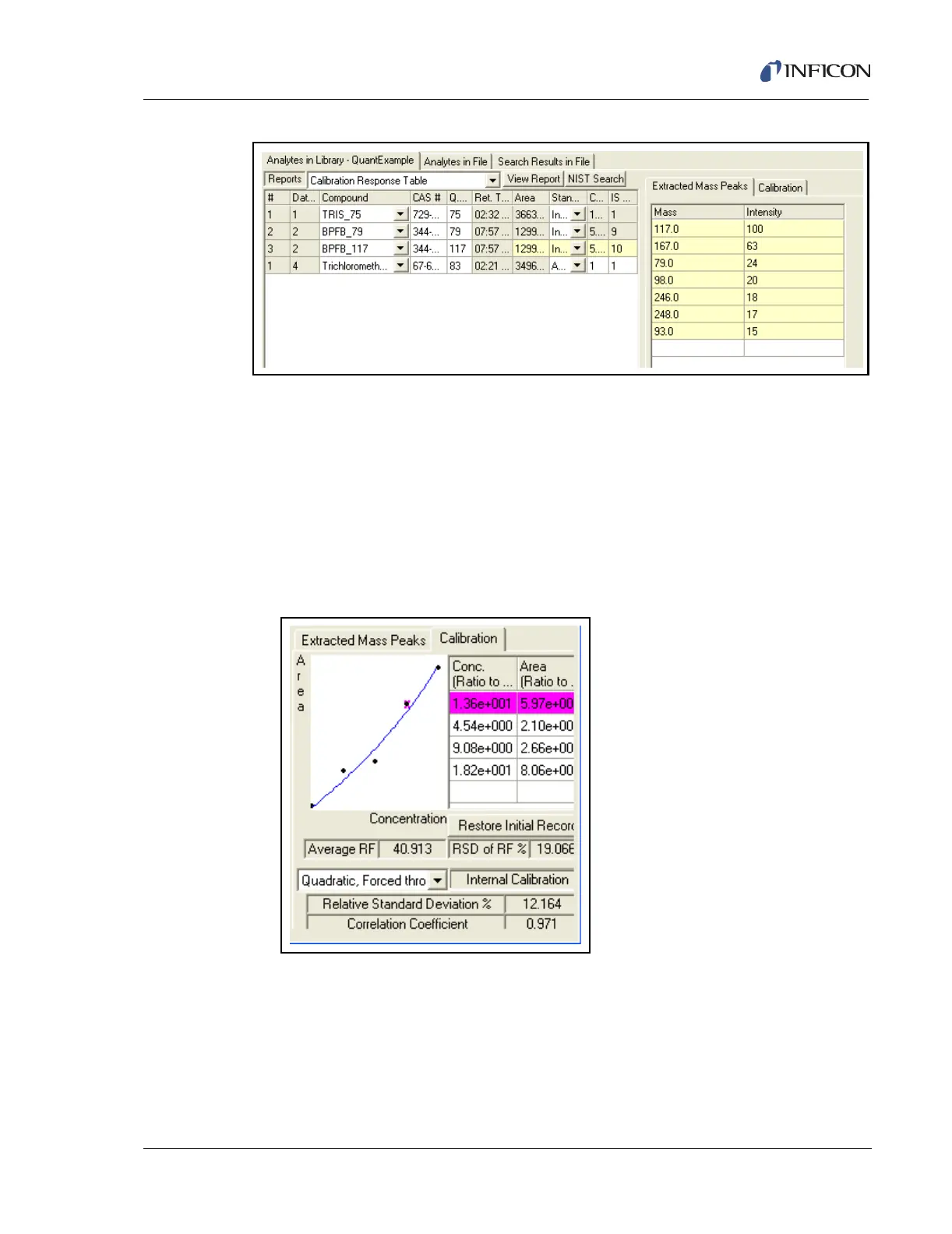
Figure 12-19 Library Ready for Calibration
11a Prior to calibration, the curve fit should be selected. To change the curve fit from
the default Linear, Forced through Origin, select the View/Edit button under
the Method controls. Select the curve fit and save the method.
11b To calibrate the library, select the standard data files, select Calibrate Library
and press the Start button under Peak Search.
11c Review the curves for each analyte. To review each analyte, select the
Calibration tab and use the mouse to select each compound. See Figure
12-20.
Figure 12-20 Calibration Curve
11d Additional calibration points can be added to the curve at any time by using the
Browse button under Data Files. First add the data file. Select the data file
added and make sure that the previous data file is no longer selected by
un-checking the select field. Select Start under Peak Search. Review the
curves as with the previous data file. Each curve should have all of the
calibration points.













 To Next Page