12 - 18
IPN 074-397-P1G
HAPSITE Smart Operating Manual
9d To finish the template, the concentration of each analyte must be individually
entered if not using the global concentration flag. In this example, the
concentration of all analytes is the same so Global is being used and the
concentration field is not a required entry. For analyte specific concentrations,
the Concentration field should contain the individual analyte concentrations for
the selected data file. Each additional file would have a specific multiplication
factor entered in the Conc/Factor field, in the Data Files control panel.
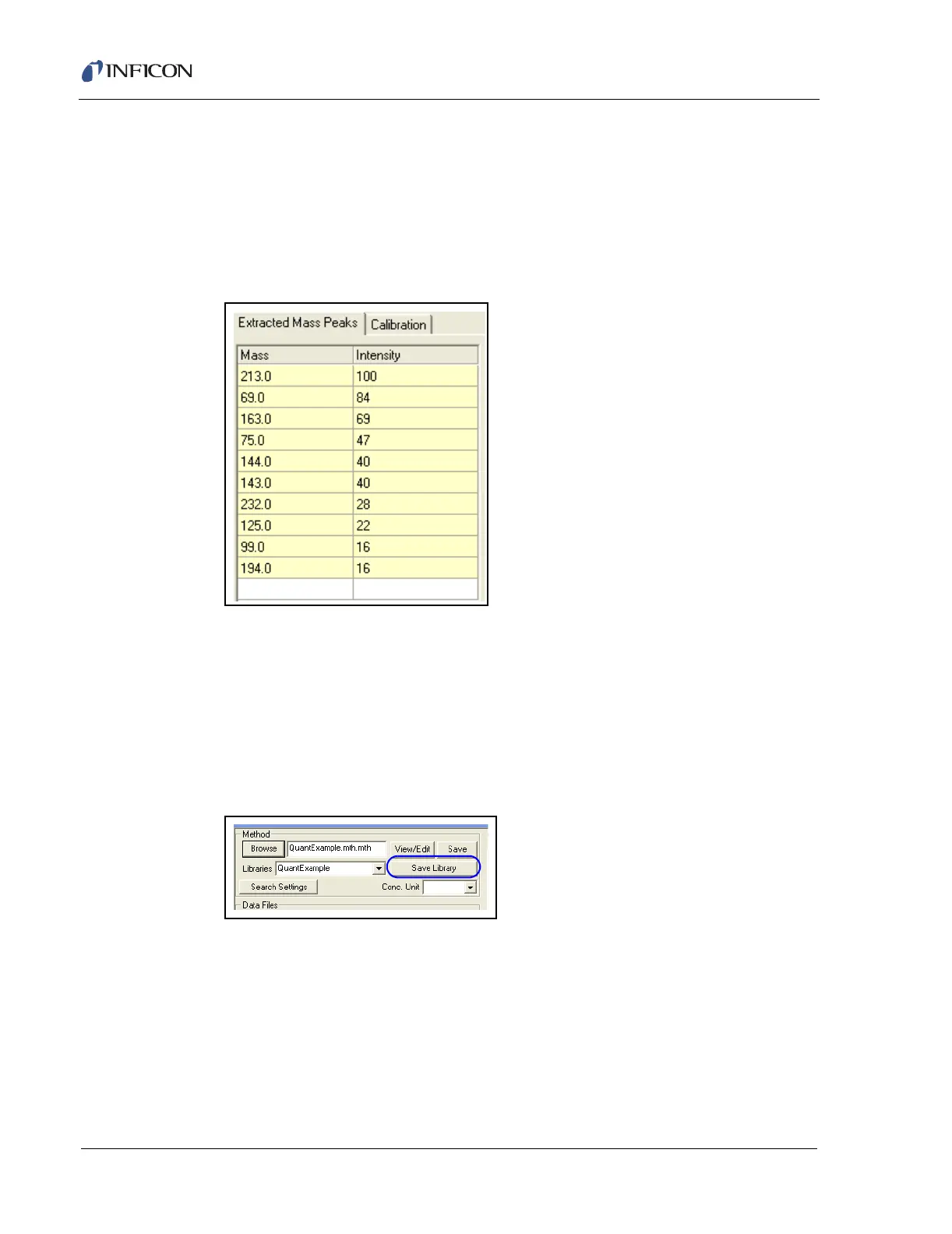
Figure 12-17 Extracted Mass Peaks
9e The Extracted Mass Peaks can also be edited to delete mass fragments with
intensities below 15%. The exception would be a molecular ion if the
fragmentation pattern is not very distinct. To delete unwanted mass fragments,
highlight the field and press the delete key. Refer to Figure 12-17.
10 The finished library needs to be saved. Select the Save Library button under
the Method controls. Enter a library name and save it as part of the method.
See Figure 12-18.
Figure 12-18 Save Library Button
11 The template is complete and the library is ready for Calibration. Refer to Figure
12-19.













 To Next Page