12 - 17
IPN 074-397-P1G
HAPSITE Smart Operating Manual
Clear All Empty Compound Entries . . . . . . . . Deletes all entries that do not
have a compound name associated with
them.
NOTE: The down arrow next to the compound name can be used to select a
different name if more than one possible match has been determined
by the AMDIS search.
9a For this file, all of the blank entries are to be deleted. Click the right mouse
button in the Compound field and select Clear All Empty Compound
Entries. Refer to Figure 12-14.
HINT: If a compound is unidentified (blank), but is known to the analyst, name
the peak by highlighting the blank compound name field and entering
the name.
9b Next, the Internal Standards must be selected. When using Internal Standards,
best practice is to use a quant Ion from the Internal Standard that is close in
mass to the quant Ion of the compound to be quantitated. The software always
selects the largest mass fragment in the spectrum as the quant Ion. To change
the quant ion, highlight the field and type in the new number. Change the quant
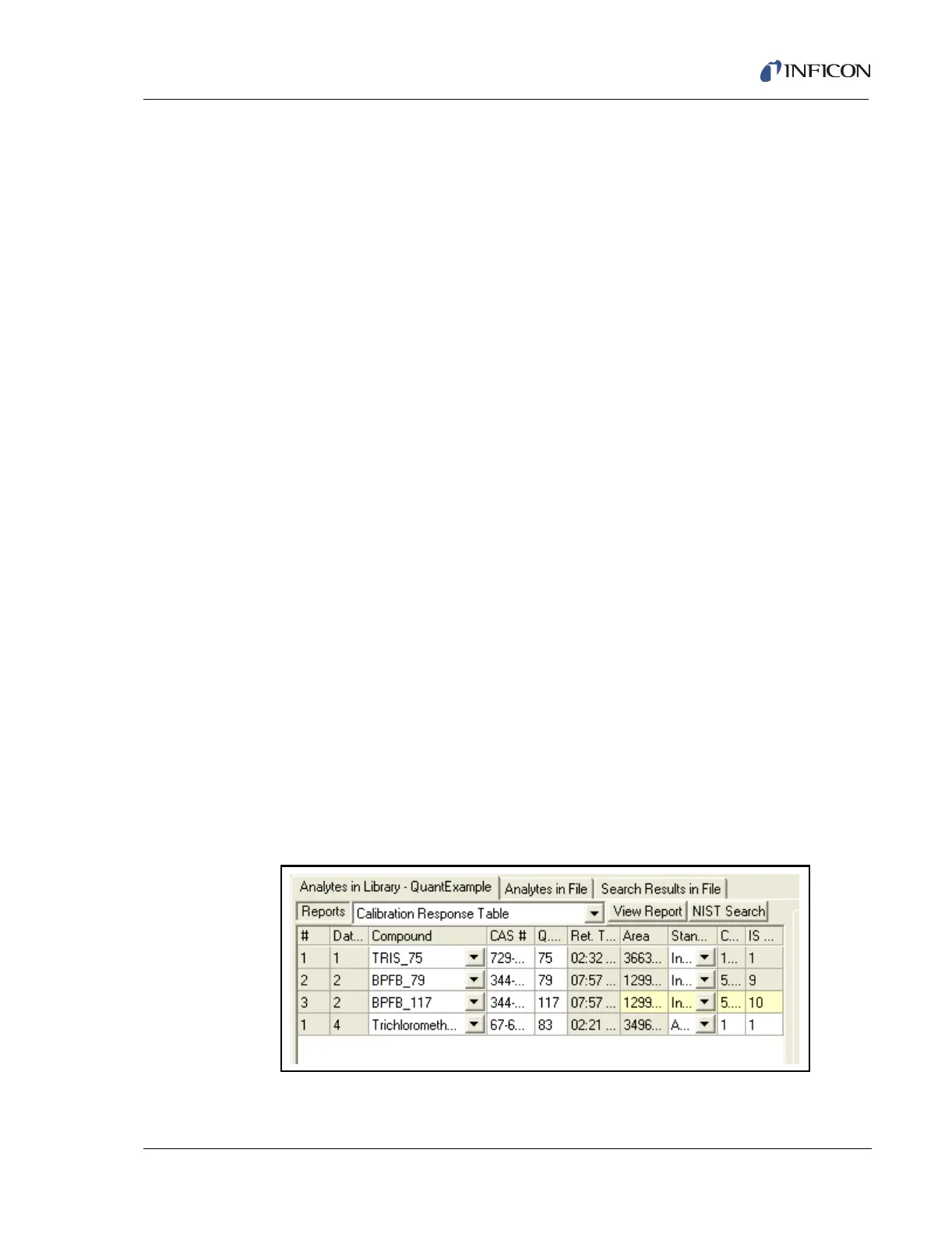
Ion for TRIS from 213 to 75. The software will warn that a re-calibration is
required. This is true if a quant ion is changed after calibration. To signify which
quant mass is being used, change the name of TRIS HAPSITE IS #1 to
TRIS_75. See Figure 12-16.
NOTE: If the name of the analyte begins with TRIS or BPFB the software will
recognize the analyte as a HAPSITE IS and automatically enter the
concentration from the IS canister into the method for calibration and
quantitation.
9c More than one quant ion can be used from a single Internal Standard peak.
Highlight the second Internal Standard and click the right mouse button, select
Duplicate Row, then change the name of the Internal Standard peaks to
BPFB_79 and BPFB_117. Next the Quant Ion should be changed to 79 and
117. See Figure 12-16.
Figure 12-16 Finished Analytes Chart













 To Next Page