8 - 10
IPN 074-397-P1G
HAPSITE Smart Operating Manual
8.4 Installing/Updating NIST and AMDIS
The NIST and AMDIS mass spectral libraries are powerful tools for identifying
VOCs contained in samples.
1 Insert the NIST Installation CD into the CD Drive of the laptop.
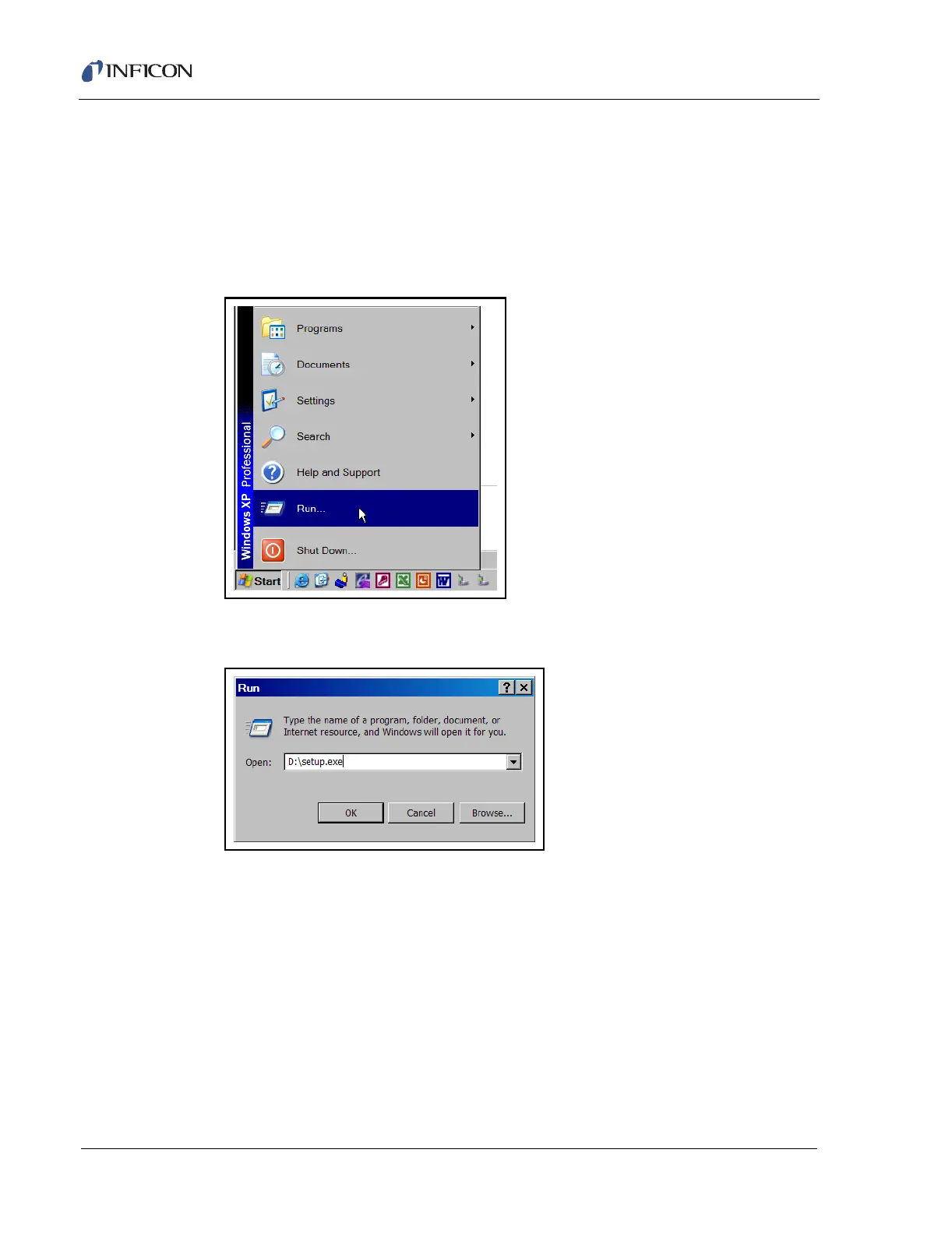
2 Select Start>> Run. See Figure 8-17.
Figure 8-17 Selecting the Run Function
3 Type D:\setup.exe. Press OK. See Figure 8-18.
Figure 8-18 Running the Setup.exe Program
4 The welcome window for the NIST and AMDIS setup will appear, press Next.
See Figure 8-19.













 To Next Page