8 - 9
IPN 074-397-P1G
HAPSITE Smart Operating Manual
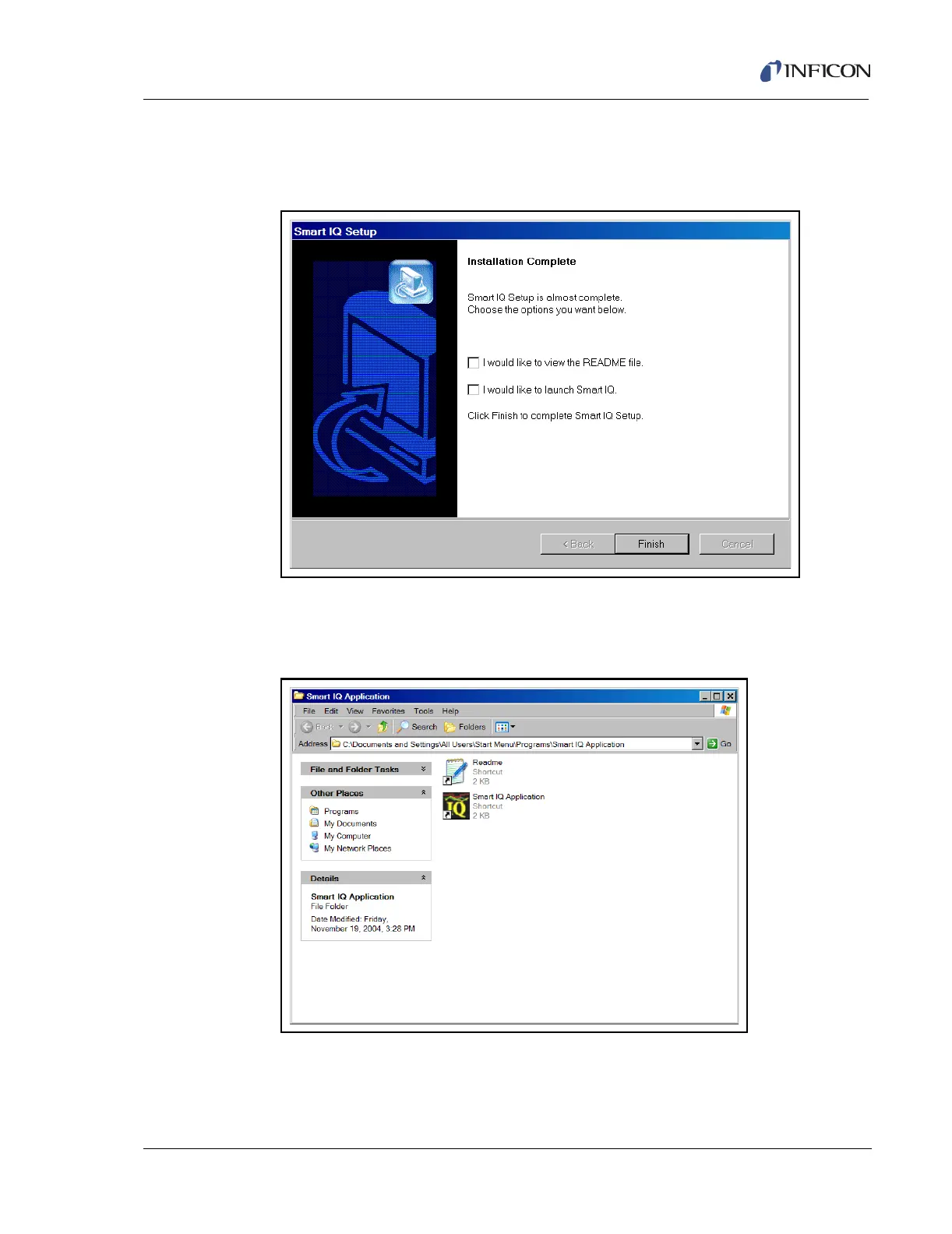
NOTE: The Smart IQ Application window shown in Figure 8-16 may appear
first, the Smart IQ Setup window shown in Figure 8-15, Step 10 needs
to be addressed before proceeding to Step 11.
Figure 8-15 Installation Complete
11 The Smart IQ Application window will appear containing the Smart IQ
Application icon. Left click on the Smart IQ Application icon and drag to the
desktop to create a shortcut. See Figure 8-16.
Figure 8-16 The Smart IQ Application Folder
12 Close the Smart IQ Application folder.
13 Close the CD Drive window.
14 Installation/Update is complete.













 To Next Page