11 - 37
IPN 074-397-P1G
HAPSITE Smart Operating Manual
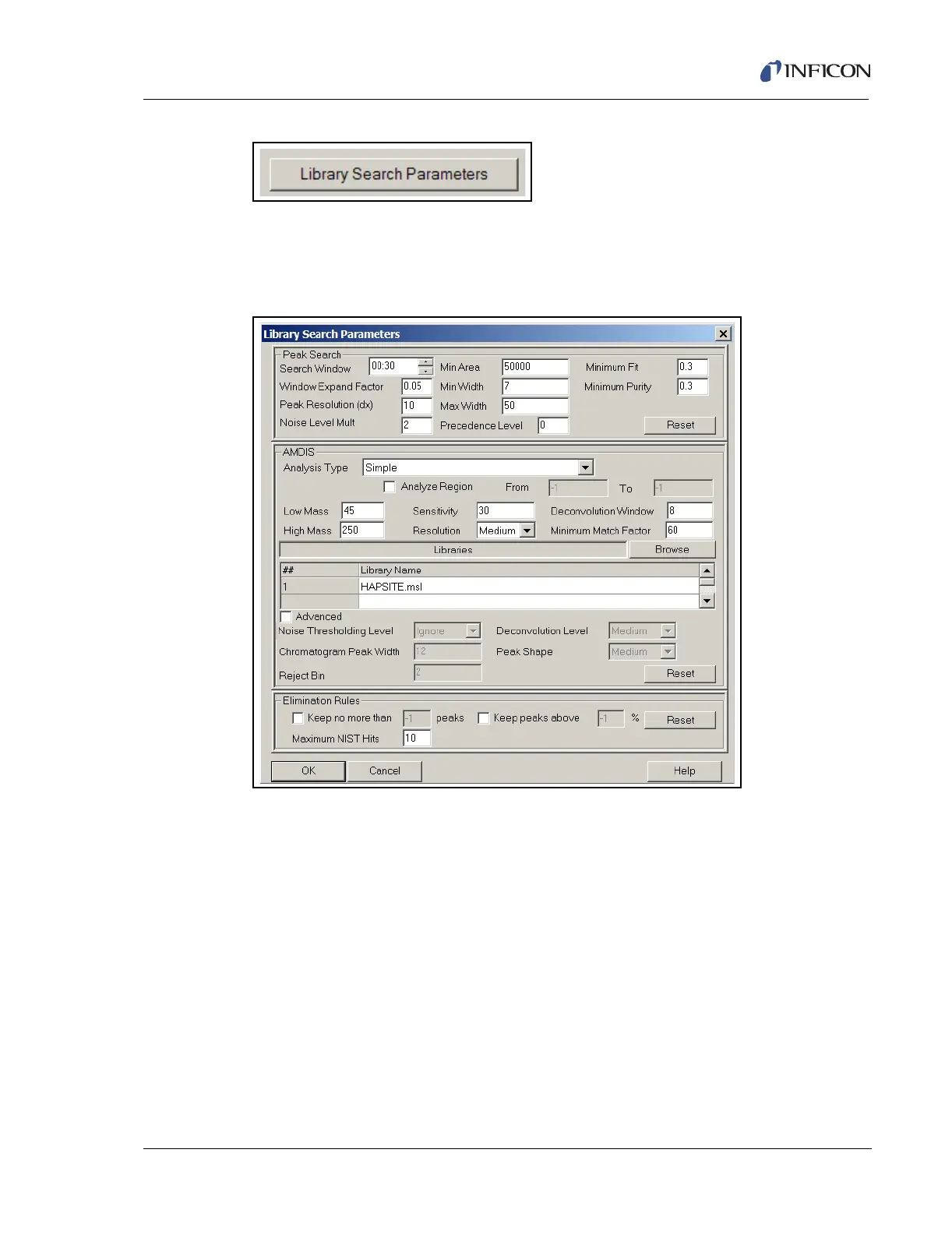
Figure 11-34 Library Search Parameters Button
Clicking the Library Search Parameters button opens the window shown in Figure
11-35. The center section refers to the AMDIS parameters and is exactly the same
as described in Figure 11-26.
Figure 11-35 Library Search Parameters Window
The Peak Search section is comprised of all the elements that define a peak in the
chromatogram.
Search Window. . . . . . . . . . . . . . . . This value indicates the time window allowed
for a peak to appear. 30 seconds indicates
that the acceptable window for a peak is 15
seconds on either side of the expected
retention time.
Window Expand Factor . . . . . . . . . This value has a default of 0.05. This value is
multiplied by the run time and then added to
the search window time. The search window
is then expanded by the time calculated.













 To Next Page