4 - 7
IPN 074-397-P1G
HAPSITE Smart Operating Manual
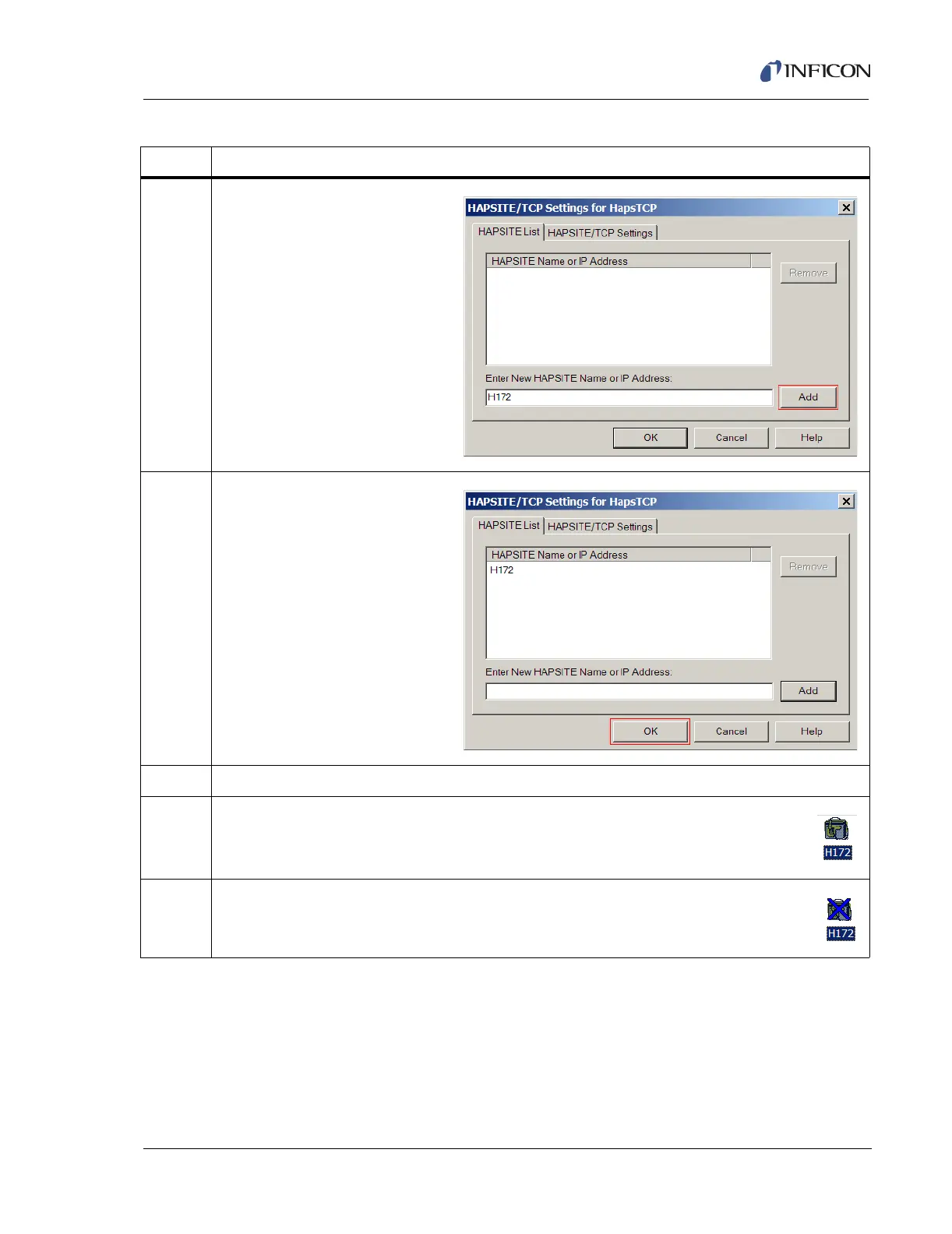
3 Enter the letter “H”, followed by
the last 3 or 4 significant digits of
the Serial Number of the
HAPSITE that requires
communication setup. (The
Serial Number is located on the
inside of the front cover of the
HAPSITE). For example: H172.
Select Add
4 The newly added HAPSITE will
appear in the HAPSITE List.
Select OK
5 Select OK in System Properties to close the window.
6 If the HAPSITE Sensor appears as shown in the Smart IQ System Setup window,
communication has been established.
7 If the HAPSITE Sensor appears with a Blue “X” through it, communication has not
been fully established. Continue with the instructions in Table 4-4.
Table 4-3 Adding a Sensor Icon in Smart IQ
Step Description













 To Next Page