4 - 14
IPN 074-397-P1G
HAPSITE Smart Operating Manual
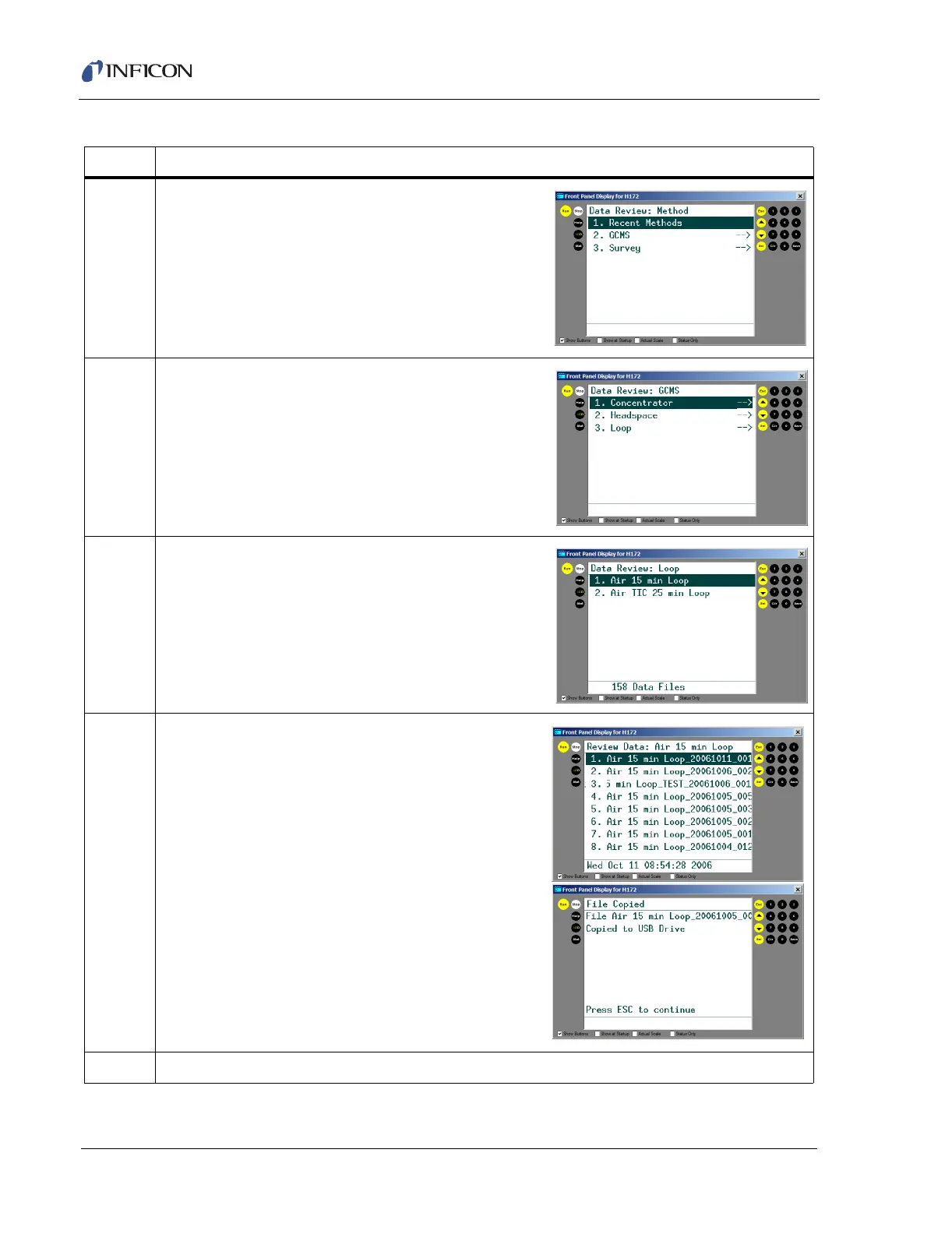
5 Highlight the method type to review. (Survey or
GC/MS) and press SEL.
6 If the method was a GC/MS file, highlight the correct
configuration (Loop, Concentrator or Headspace) and
press SEL.
7 Highlight the data file folder enter and press SEL.
8 Highlight the data file to be saved and press SAVE.
9 Repeat as needed.
Table 4-6 Saving Files to the USB Drive (continued)
Step Description













 To Next Page