9 - 7
IPN 074-397-P1G
HAPSITE Smart Operating Manual
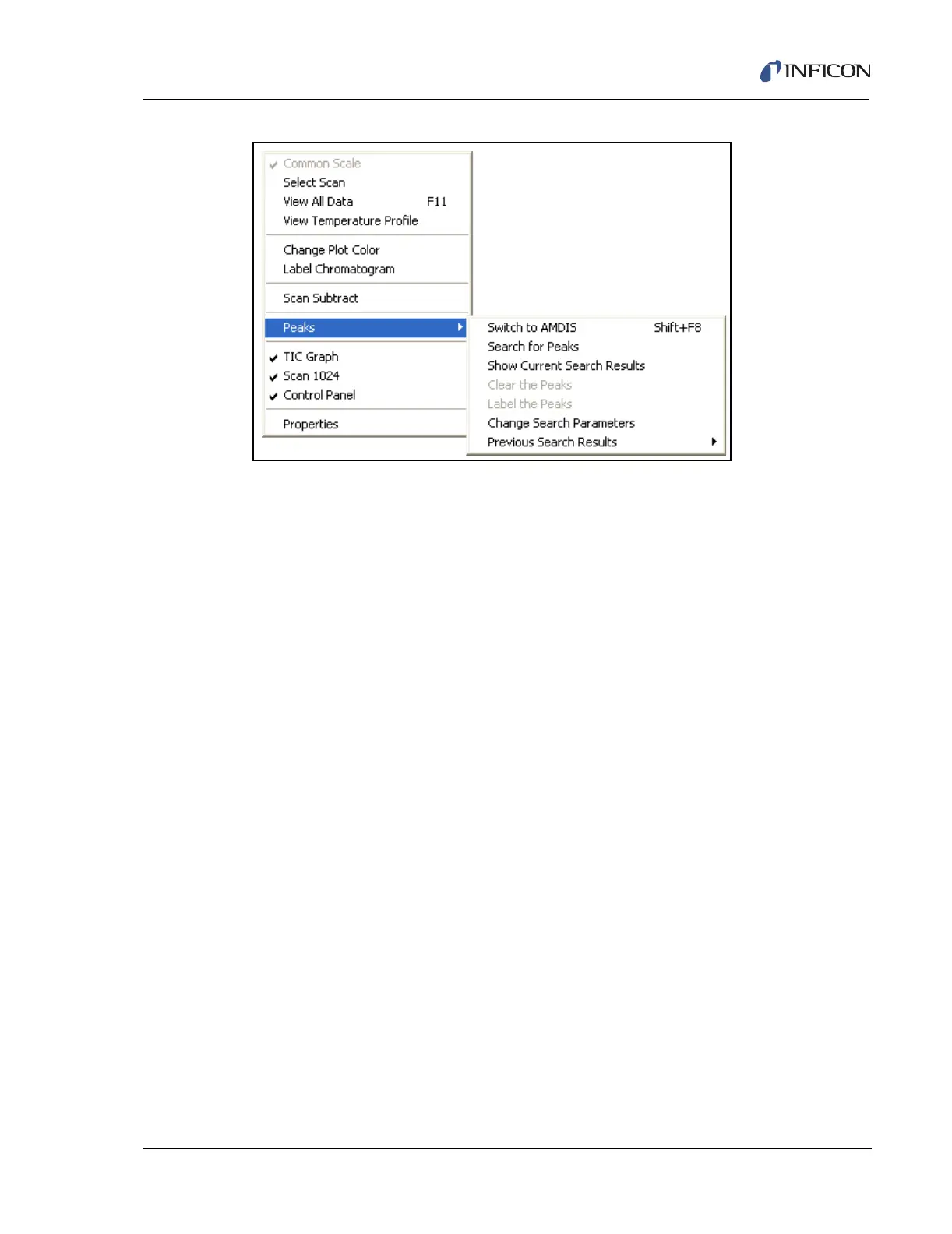
Figure 9-7 RMB Menu in TIC/RIC Window
Common Scale . . . . . . . . . . . . . . . . When checked all RIC plots will be plotted to
the same scale; when not checked all RIC
plots will be individually scaled to 100%.
Select Scan . . . . . . . . . . . . . . . . . . . Allows the scan cursor to select a specific
scan.
View All Data . . . . . . . . . . . . . . . . . . Rescales the plot to display the entire run.
Also accessed by F-11.
View Temperature Profile. . . . . . . . Graphically show the GC temperature profile
from the method.
Change Plot Color . . . . . . . . . . . . . Changes the color of the TIC plot.
Label Chromatogram . . . . . . . . . . . Brings up a text box to label the
chromatogram. The label can be moved with
the cursor and can be saved with the data
file.
Scan Subtract . . . . . . . . . . . . . . . . . Subtracts the current scan from the
displayed RIC plots.
Peaks gives you the following submenu
Switch to AMDIS . . . . . . . . . . . . . . . . . . Switches to the AMDIS program. Also
accessed by Shift+F8.
Search for Peaks . . . . . . . . . . . . . . . . . Search the TIC for peaks.
Show Current Search Results . . . . . . . Displays the results of the Search for
Peaks selection.
Clear the Peaks. . . . . . . . . . . . . . . . . . . Clears the identification of peaks from
the TIC graph.













 To Next Page