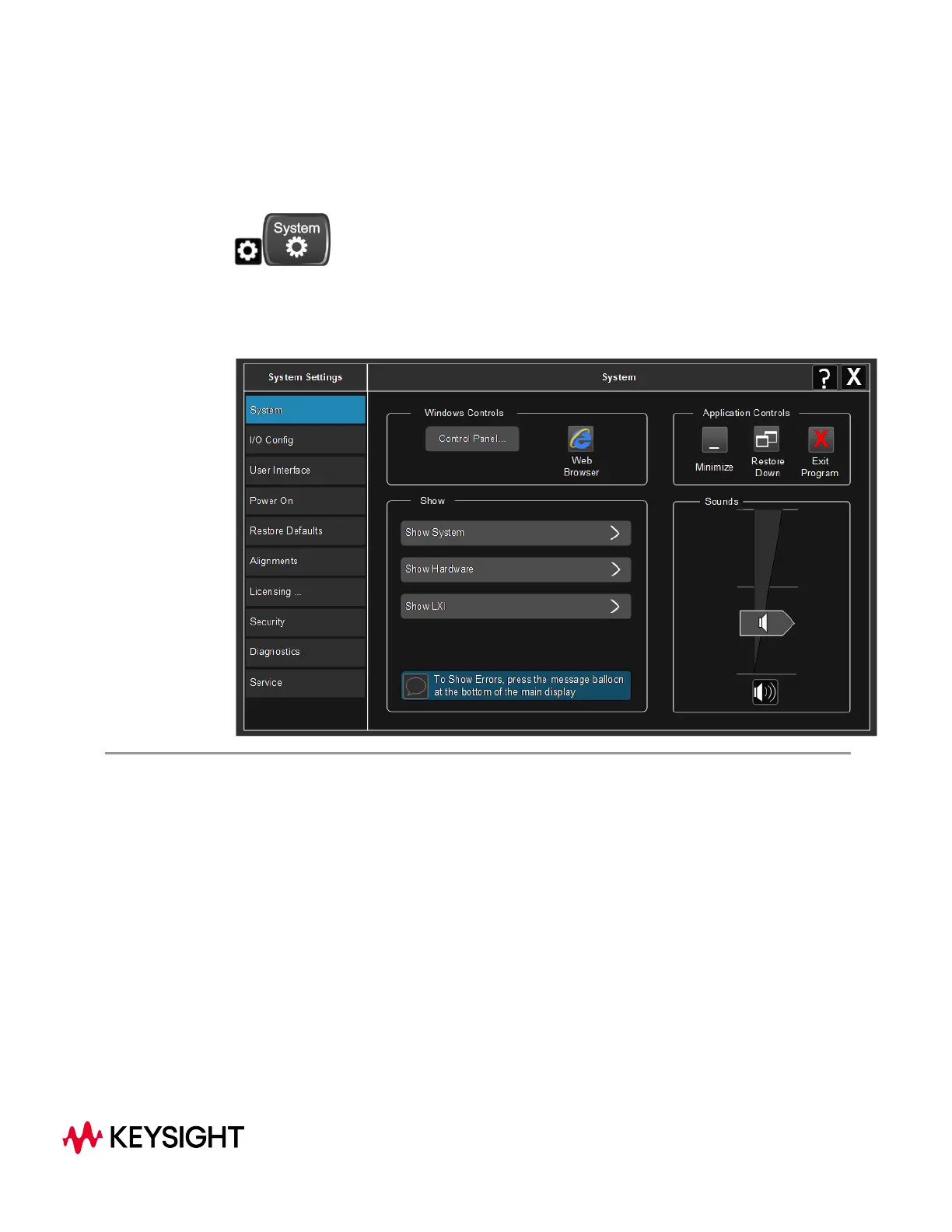
4 System
The System hardkey and the “gear” icon both open the System Settings dialog,
which allows you to access various configuration menus and dialogs. The line of tabs
down the left side let you choose various pages for configuring your instrument.
Notes No remote command for this key specifically
X-Series Signal Analyzers
WLAN Mode User's &Programmer's Reference
1861



 To Next Page