4 System
4.3 Preload / Unload Modes
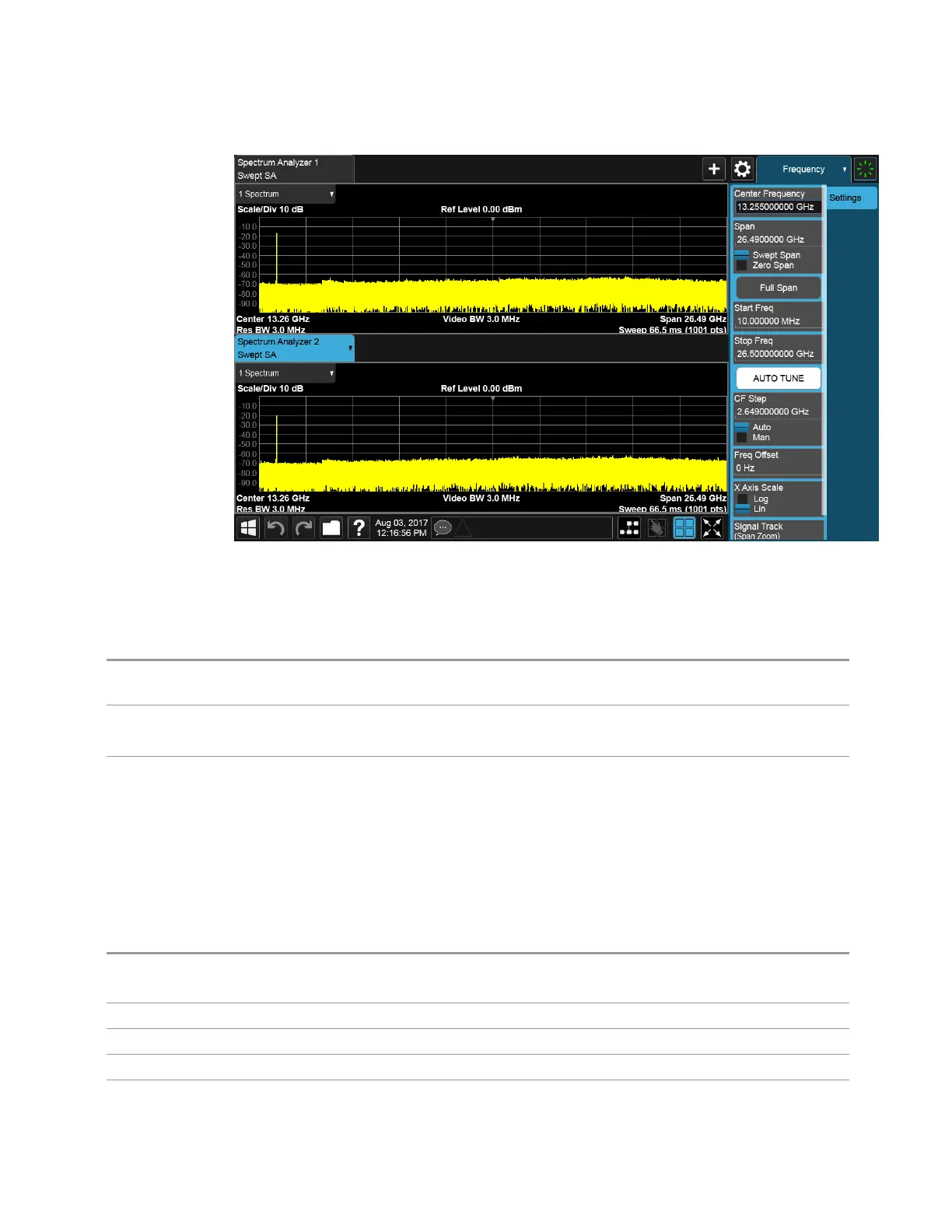
New screen added below (vertical orientation)
The 2-Screen Orientation switch allows you to choose between these two
orientations for 2-Screen configurations. The default is the HORizontal
configuration, two Screens side-by-side.
Remote
Command
:INSTrument:SCReen:ORIentation VERTical | HORizontal
Example
:INST:SCR:ORI VERT
Set the 2 screens to be above/below each other
Preset
HOR
This is unaffected by Preset but is set to HORizontal by Restore Defaults > "User Interface" on page
1916 or Restore Defaults >"All" on page 1918
4.3.7.15 Clock Format
Allows the Clock Format to be switched between 12-Hour Format (HR12) and 24-
Hour Format (HR24).
Remote Command
:SYSTem:DISPlay:CFORmat HR12 | HR24
:SYSTem:DISPlay:CFORmat?
Example
:SYST:DISP:CFOR HR12
Preset
HR12
State Saved Power On Persistent (survives shutdown and restart)
Range 12-Hour | 24-Hour
WLAN Mode User's &Programmer's Reference 1899












 To Next Page