128
17-3. Still Image Display Using FS Buffer (INPUT STILL)
The switcher standard inputs can display still images by capturing input video or uploading still
images to frame synchronizer buffers (INPUT STILL) from SD cards. (See Sec. 22. “File
Operations.”)
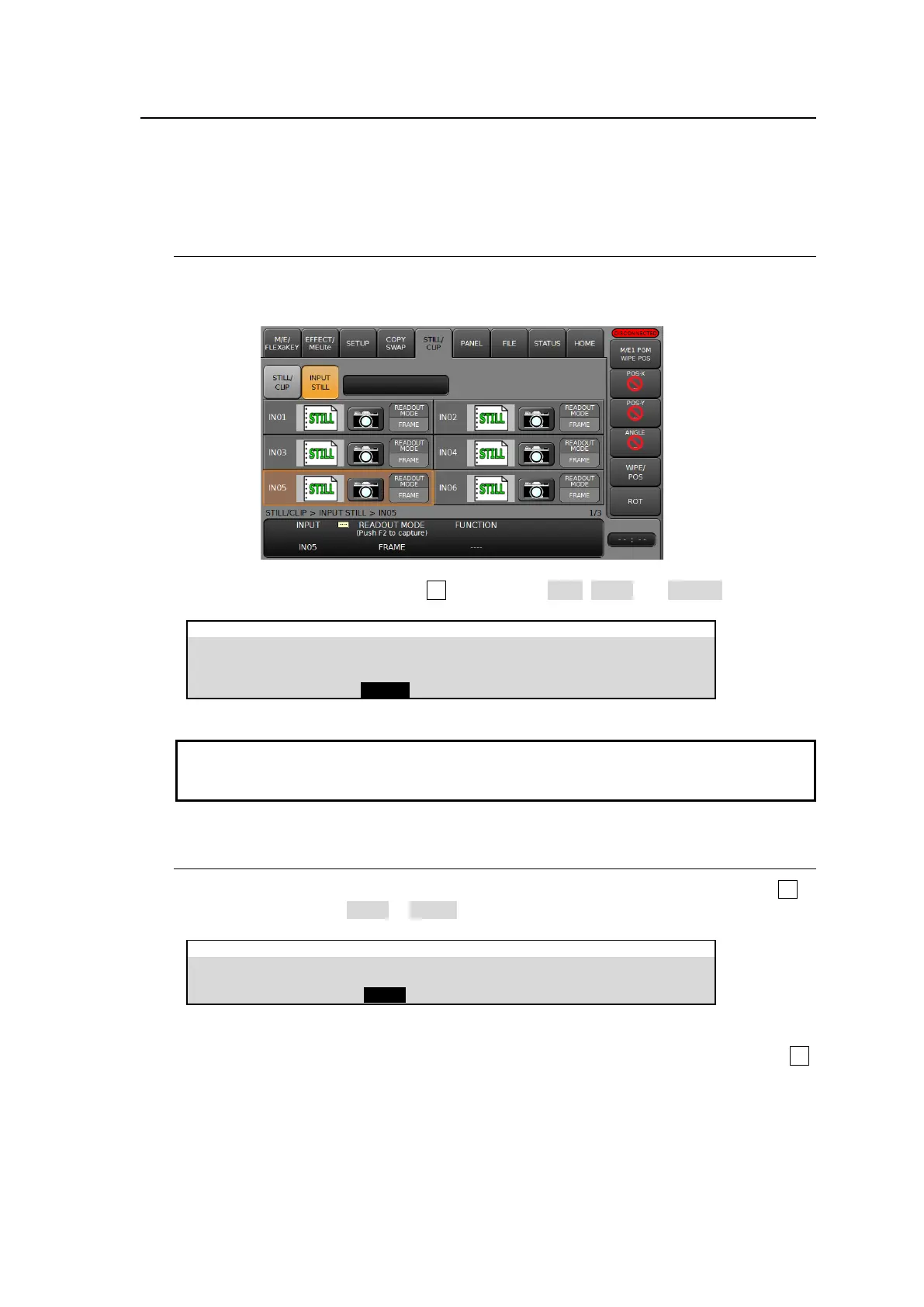
The following example shows how to capture and display a still image on IN05.
17-3-1. Capturing Still Images
(1) Tap on INPUT STILL to open the [STILL/CLIP > INPUT STILL] menu.
(2) Tap on INPUT, type 5 then tap Enter on the pop-up keypad.
(3) To change read out mode, turn F2 to select from ODD, EVEN and FRAME.
STILL/CLIP > INPUT STILL > IN05
READOUT MODE
(Push F2 to capture)
Input Stills use the frame synchronizer buffer memory. Therefore, the frame synchronizer is
inoperable while an INPUT STILL is displayed or enabled. (See Sec. 6-4. “Frame
Synchronizer.”)
17-3-2. Returning to Input Video Display
To return IN05 to input video, open [SETUP > INPUT > SIGNAL] menu PAGE 2, and turn F2 to
change CONTROL from STILL to INPUT.
Another way to return to input video signals is as follows:
Open the [STILL/CLIP > INPUT STILL] menu, select CLEAR under FUNCTION and press F3.



 To Next Page