149
20-1-7. Editing Sequences (Step Settings)
In the [SEQUENCE > EDIT] (4/4) menu, detailed step settings can be performed.
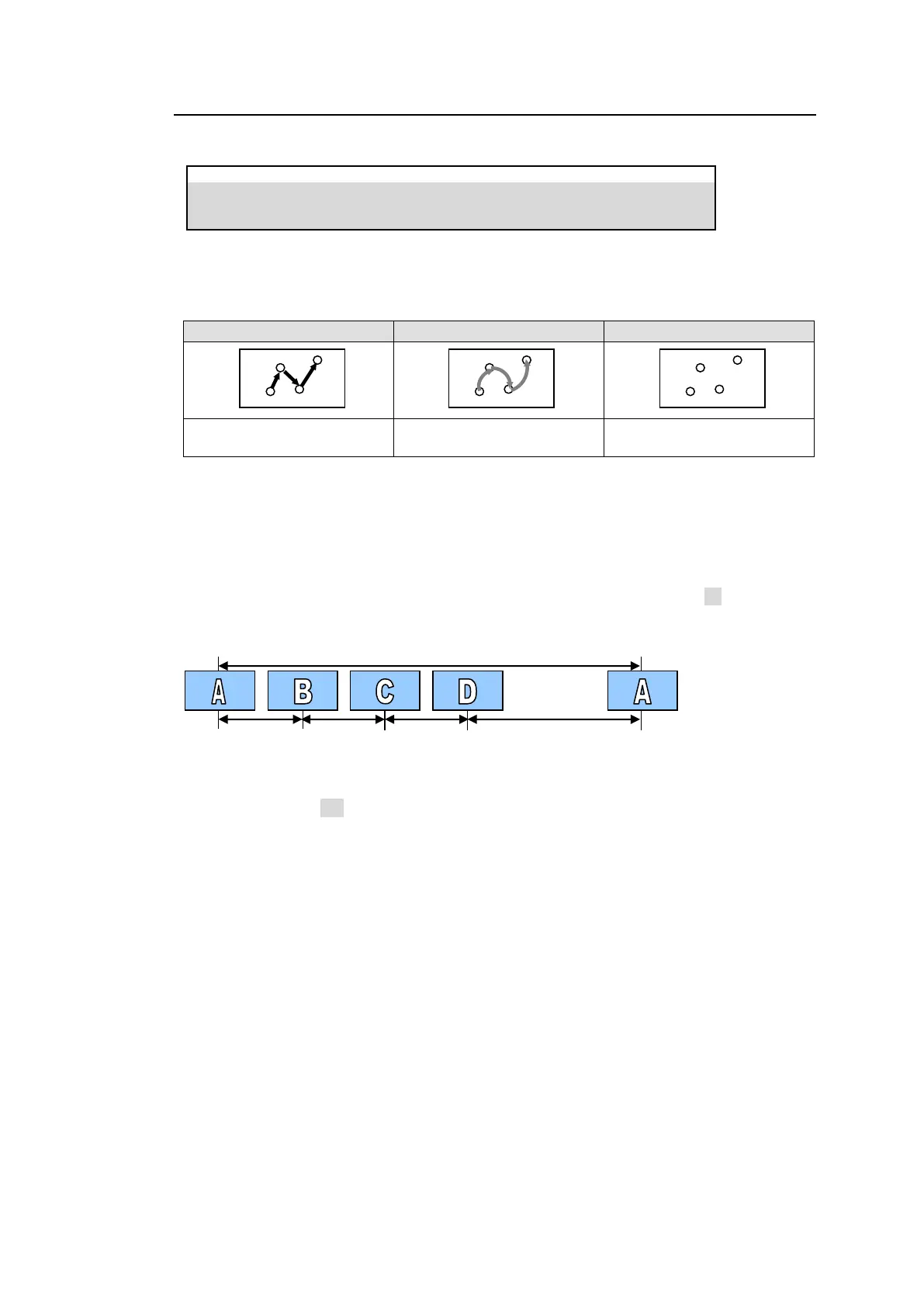
INTERPOLATION mode between Steps
The INTERPOLATION mode allows you to smooth movements between steps.
Linear interpolation between
steps (default)
Curve interpolation between
steps (smooth switching)
No interpolation between steps
(CUT switching)
Changing Playback Time (DURATION)
As factory default, durations between steps (keyframes) are defined as 30 frames (for video in
60 Hz format) or 25 frames (for video in 50 Hz format). Each duration, however, can be
changed.
For example, if the STEP04 duration in the following sequence is changed to 60 (frames), the
total duration is summed up to 150 (frames).
Break Points
If BREAK is set to ON for a step, the sequence play will pause on the step. Retapping
PLAY/PAUSE resumes the sequence play.
Note that BREAK settings are disabled in loop playback mode. See Sec 20-1-4. “Playing Back
Sequences Using Advanced Settings.”



 To Next Page