186
25-3-7. MFR-TALM Connection
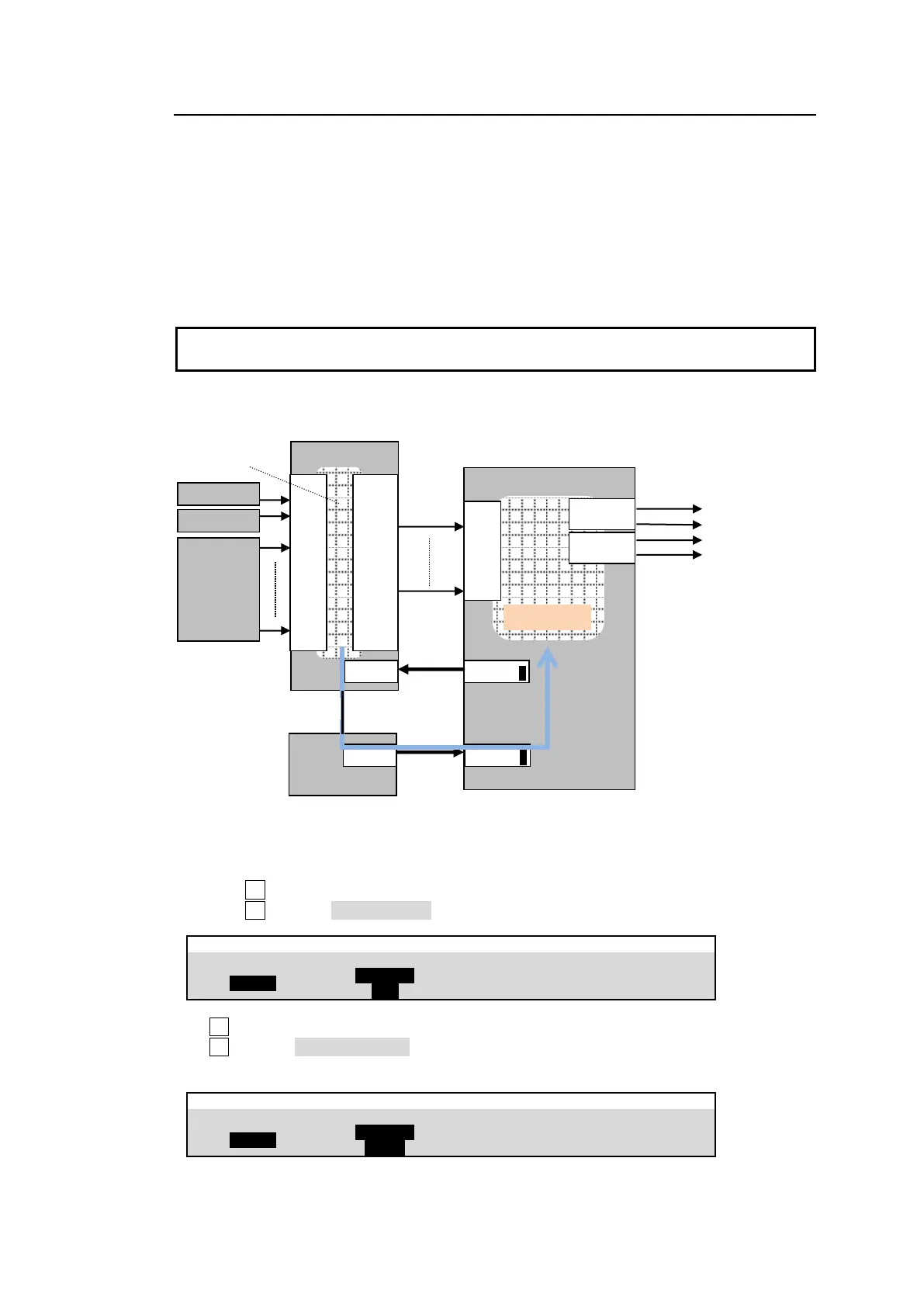
When working with a FOR-A MFR Series router, MFR-TALM Tally Manager allows you to
accelerate tally and title (video name) links. If configuring an MFR-TALM, crosspoint switching
is performed between the switcher and router, and tally and title links are made between the
switcher and tally manager. The tally manager should be connected directly to the switcher
through an RS-422 connection, independently from the router connection.
See below for MFR router and tally manager configuration and communication settings on the
switcher. Refer to the operation manual bundled with the tally manager for the connection
settings on the tally manager.
A direct router connection is unnecessary if you do not perform router’s crosspoint switching
from the switcher. In such cases, only connect a tally manager to the switcher via RS-422.
Connection example: Connecting MFR Main unit and MFR-TALR to HVS-490>
MFR Router and MFR-TALM Connection Settings
(1) Display the [SETUP > SYSTEM > RS-422] menu
(2) Turn F1 to select a port on the switcher to which the MFR main unit is connected.
(3) Turn F2 to select ROUTER XPT.
(4) F1 to select a port on the switcher to which the MFR-TALM is connected.
(5) F2 to select ROUTER NAME.
(6) Set BAUDRATE and PARITY according to the router.
IN
01
02
|
|
|
|
|
|
|
16
OUT
01
02
|
|
|
|
|
|
|
16



 To Next Page