97
M/E FLEXaKEY > M/E1 > KEY1 > TRANS > SRC/INS
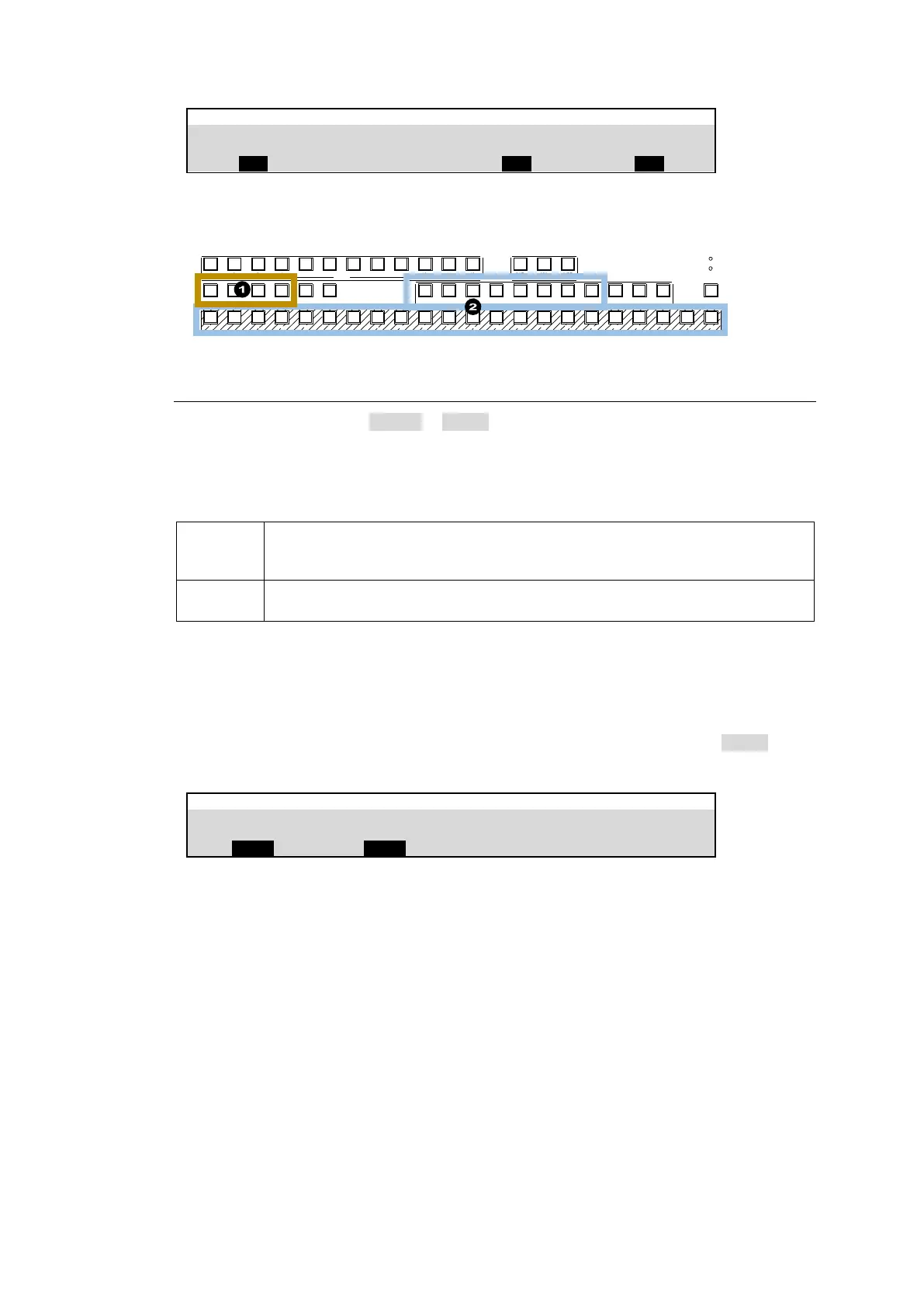
(1) Press a key bus button in M/E1 or M/E2 to select a key.
(2) Once a key insert is selected on the KEY/AUX bus, the paired source is automatically set.
POWER1
POWER2
BUS DISP
1 2 3 4 5 6 7 8 9 10 11 12
1 2 3 4 5 6 7 8 9 10 11 12 13 14 15 16 17 18 19 20 21 22
CUT MIX WIPE
AUX TRANS ITION
M/ E1 M/ E2
PGM OUT1 OUT 2 OUT3 P GM OUT1 OUT2 OUT 3 MV1 MV2 MV3
KEY /AUX
AUX
KEY1 KE Y2 KE Y3 KEY4 1 2
UTI LITY
12-2-2. Key Quick Recall (KEY SET: INPUT)
If KEY SET is changed from KEYER to INPUT, key setups can be quickly recalled by selecting
corresponding KEY INSERT signals. Open the [SETUP> SYSTEM > KEY SET] menu to
change the KEY SET setting for each key, as needed.
KEY SET Setting
KEY TYPE, Key CLIP, GAIN, FAM ON/OFF and Chromakey adjustment
settings are stored in each input set for KEY INSERT and are not saved to
events and sequences.
KEY TYPE, Key CLIP, GAIN, FAM ON/OFF and Chromakey adjustment
settings are stored in each key and are saved to events and sequences.
Operation Example
To quickly recall key settings, which are set up in M/E1KEY1 and M/E1KEY2, to M/E2KEY2,
proceed as follows.
(1) Open the [SETUP > SYSTEM > KEY SET] menu. Change KEY SET to INPUT under
M/E1KEY1, M/E1KEY2 and M/E2KEY2.
(2) Create a logo for M/E1KEY1 using IN01 (KEY INSERT).
(3) Create a chromakey for M/E1KEY2 using IN02 (CK SIGNAL).
(4) Select IN01(KEY INSERT) for M/E2KEY2. The logo key set for M/E1KEY1 is recalled.
Then, select IN02 to recall the chromakey set for M/E1KEY2.
This function (KEY SET: INPUT) is very useful for live broadcast, streaming, or recording
purposes, however , note that these settings are not saved to events.



 To Next Page