81
11-6. Simultaneous Transition of M/Es (ONStage)
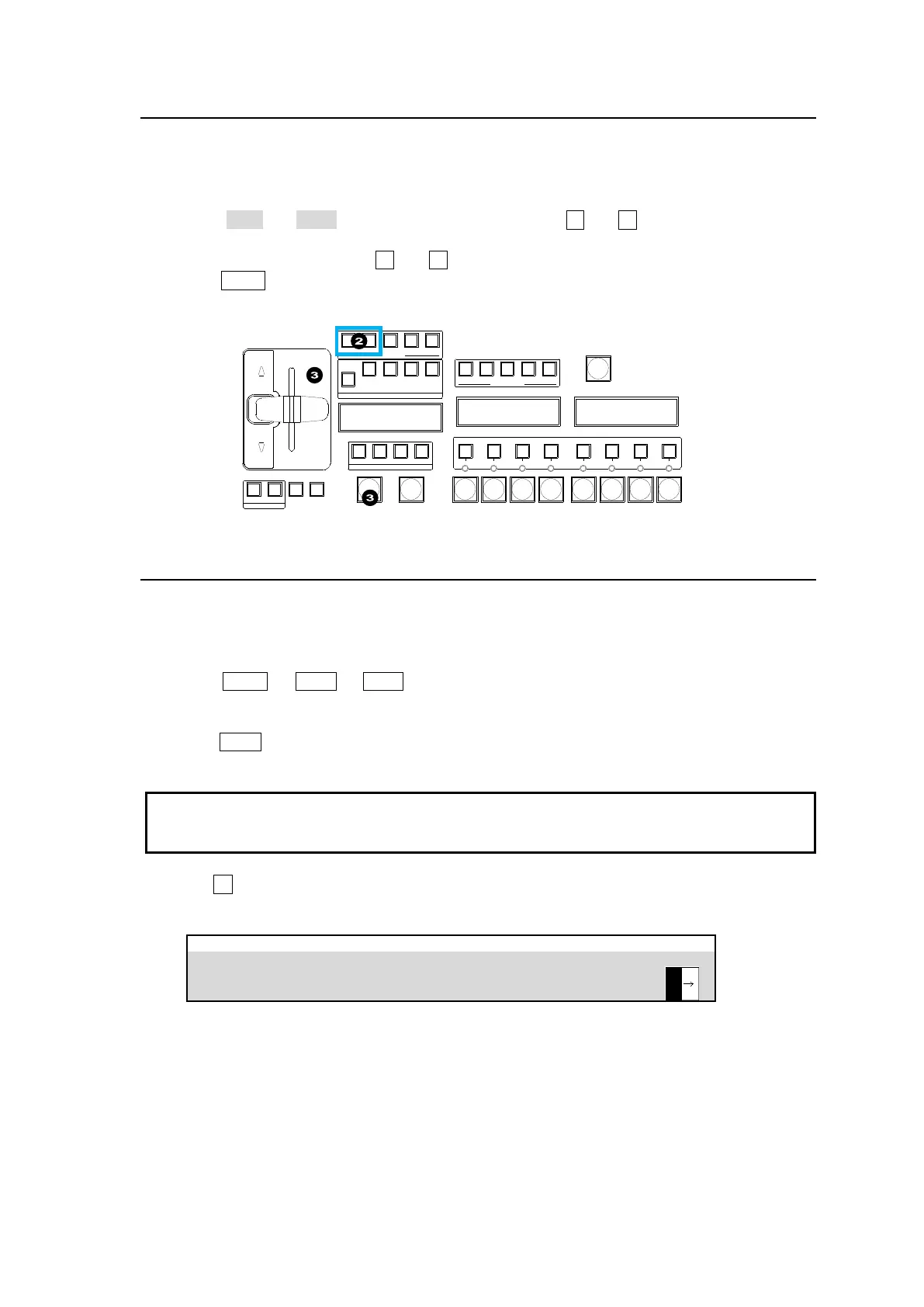
The ONStage feature allows you to perform transitions of multiple M/E buses (M/E1, M/E2 and
AUX1-12) simultaneously. The procedure example below shows how to perform M/E2 and AUX1
transitions at the same time.
(1) Assign M/E2 and AUX1 to USER buttons located. USER 11 and 12 are used in this example.
(See Sec. 18 “USER Button” for details on USER button assignments.)
(2) Simultaneously press USER 11 and 12 to turn them on.
(3) Press AUTO or move the fader lever to perform the transition. The two M/E transitions will
occur simultaneously.
BLACK
TRANS
16 17 18 19 20
USER BUTTON
ON AIR
DVE DVE DVE DVE DVE DVE DVE DVE
KEY1 KEY2 KEY3 KEY4
FLX1 FLX2 FLX3 FLX4
USER BUTTON
11 12 13 14 15
KEY1 KEY2 KEY3 KEY4
NEXT TRANSITION
BKGD
TRANSITION TYPE
MIX WIPE EFF1 EFF2
AUTO CUT
FADER LIMIT
TRANS
RATE
PATTERNNOR/REVREV
DIRECTION
11-7. Pattern (WIPE/DVE) Transitions
Pattern transitions are available for M/E background and keys. This section explains how to
perform pattern transitions.
(1) Select a next background video on the PST bus. Before performing a key transition, perform
keyer setup.
(2) Press BKGD or KEY1 to KEY4 in the NEXT TRANSITION section to select a bus to be
transitioned. A simultaneous transition of multiple buses is also possible. (See Sec. 11-5.
“Simultaneous BKGD and Key Transitions“.)
(3) Press WIPE twice, quickly.
If the WIPE button does not light up...
DVE patterns (No. 100 and later) cannot be used while a bus is being performed LINE DVE
operation. If in 1080/59.94p or 50p mode, DVE cannot be used for all channels simultaneously,
see Sec. 13. “Assigning DVE Channels” for more details.
(4) Turn F4 to select a pattern, or use the DIRECT PATTERN function (See Sec. 11-8. “Direct
Pattern Function”).
M/E FLEXaKEY > M/E1 > BKGD PGM > TRANS > TRANS



 To Next Page