42
6-3. Changing Video Source Names
Input or internally generated video sources have default names (such as IN01-IN40, MATTE1,
BLACK, COLOR BAR, etc.), which can be freely changed by the user. These source names are
displayed on the video name displays and as titles in multiview images.
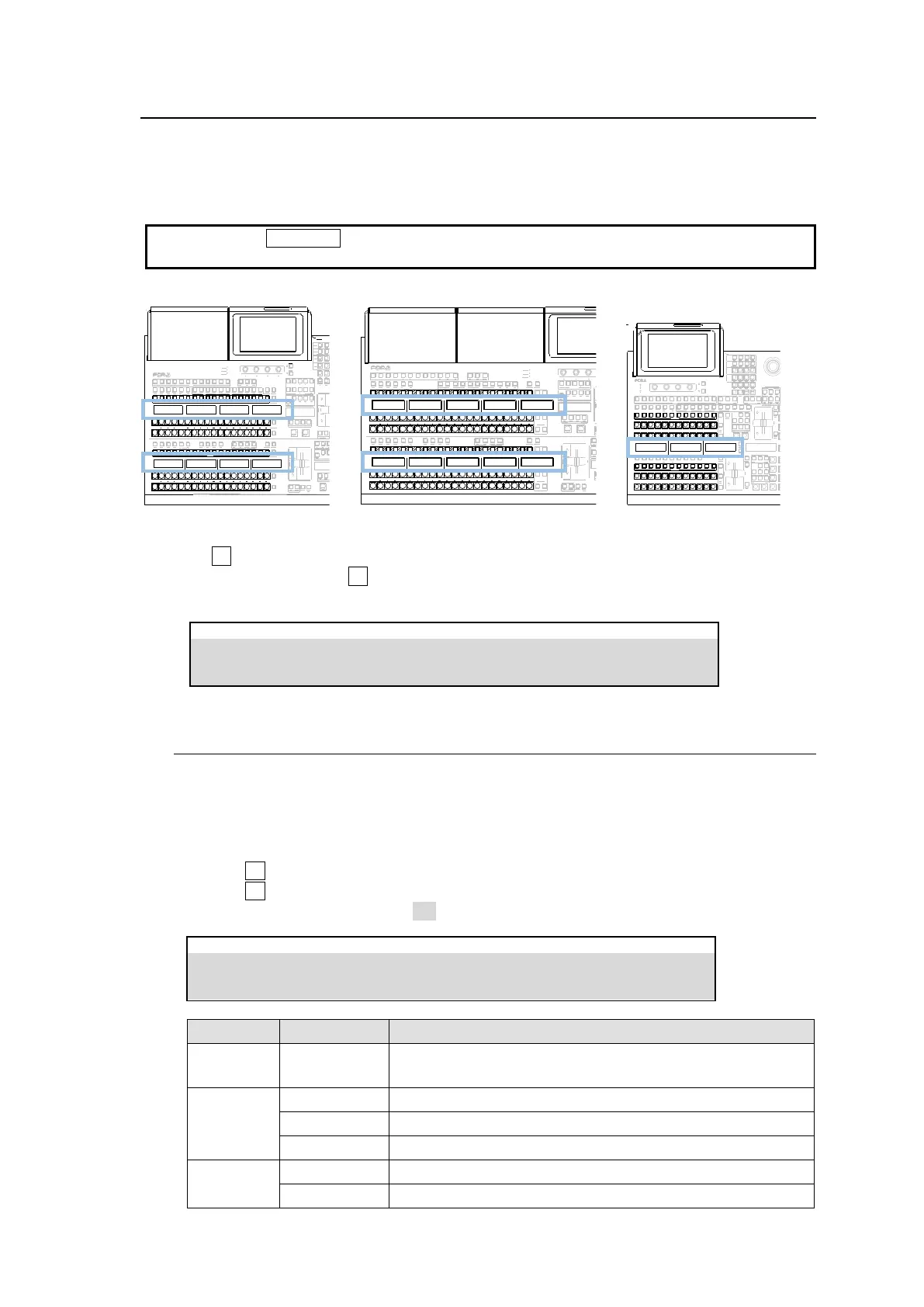
To change video source names, proceed as follows.
Holding down a BUS DISP button allows you to temporarily display the previous names before
change. Releasing the button recalls the current names.
HVS-492OU HVS-492WOU HVS-492ROU
ALARM
POWER1
POWER2
F1 F2 F3 F4
PAGE
1 2 3 4 5 6 7 8 9 10 11 12
KEY1 KEY2 KEY3 KEY4
AUX
UTILITY
1 2
PGM OUT1 OUT2 OUT3 PGM OUT1
M/E 1 M/E2
OUT2 OUT3 MV1 MV2 MV3
AUX TRANSITION
CUT MIX WIPE
USER BUTTON
KEY1 KEY2 KEY3 KEY4 1 2 FLX1 FLX2 FLX3 FLX4
USER BUTTON
4 5 6
TRANSITION TY PE
AUTO CUT
KEY4
FLX4
KEY3 FLX3
KEY2 FLX2
KEY1 FLX1
BLACK
TRANS
KEY4
KEY3
KEY2
KEY1
TRANSITION TY PE
AUTO CUT
1 2 3
JOYSTICK
M/E 2
ENTERCLEAR
0
+ / -
1 2 3
4 5 6
DEC
SD CARD
CONTROL
MEMORY
M/E 1
INC
7 8 9
UTILITY
KEY/FLX
1 2 3 4 5 6 7 8 9 10 11 12
1 2 3 4 5 6 7 8 9 10 11 12
1 2 3 4 5 6 7 8 9 10 11 12
1 2 3 4 5 6 7 8 9 10 11 12
KEY AUX
(1) Open the [SETUP > INPUT > NAME] menu.
(2) Turn F1 to select a video source. (See the next page.)
(3) To change names, press F2 or tap on NAME for a keyboard pop up, enter a new name, (up to
8 characters) then tap Enter.
6-3-1. Setting Video Source Name Display Mode
The display mode for video source names above the control panel bus buttons can be set for
each level as shown below.
(1) Open the [PANEL > BUS ASSIGN > LEVEL1] menu PAGE 2.
(2) Tap a button in the right side of the menu screen to select a bus row.
(3) Turn F1 to select a bus button.
(4) Turn F3 to select a display type under TYPE.
(5) If DISPLAY INVERT is set to ON, a name shows in reverse video.
PANEL > BUS ASSIGN > LEVEL1
Displays bitmap images. (Resolution: 31 x 24 pixels) (*1)
Displays text or images in normal video.
Displays text or images in reverse video.



 To Next Page