193
25-6. Editor Control
The switcher can be controlled from an editor through an RS-422 interface.
The HVS-2000ED software option is required for editor control.
25-6-1. Editor Control Settings
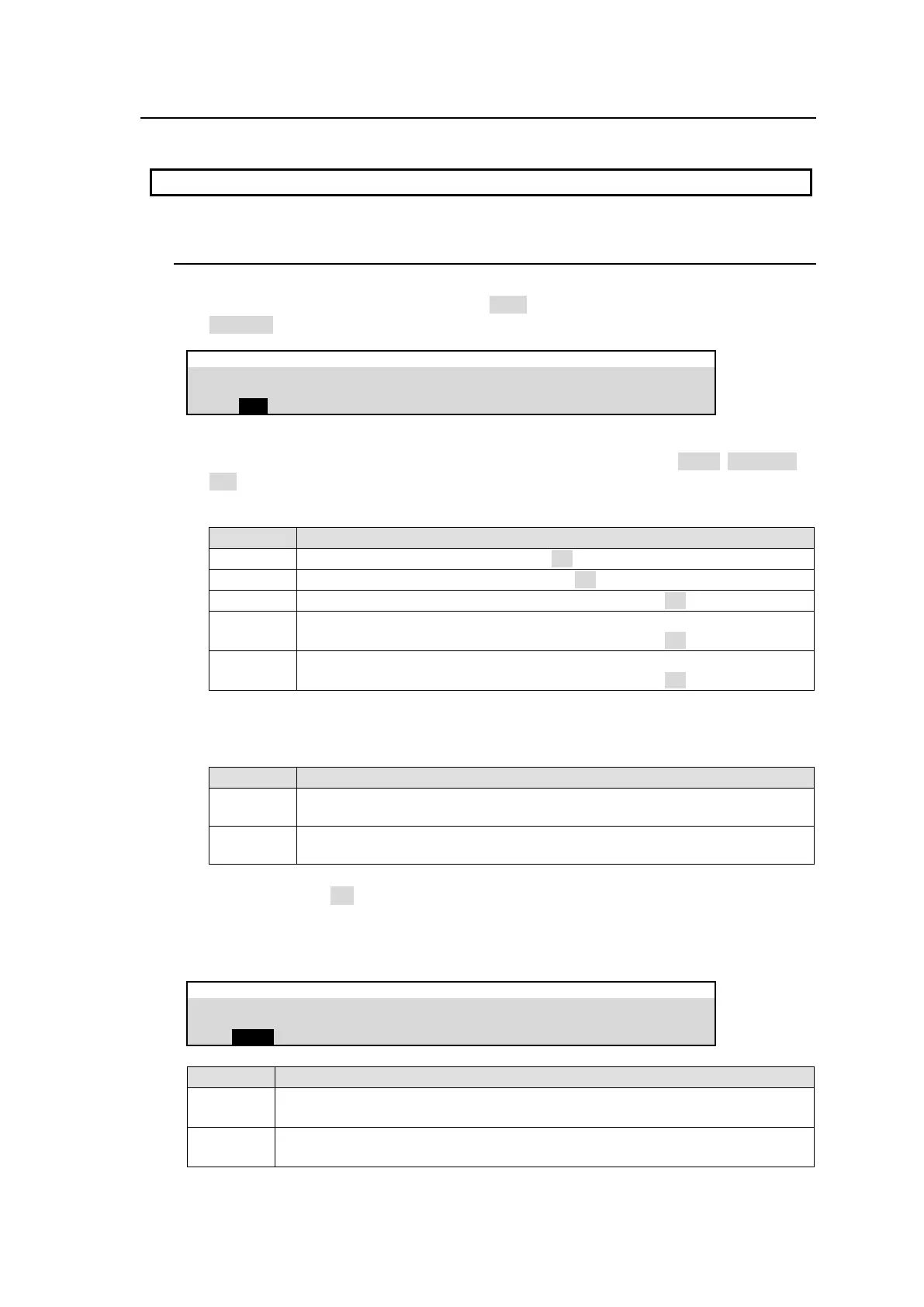
(1) Open the [SETUP > EDITOR > EDITOR] menu.
(2) Select a protocol under TYPE between DVS (SONY DVS/BVS series compatible) and
GVG-K/Z.
If DVS is used:
Specify a bus to be controlled from the editor under TARGET BUS. If PREV, PREV ON or
ALL is set, AUX1 will be the edit preview bus and with crosspoint number is 35. Set your
editor accordingly.
Controls the M/E bus when ENABLE is ON.
Controls the preview bus when ENABLE is ON.
Controls both M/E bus and preview bus when ENABLE is ON.
Always controls the M/E bus regardless of ENABLE setting.
Controls both M/E bus and preview bus when ENABLE is ON.
Always controls the preview bus regardless of ENABLE setting.
Controls both M/E bus and preview bus when ENABLE is ON.
If G-K/Z (GVG protocol) is used:
Select a pattern control mode between the two below at WIPE SELECT MODE.
Same wipe pattern numbers (0-99) as in the switcher are used in the editor.
(default setting)
Twenty wipe patterns saved to Direct Pattern memory are used in the editor as
Direct Pattern No. 80-99. (GVG-Protocol only)
(3) Turn ENABLE to ON to enable the editor control.
(The Editor Control On/Off function can be assigned to a USER button. See section 24-3.
"USER Button.")
(4) Select the crosspoint control mode under XPT SELECT MODE in PAGE 2.
Uses input numbers for crosspoint switches on editors. (Default setting)
See a separate manual on HVS-49ED protocol commands for more details.
Uses button numbers crosspoint switches on editors.
Button 1-22 on editors correspond to Bus Buttons 1-22 in Level 1.
(5) Turn WIPE CONTROL ON/OFF.



 To Next Page