95
Full Key
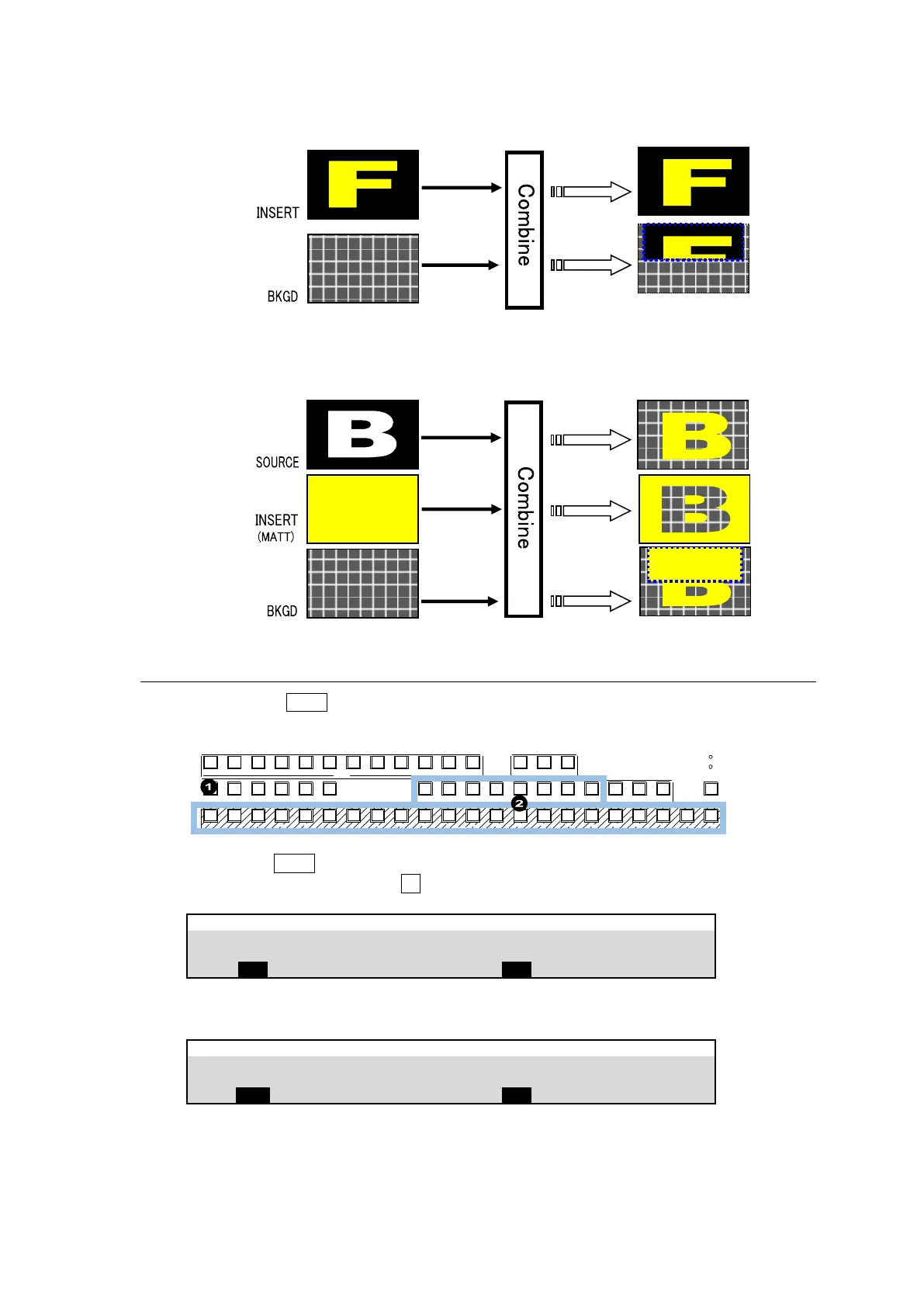
Full Key displays the key insert signal full-screen.
Bus Key
Bus Key, also called External Key, uses different images for Key Source and Key Insert. The
background signal is cut out using Key Source and Key Insert fills in the cut out part of the signal.
12-1. Creating a Luminance Key and Full Key
(1) Press the M/E1 KEY1 button in BUS SELECT.
(2) Select a signal for Key Insert in the KEY/AUX bus.
POWER1
POWER2
BUS DISP
1 2 3 4 5 6 7 8 9 10 11 12
1 2 3 4 5 6 7 8 9 10 11 12 13 14 15 16 17 18 19 20 21 22
CUT MIX WIPE
AUX TRANS ITION
M/ E1 M/ E2
PGM OUT1 OUT 2 OUT3 P GM OUT1 OUT2 OUT 3 MV1 MV2 MV3
KEY /AUX
AUX
KEY1 KE Y2 KE Y3 KEY4 1 2
UTI LITY
(3) Quickly press KEY1 twice in BUS SELECT to display the [M/E FLEXaKEY > M/E1 > KEY1 >
TRANS > SRC/INS] menu. Turn F1 to select LUM for TYPE.
M/E FLEXaKEY > M/E1 > KEY1 > TRANS > SRC/INS
To setup a full key, set TYPE to FULL.
M/E FLEXaKEY > M/E1 > KEY1 > TRANS > SRC/INS
► See Sec. 11-4. “KEY Transitions” and 11-10.” KEY IN/OUT Using Cut or Fade” for details on
transitions.
► See Sec. 12-3. "Adjusting Key Signal" for details on making fine adjustments.
Key edge, invert, mask and DVE effects can be applied to these keys.



 To Next Page