147
20-1-5. Editing Sequences (Adding or Inserting Steps)
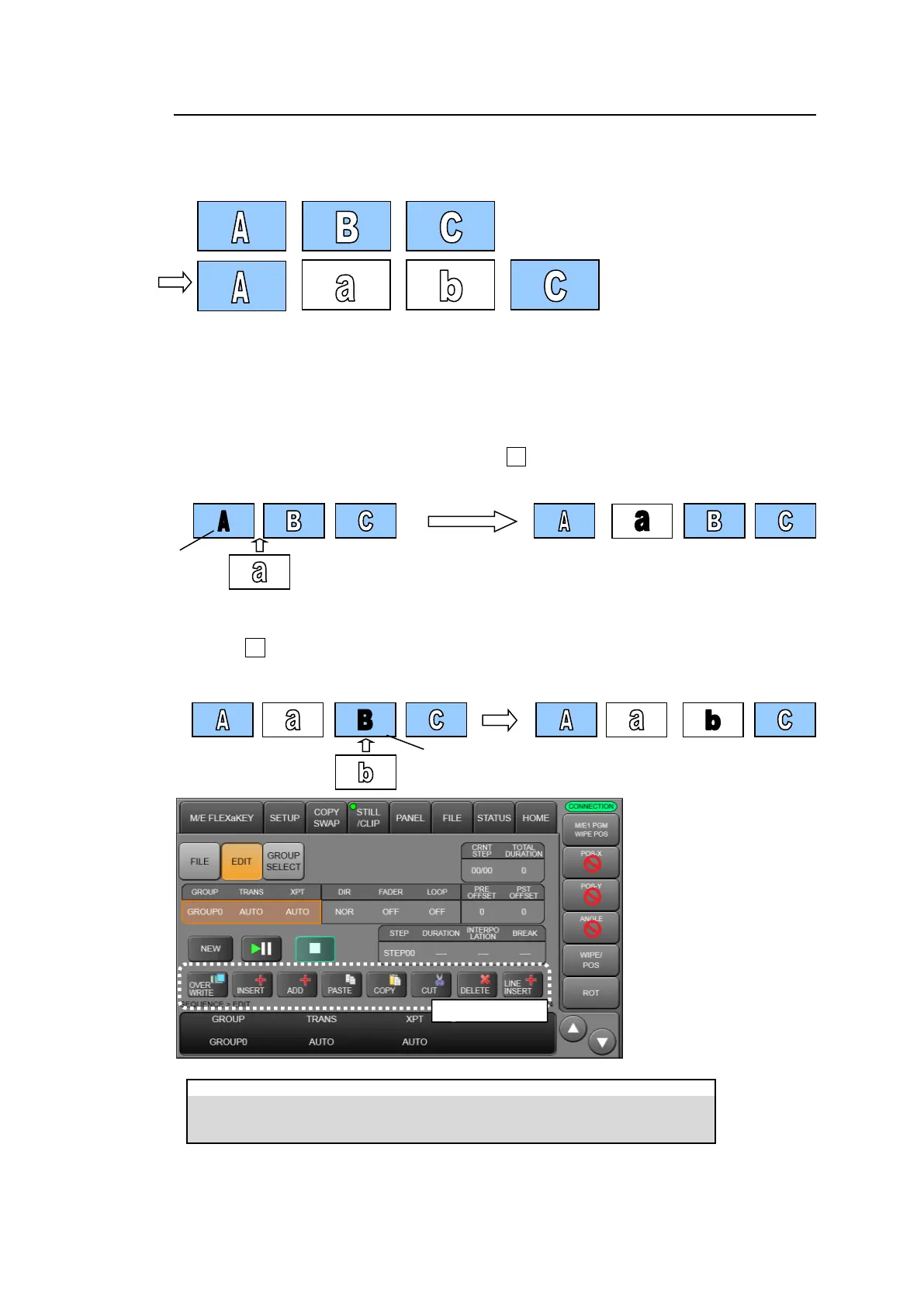
This chapter explains how to copy, paste and delete steps. The operational example below
shows how to load Sequence Memory 10 (created in Sec. 20-1-1) and edit the sequence by
adding and overwriting steps.
Loading the Sequence
(1) Refer to Sec. 20-1-3. “Playing Back Sequences” to load Sequence Memory 10.
Adding a Step
(2) Open [SEQUENCE > EDIT] menu PAGE 4.
(3) Verify that STEP01 is selected. (If not, turn F1 to select STEP01.)
(4) Create “Video a”. Tap ADD to add “Video a” to the sequence.
Replacing the Step
(5) Turn F1 to go to STEP03.
(6) Create “Video b”. Tap OVERWRITE to replace “Video B” with “Video b”.
Store the edited sequence to
Sequence Memory 1.



 To Next Page