87
Saving the Modify Pattern to a DIRECT Pattern
The modified pattern can be saved to a DIRECT Pattern. Then let’s save Pattern 117 that was
modified for M/E1KEY1 to DIRECT PATTERN 07.
(1) Press DIRECT PATT in the MEMORY block. The [DIRECT PATTERN] menu appears
and the multi-pad changes to DIRECT PATTERN mode.
(2) Press PAGE, then 0 in the CONTROL block to select PAGE 0.
(3) Press STORE in keypad.
(4) Tap M/E1 KEY1 on the menu screen.
(5) Press 7 in keypad.
See Sec. 11-8. “Direct Pattern Function” for more details.
11-9-4. Resetting Modified Pattern
The INIT parameters in the menu allow you to reset all or a subset of modified data.
Resetting a Subset of Modified Data
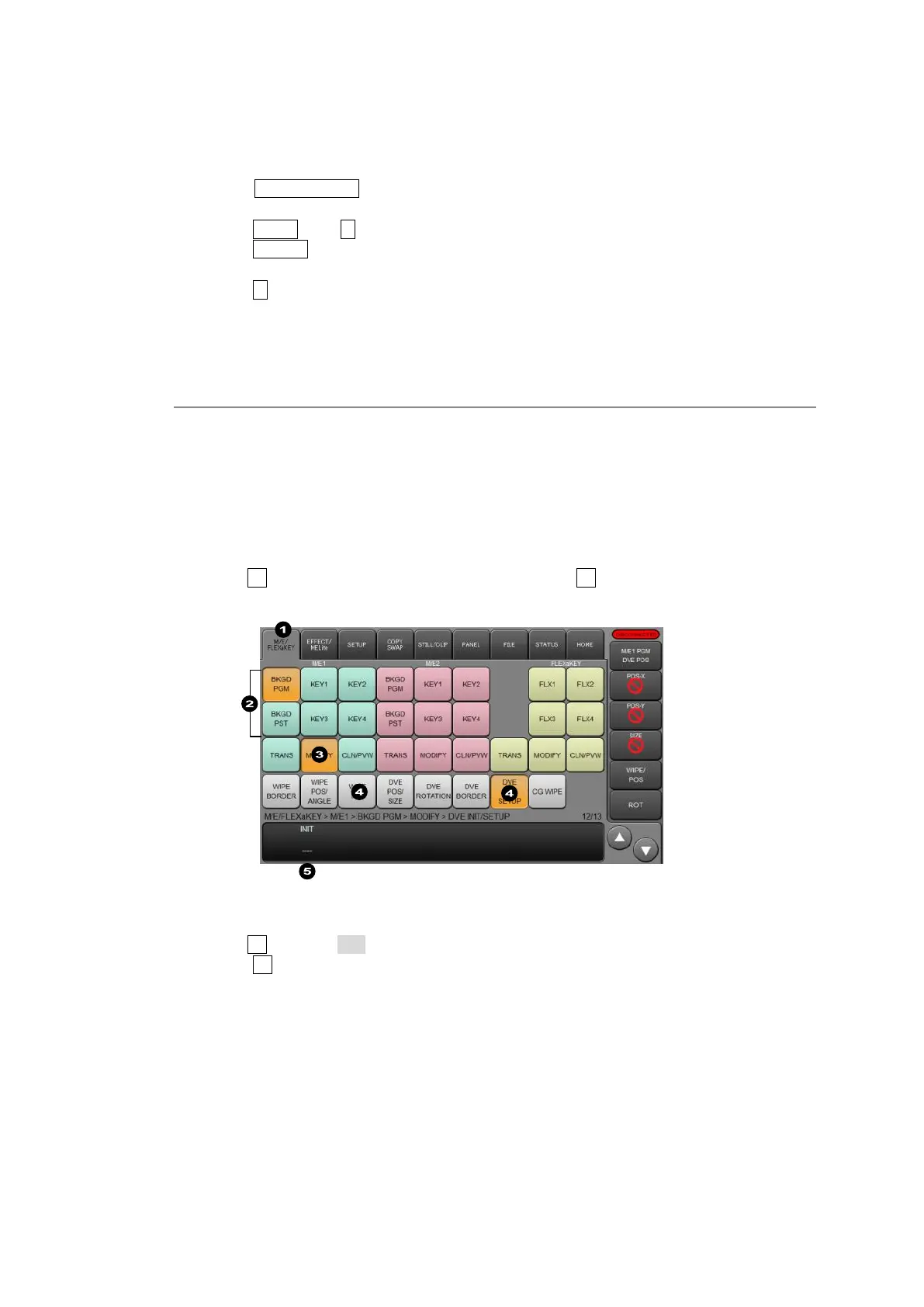
(1) Tap the M/E FLEXaKEY tab on the menu screen.
(2) Tap a bus button from BKGD PGM, KEY1-4 and FLX1-4.
(3) Tap on MODIFY.
(4) Tap on WIPE INIT for WIPE types, or DVE INIT/SETUP for DVE types.
(5) Turn F1 to select a subset to be reset, then press F1. Tap YES on the confirmation
dialog.
Resetting all modified settings
(1) Turn F1 to select ALL in the [MODIFY > WIPE INIT] or [MODIFY > DVE INIT] menu.
Press F1.
(2) Tap YES on the confirmation dialog.



 To Next Page