224
3-4. Event Memory
>> Manual Sec. 19. "Event Memory"
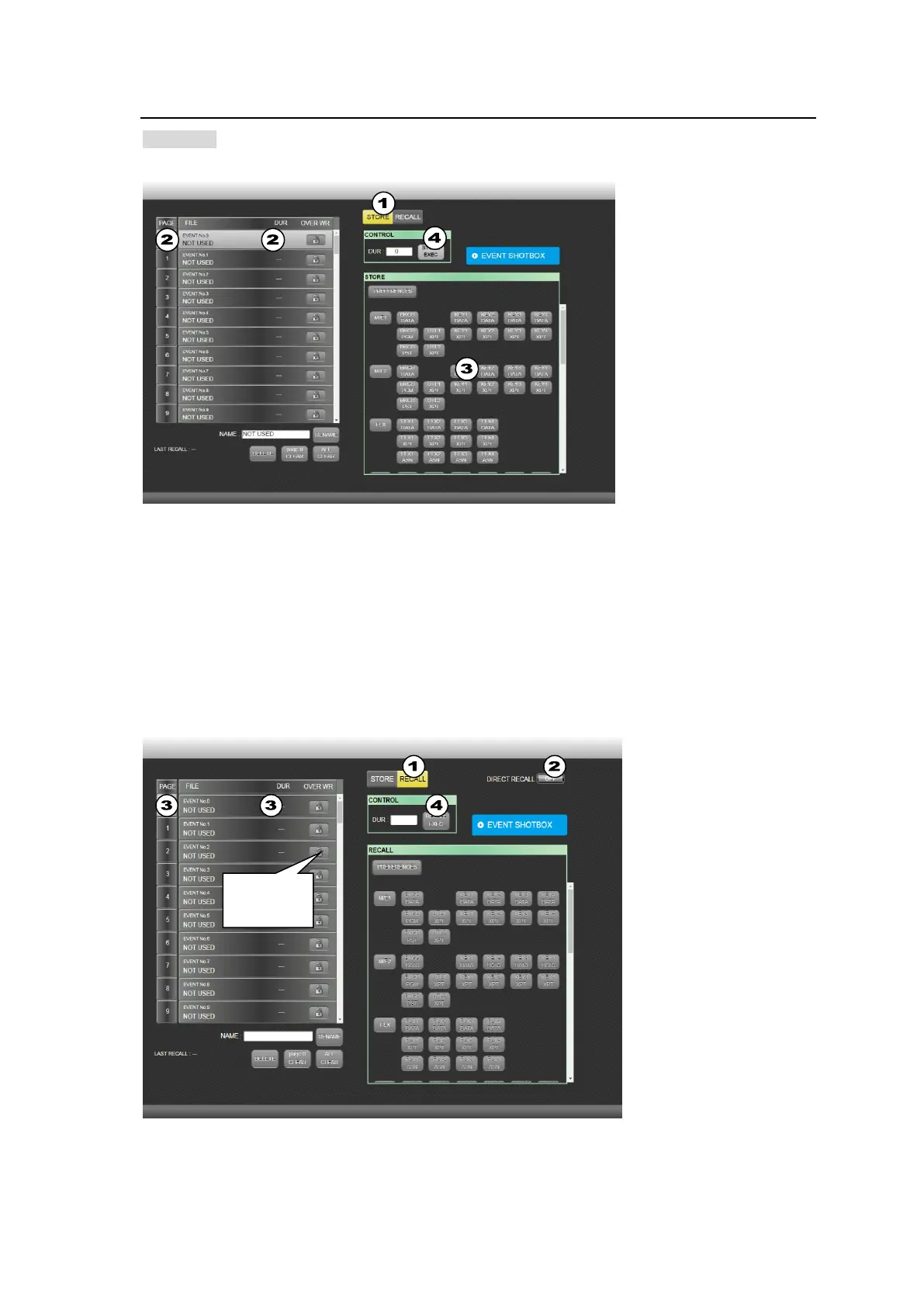
Storing Events
(1) Click STORE.
(2) Select an event number from the event list on the left side.
(3) Select the data to be stored in the STORE block, as needed.
(4) Click STORE EXEC to store the event. To change the DURATION value and save the event,
change the value under DUR and click RECALL EXEC.
Clicking REFERENCES in the STORE block and clicking YES in the pop-up dialog allows you to
change preset data to be stored to the current selection items.
Loading Events
(1) Click RECALL.
(2) Set DIRECT RECALL to ON if enabling DIRECT mode



 To Next Page