225
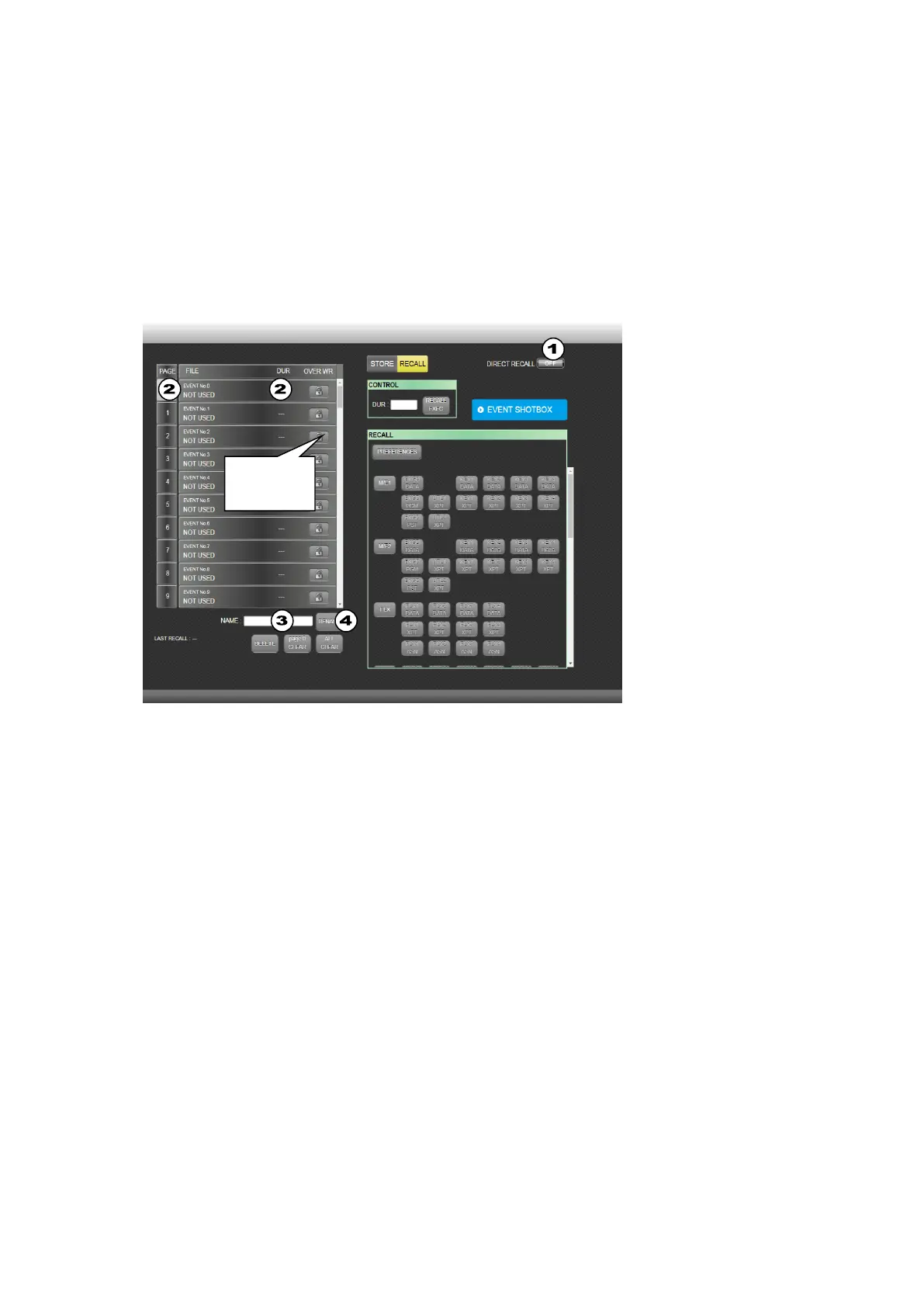
(3) Select an event from the event list on the left side. The event will be loaded if in Direct mode.
If Direct mode is OFF, the data stored in the event will be displayed. Select data to be loaded.
(4) Click RECALL EXEC to load the event.
To change the DURATION value and load the event, change the value under DUR and click
RECALL EXEC.
EVENT SHOTBOX
Clicking EVENT SHOTBOX at the upper right corner of the screen opens the EVENT SHOTBOX
menu, in which quick event recalls are possible using 64 event buttons.
Changing event names
(1) To change event names in the EVENT RECALL menu, turn OFF DIRECT RECALL.
(2) Select an event in the left side.
(3) The current name is displayed under NAME. Enter a new name in the NAME field.
(4) Click RENAME to change the event name.



 To Next Page