145
20-1-3. Playing Back Sequences
The following procedure shows how to load and play the sequence stored in Sequence
Memory 10.
(1) Open the [SEQUENCE > FILE] menu.
(2) Press PAGE in the MEMORY block.
(3) Press 1 on the keypad to select PAGE 1.
(4) Press 0 on the keypad
(5) Verify that M1BG is selected in the [SEQUENCE >
FILE] menu.
(6) Press RECALL on the keypad.
The M1BG block data in Sequence Memory 10 is
loaded to the M1BG block in the working memory.
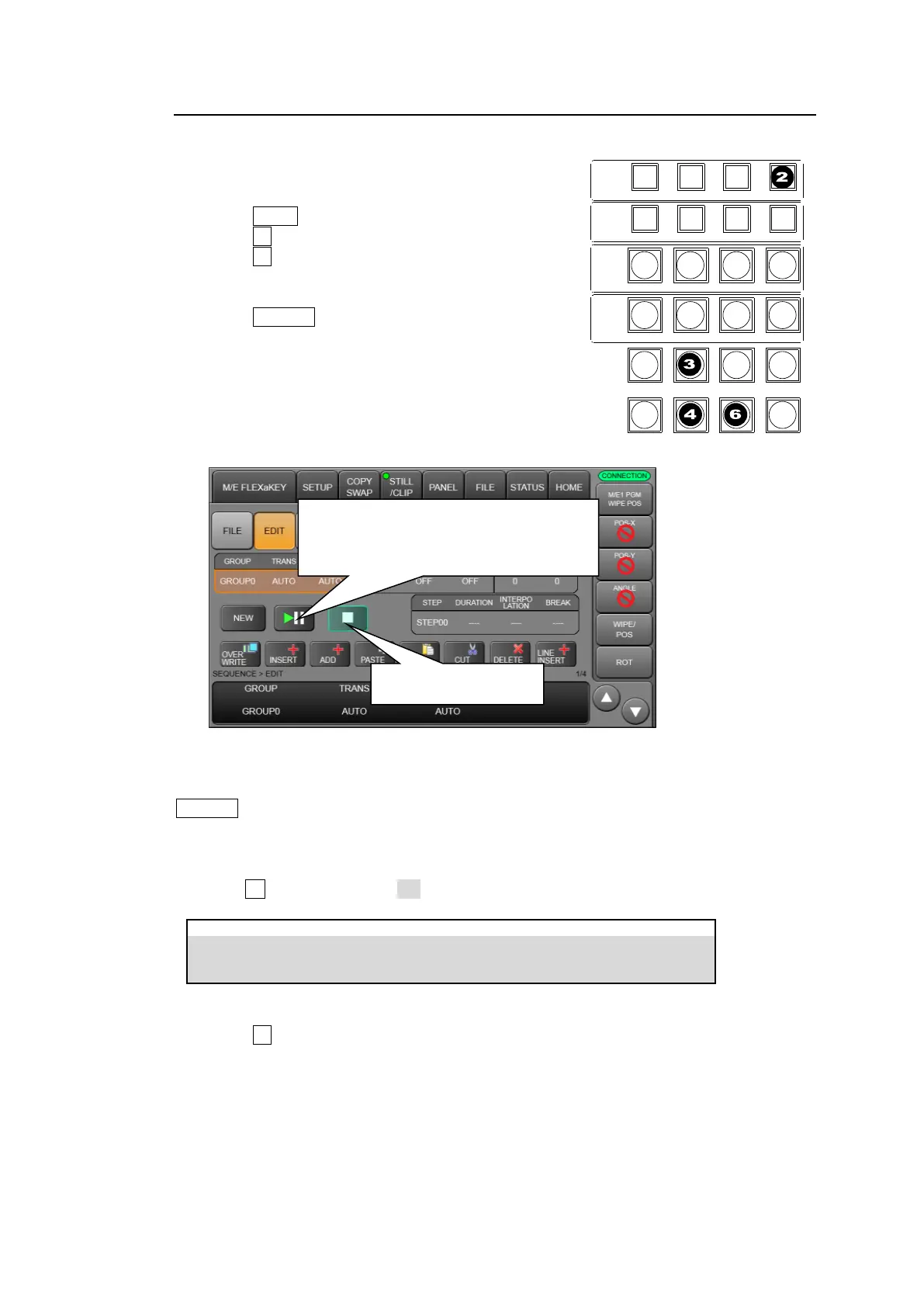
(7) Open the [SEQUENCE > EDIT] menu.
(8) Tap PLAY/PAUSE.
To stop the sequence playback, press STOP.
Quick Recall (DIRECT mode)
In DIRECT mode, sequences can be loaded just pressing a memory button without pressing
RECALL.
To recall Sequence Memory 0 in DIRECT mode:
(1) Open [SEQUENCE > FILE] menu PAGE2.
(2) Turn F4 to turn DIRECT to ON.
(3) Open the [SEQUENCE > FILE] menu.
(4) Press 0 on the keypad
STOP button stops
sequence playback.
PLAY/PAUSE button
Plays a sequence.
Pauses the current playback and resumes the
playback by repressing.
CONTROL
MEMORY
M/E1
M/E2
MENU LOCK KEY PRI PAGE
DIRECT PATT MACRO EVENT SEQUENCE
INC
DEC
7 8 9
4 5 6
1 2 3
0
RECALL STORE
ENTER
CLEAR
+ / -
CK WIPE SUB EFF
FLX4FLX3FLX2FLX1
KEY1 KEY2 KEY3 KEY4
KEY1 KEY2 KEY3 KEY4



 To Next Page