112
14-1-1. How to Use the Joystick
The joystick controls Position and Size in the WIPE MODIFY and DVE MODIFY menus. The
following example shows how to set bus and parameter settings using the joystick.
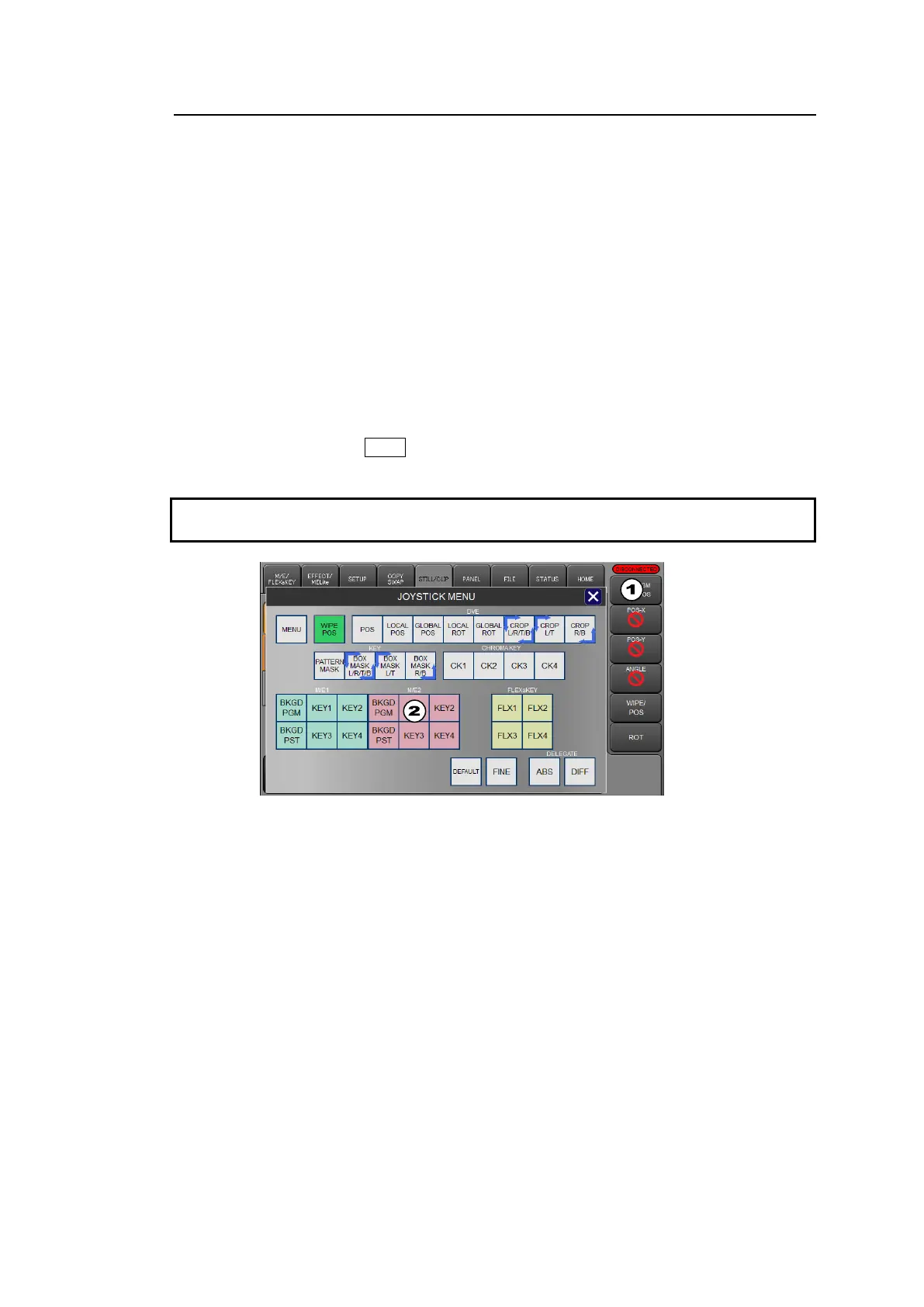
Changing POSITION X, Y and SIZE for M/E2KEY1 in the DVE MODIFY menu
(1) Tap on the button in the upper right corner of the menu screen to pop-up the JOYSTICK
MENU window.
(2) To select a bus to be set, tap on M/E2 KEY in this example.
If controlling multiple buses, the one last selected becomes the master bus. In such cases,
if ABS (absolute) is set in the DELEGATE block and a parameter is changed in the
master bus, the master parameter value is applied to other bus parameters. If DIFF
(difference) is set, the difference between before and after a change in the master bus
parameter is applied to other bus parameters.
Another way to specify a joystick control bus is by pressing a NEXT TRANSITION button.
In this example, press KEY1 to light the LED in the M/E2 transition block.
Note that when the joystick controls multiple buses and cannot change master bus
parameters, other bus parameters will remain unchanged.
(3) Change the DVE image position by turning the joystick to move up, down, left, or right.
Change the DVE image size by twisting the joystick clockwise or counter-clockwise.
Tapping on the POS_X, POS_Y or SIZE parameter button on the right edge of the screen will
display a prohibited sign on the button and the parameter setting is disabled. Holding down the
button will reset the parameter to factory default.
In addition, tapping FINE in the JOYSTICK MENU pop-up window allows you to fine tune
parameters.



 To Next Page