221
Note that web browsers cannot automatically reconnect to HVS-490 units after the units have
rebooted (the connection indicator may be unlit). In such cases, reconnect to the unit or refresh
the HVS-490 control page on the web browser to re-establish the connection.
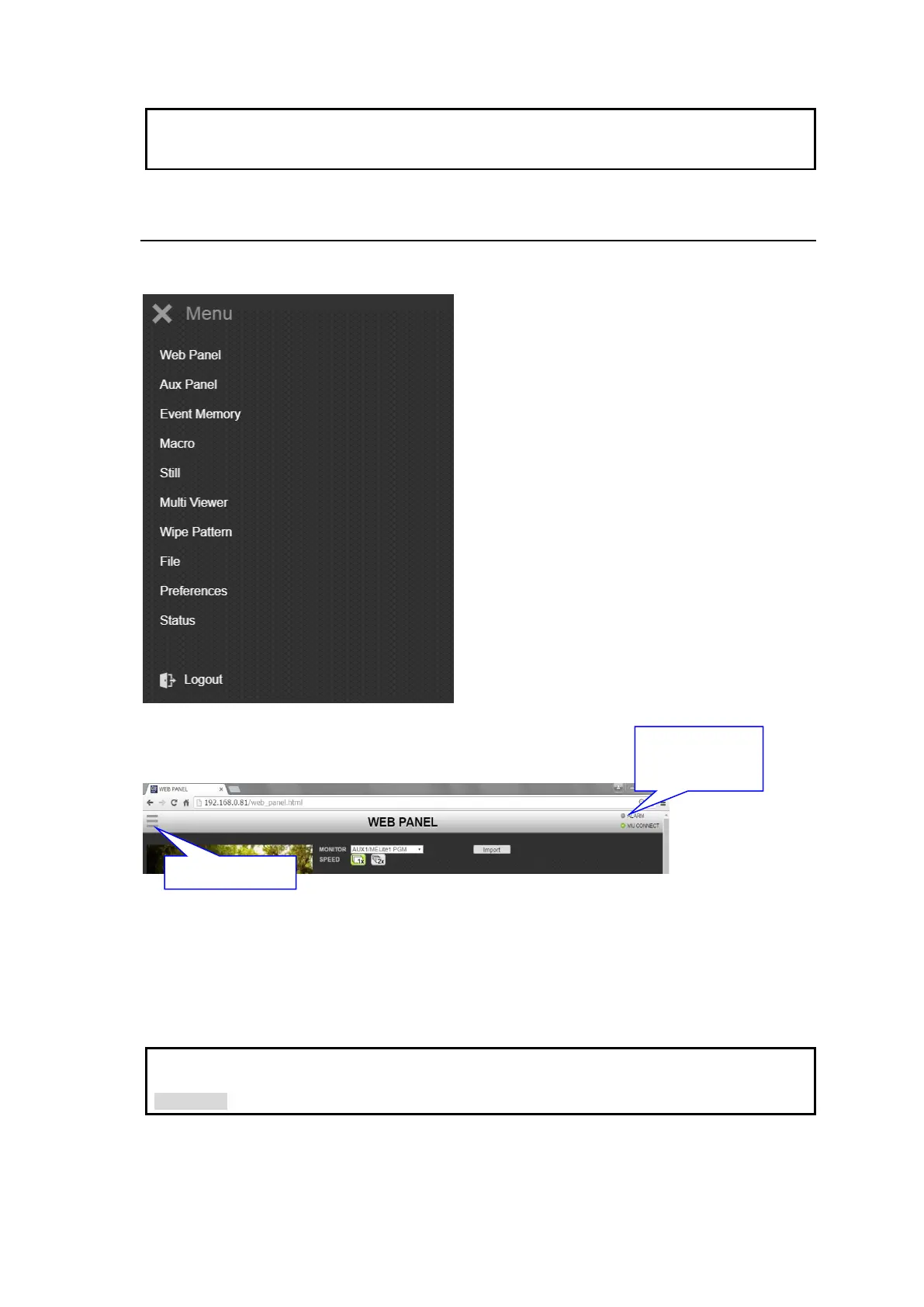
3-2. Accessing Menu Pages
Menu bar
Use the menu bar to access each menu page.
When the menu bar is closed, press the menu bar icon
in the upper left corner of the window.
Alarm Indicator
The alarm indicator turns on red if a power or fan alarm occur in the Main Unit.
If you change the switcher menu settings on the web browser, they are immediately sent and
applied to the switcher.
See the switcher manual main pages for details on switcher features.
The shaded text "
>> Manual" indicates references to sections in the operation manual.
Alarm indicator
Lit red: Abnormal
Unlit: Normal



 To Next Page