200
26. 4K (UHD) Mode
HVS-49EXP4K and HVS-49IO options enables 4K(UHD) mode support and allow you to input, output
and switch 4K signals and to use various effects for them. See Sec 26-2. “4K Mode Specifications” for
the details on 4K mode.
4K Input / Output Ports
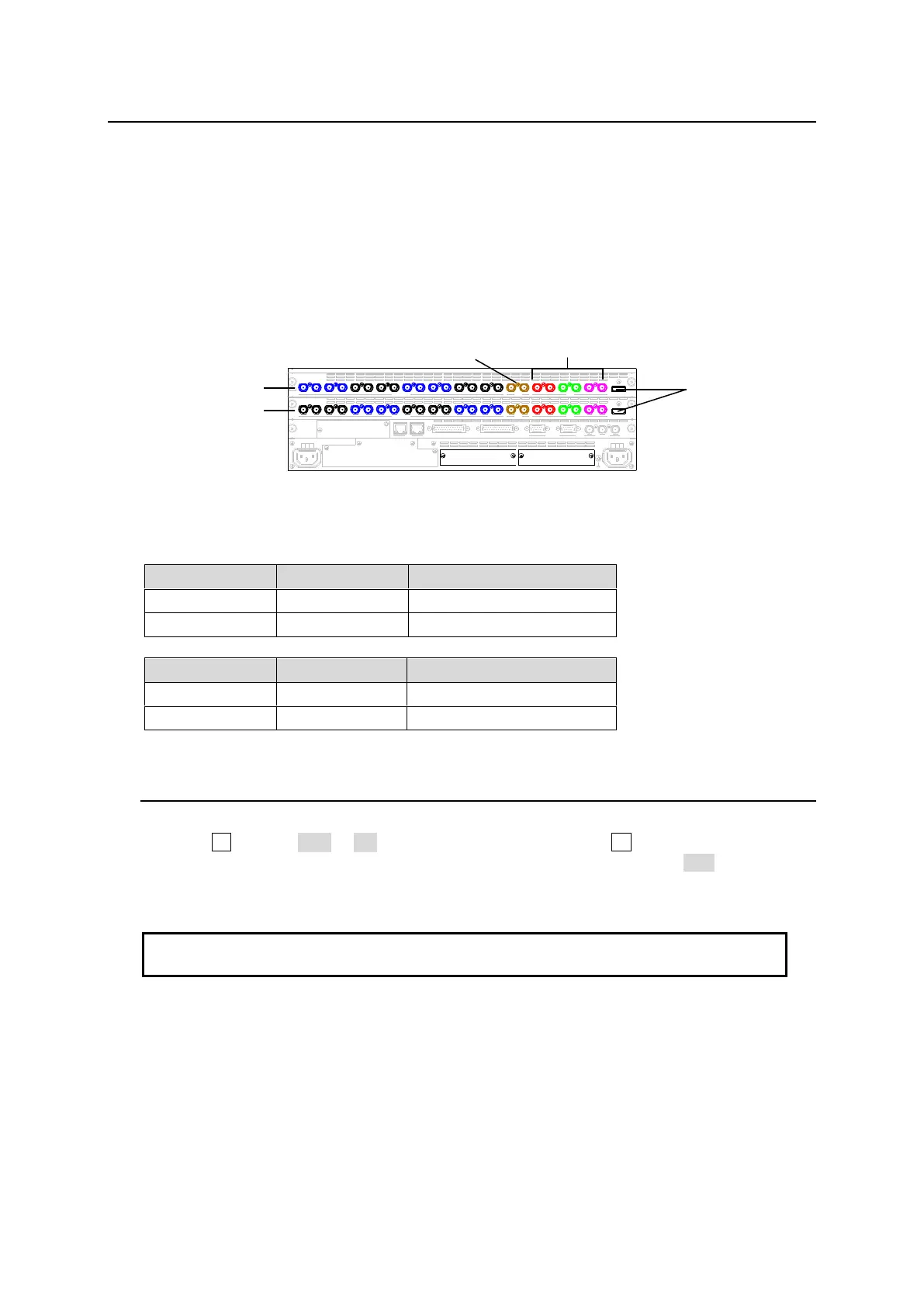
4K input and output ports are assigned as shown below. One 4K input or output requires four ports for
and one port for HDMI.
4K inputs: 8 (IN01-08)
4K outputs: 6 (OUT1 (M/E PGM), AUX1-3 and HDMI1-2
SD I INPUT M/E A UX
AC1 00-240V 50/60Hz IN
2 1
AC1 00-240V 50/60Hz IN
REF IN REF OUT
GENLOCKGPI/ TALLY OUTGPI IN/ALARMLAN
HVS(OU) EXT
1 2
RS-422
SD I INPUT
HVS-49IO
M/E A UX
431 2
24232221
1211109
313029 3220191817
8765
28272625
16151413
HDMI
HDMI
87
21
109
43
1211
65
43
1 2
OPTION SLOT BOPTION SLOT A
Adding Two 4K Inputs (IN09 and IN10) or 4K output (AUX4)
Install option I/O cards as shown below.
26-1. Switching to 4K Mode
(1) Open the [SETUP > SYSTEM > 4K CONTROL] menu.
(2) Turn F1 to select SQD or 2SI under 4K CONTROL, then press F1.
(3) A pop-up dialog appears asking if you would like to reset parameters. Tap YES.
Menu parameters on M/E1, M/E2, AUX, etc. are reset to factory default settings. (See Sec.
26-2 "4K Mode Specifications.")
Note that 4K (UHD) signals cannot be selected directly under FORMAT. Select 1080i, 1080p
or 1080PsF under FORMAT, then set 4K CONTROL.
M/E Banks
Only M/E1 and AUX1-3 transition blocks are available.
Keys
Two KEYERs (for M/E output) and one FLEXaKEY (for M/E or AUX output) are available.



 To Next Page