226
3-5. Macro
>> Manual Sec. 21. "Macro Operations"
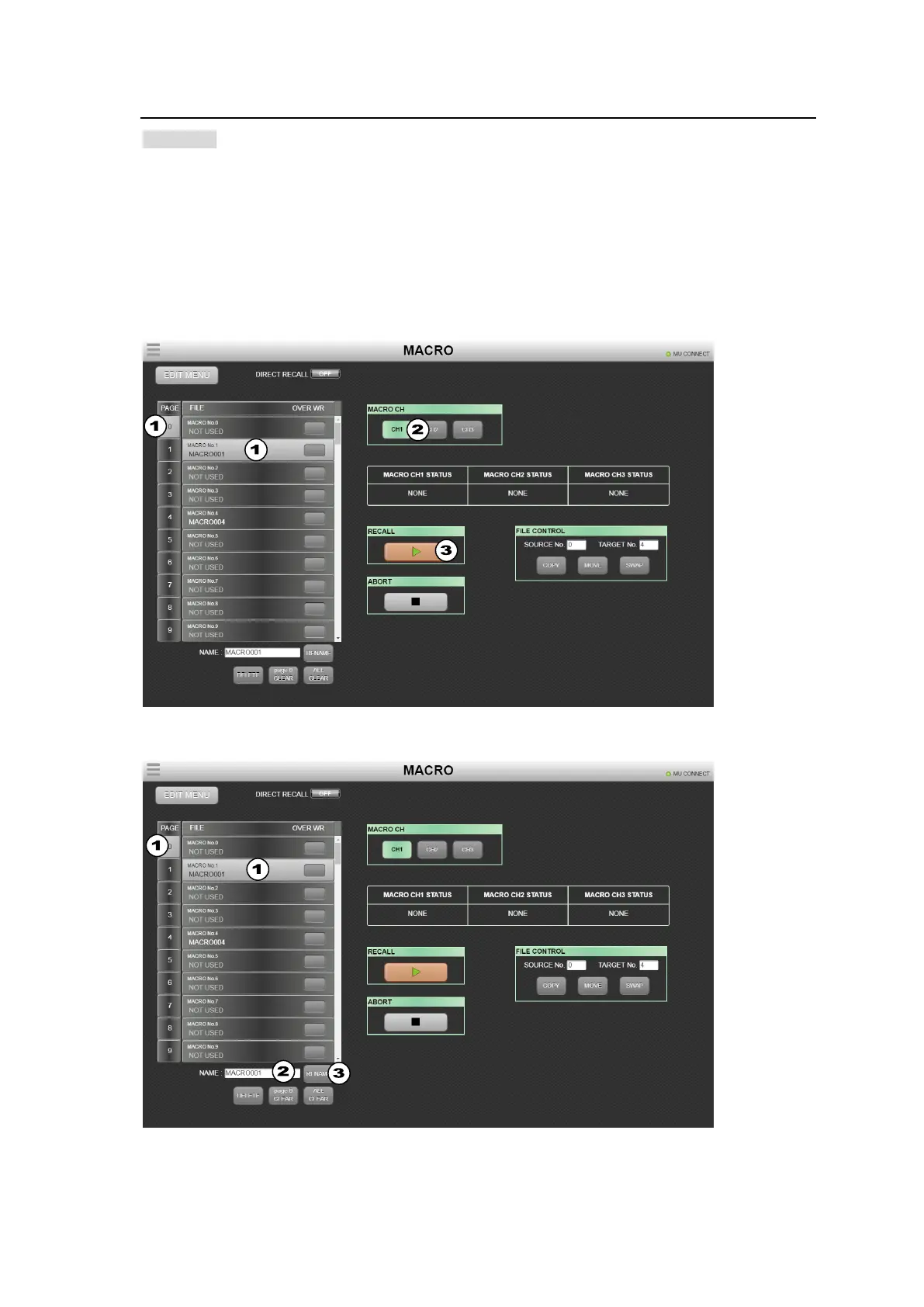
Playing Macros
(1) Select a macro number from the macro list on the left side.
(2) Change the macro channel, as needed. (See Sec 21-3-5.)
(3) Click RECALL to play the macro.
To pause the play, click RECALL, and restart the play, click RECALL.
To stop the macro play, click ABORT.
Renaming macros
(1) Select a macro number from the macro list on the left side.
(2) The current name is displayed under NAME. Enter a new name in the NAME field.
(3) Click RENAME to change the macro name.



 To Next Page