233
3-10. Still
>> Manual Sec. 17. "Still and Clip Store"
This page allows you to save still images, save and play clips and backs up the still memory data.
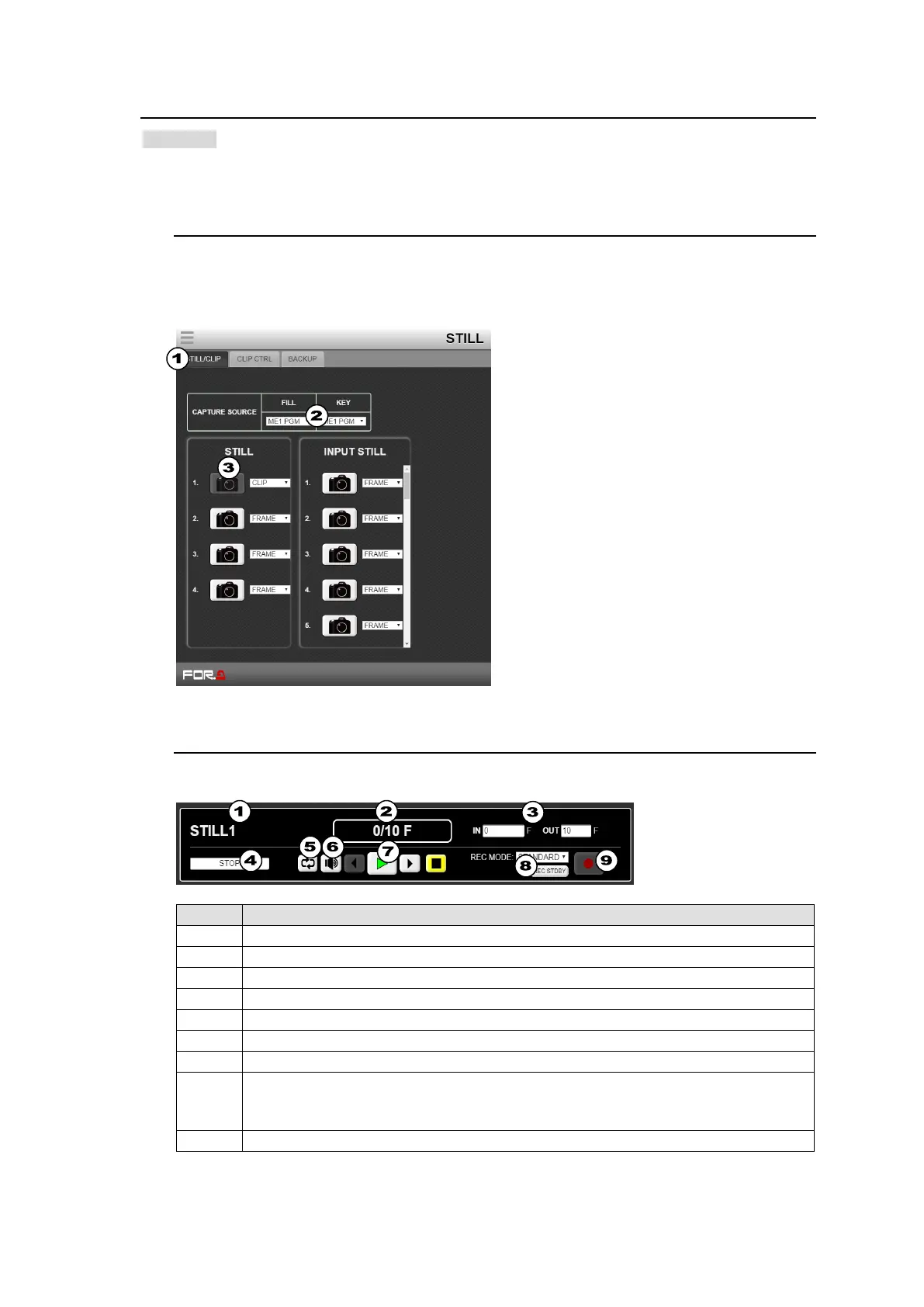
3-10-1. Capturing Still Images
(1) Tap the STILL/CLIP tab at the top of the screen.
(2) Specify signals under FILL and KEY in CAPTURE SOURCE.
(3) Tap STORE to save the captured still image.
3-10-2. Playing / Recording Video Clips
Tap the CLIP CTRL tab at the top of the screen.
Displays the STILL number and clip file name.
Displays the current / total durations.
Displays the IN and OUT points
Displays the current playback status on the progress bar.
Turns Loop playback On/Off.
One-frame backward, Play, One-frame forward, Stop
Selects REC MODE.
STANDARD: Starts recording by pressing REC STDBY, then REC.
DIRECT: Directly starts recording by pressing only REC.
Starts and stops recording.



 To Next Page