232
Playing Sequences in BUS mode
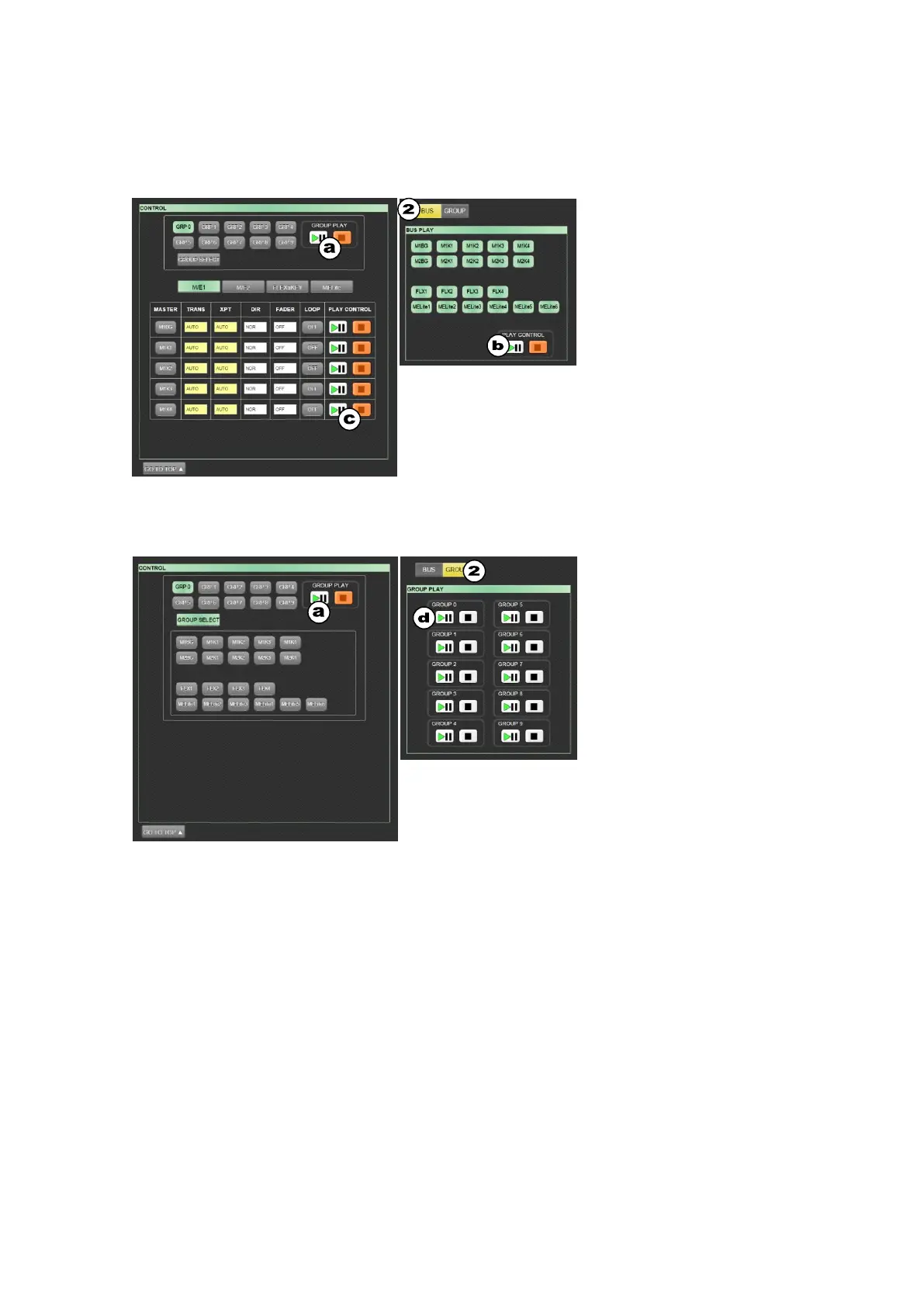
(1) Tap the CONTROL tab.
(2) Selecting BUS in the top of the screen changes the screen to the Bus play mode.
Selecting GROUP in the bottom of the screen changes the screen to the Group play mode.
Playing Sequences in GROUP mode
(a) Tap the PLAY/PAUSE button to
play the sequence using all bus
movements included in GROUP0
in the figure at left.
(b) Select only necessary buses
without using groups, then tap the
PLAY/PAUSE button to play the
selected bus movements in the
sequence.
(c) This block allows you to set
playback settings and play each
bus sequence.
See Sec. 20-1-4 for more details
on playback settings.
(d) Directly select a group, then tap
the PLAY/PAUSE button to play
the grouped bus movements in
the sequence.



 To Next Page