3 - 13
IPN 074-397-P1G
HAPSITE Smart Operating Manual
Vent HAPSITE . . . . . . . . . . . . . . . . . Used to vent the HAPSITE to atmosphere
when attached to the Service Module.
Activate NEG. . . . . . . . . . . . . . . . . . Will start the NEG activation or reactivation
process. A Service Module is required and
the HAPSITE must be attached.
Bakeout NEG . . . . . . . . . . . . . . . . . Is a 1 or 2 hour process that heats the NEG
at full power to bake the NEG out and
recover usable life. This is best
accomplished attached to a Service Module,
but can be done without the Service Module.
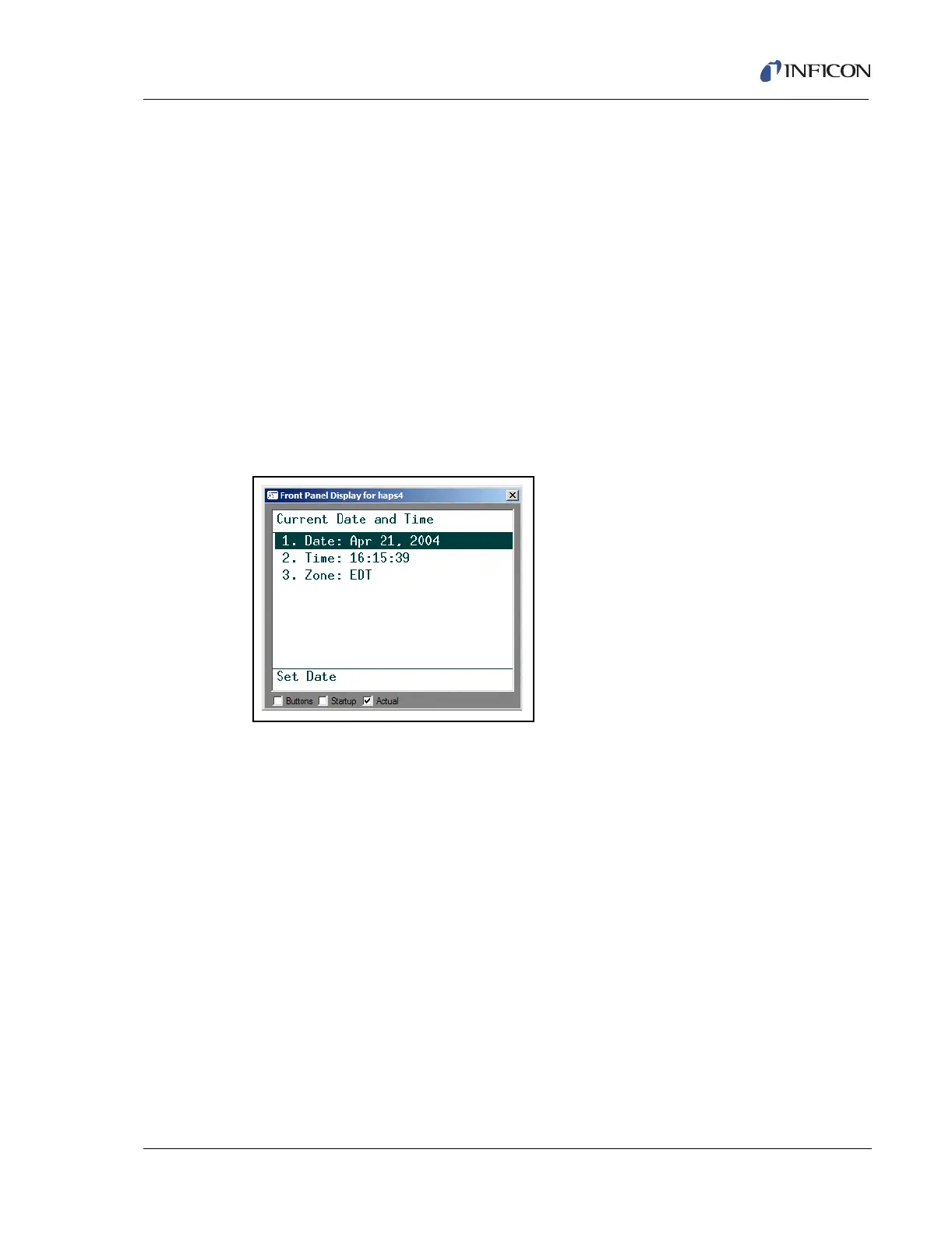
System menu selection number 5, Set Date and Time, provides the option to set
the date and time on the HAPSITE, as shown in Figure 3-19:
NOTE: The Time Zone can only be set from the Laptop.
Figure 3-19 HAPSITE Current Date and Time
System menu selection number 6, Set Network Info, displays network (computer
connection) information. See Figure 3-20.
1. XX.XXX.XX.XXX . . . . . . . . . . . . . Lists the current IP address. This is how the
laptop recognizes the HAPSITE.
2. Add IP Address. . . . . . . . . . . . . . Can be used to add an alternate IP address.













 To Next Page