3 - 24
IPN 074-397-P1G
HAPSITE Smart Operating Manual
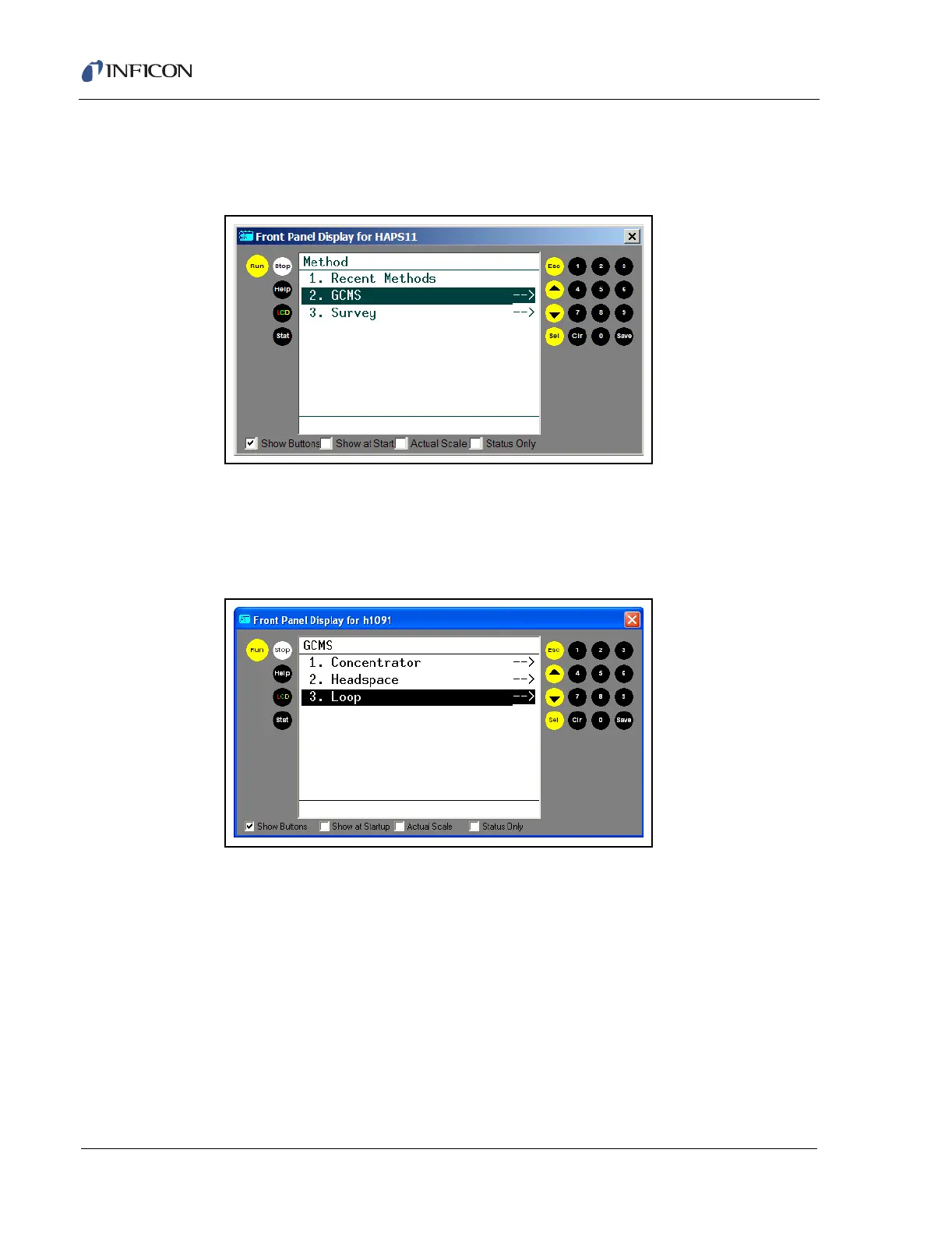
2 From the Main Menu select Run Method by either pressing 1 then SEL or
using the up and down arrow to highlight the selection and then press SEL.
This will access the Method Menu. See Figure 3-30.
Figure 3-30 Selecting the Method using Method Menu
3 In the Method menu, arrow down to GCMS. To select the item, press SEL when
the menu item is highlighted, or type the number of the selection and then press
SEL. After selecting the GCMS option the following menu will be shown. See
Figure 3-31. Arrow down to 3. Loop and press SEL.
Figure 3-31 Selecting the Physical Configuration













 To Next Page