7 - 30
IPN 074-397-P1G
HAPSITE Smart Operating Manual
Figure 7-36 Actual Resolution and Target Resolution
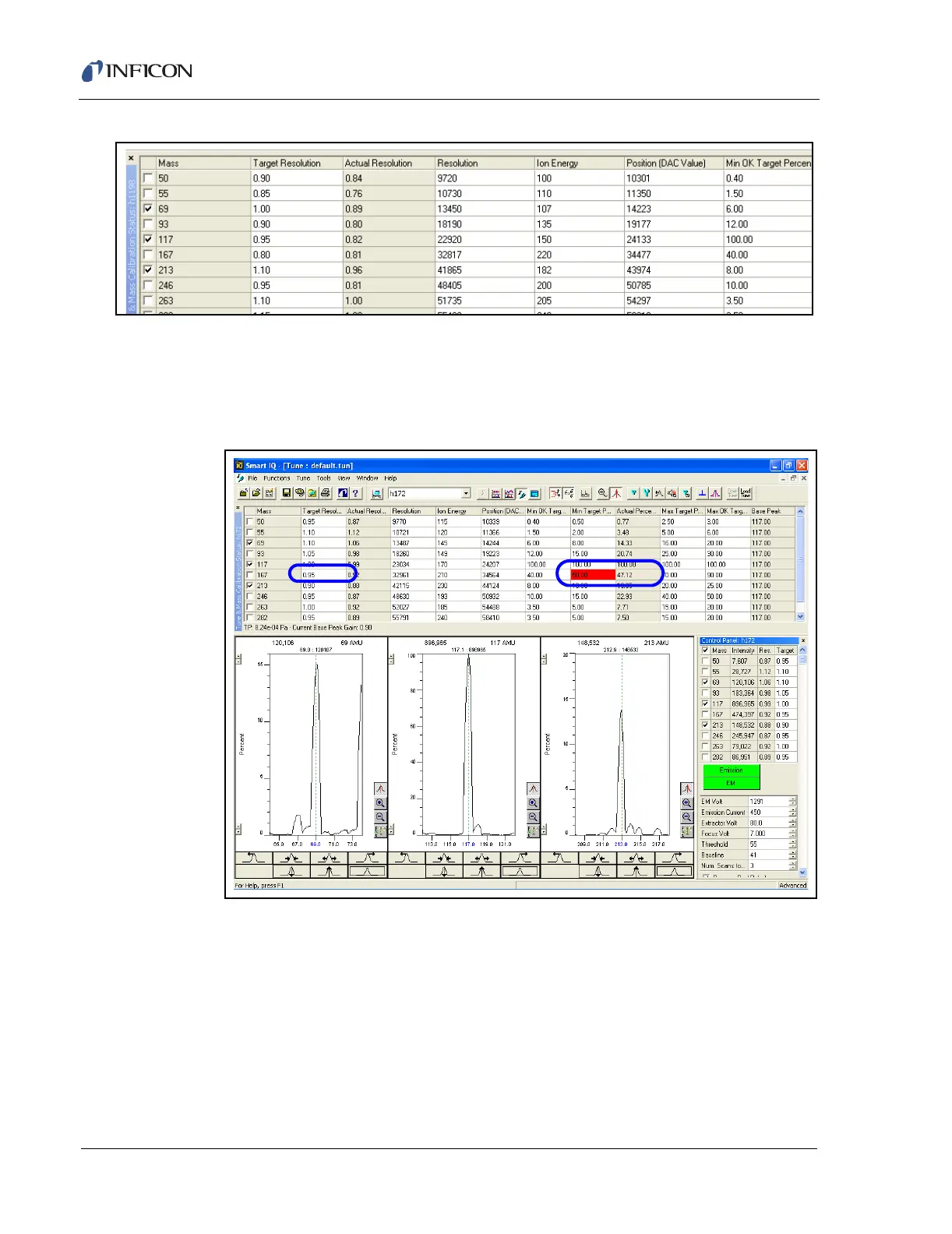
3a If the red box is in the Min Target Percentage column, the Target Resolution
will need to be increased. Use increments of 0.05 to change the Target
Resolution. If the Target Resolution reaches 1.10, proceed to Step 4 and follow
with Step 4c, if needed. See Figure 7-37.
Figure 7-37 Target Percentage Low
3b If the red box is in the Max Target Percentage, the Target Resolution needs
to be decreased. Use increments of 0.05 to make changes to the Resolution. If
the Target Resolution reaches 0.85, proceed to Step 4 and follow with Step
4c, if needed.
4 Check to see if the Resolution is in range (red box has disappeared).
4a If the Resolution is in range, proceed to Step 4, section 7.6.3, Adjusting the Ion
Energy, on page 7-31.













 To Next Page