9 - 4
IPN 074-397-P1G
HAPSITE Smart Operating Manual
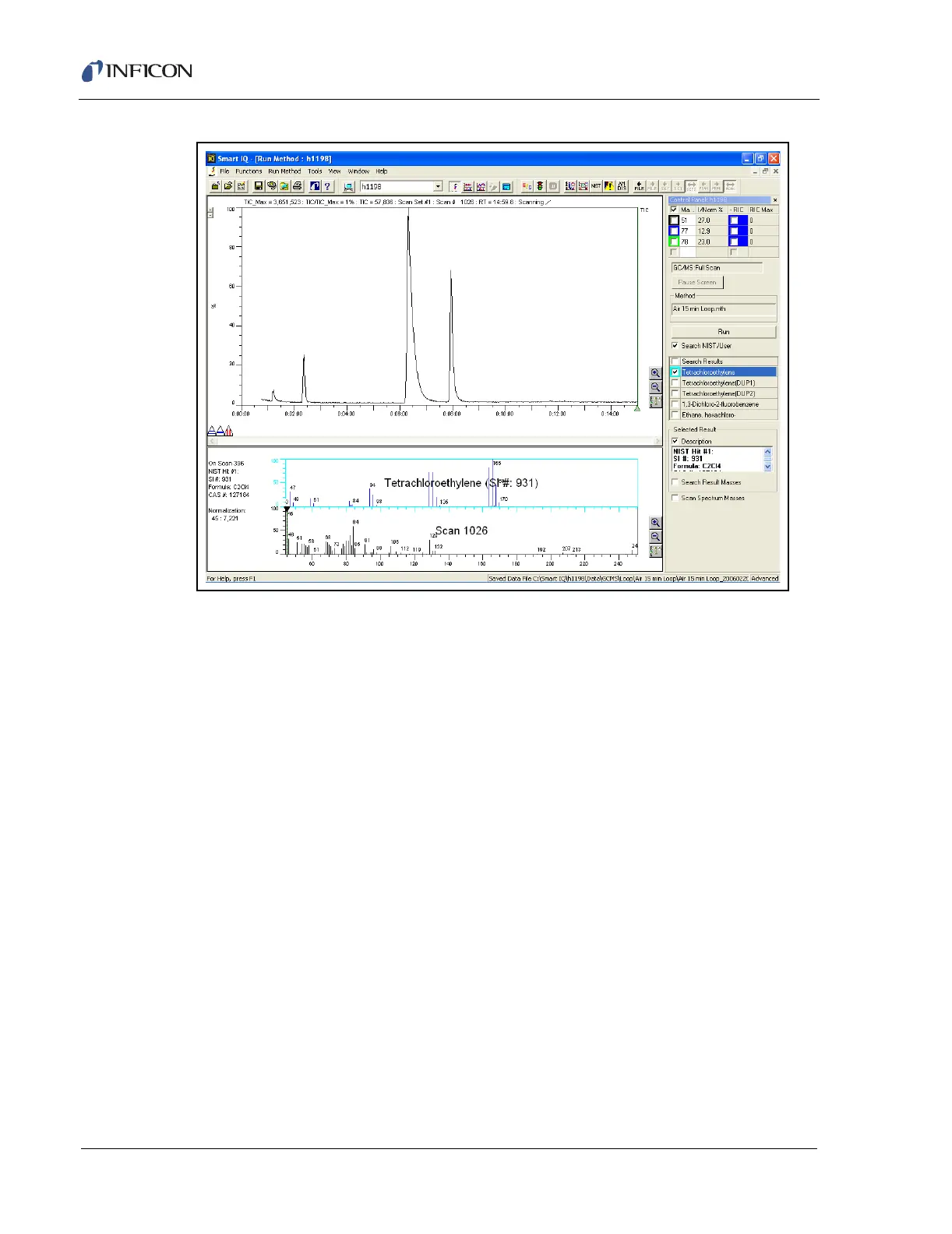
Figure 9-4 Sections of the Data Review Screen
TIC/RIC Window . . . . . . . . . . . . . . . This window displays the Total Ion
Chromatogram. This is the screen where
basic data analysis, such as background
subtraction and selecting peaks, is
conducted.
Control Panel Window . . . . . . . . . . This window allows the input of masses to
plot RICs for the specified mass. Check
Search NIST/User to search the NIST library
for the current spectrum.
Scan/Spectrum Window . . . . . . . . This window displays the spectrum
generated from the TIC/RIC window. This
window will also display NIST matches if
Search NIST/User is checked in the Control
Panel.
TIC/RIC
Window
Scan/Spectrum
Window
Control
Panel
Window













 To Next Page