9 - 26
IPN 074-397-P1G
HAPSITE Smart Operating Manual
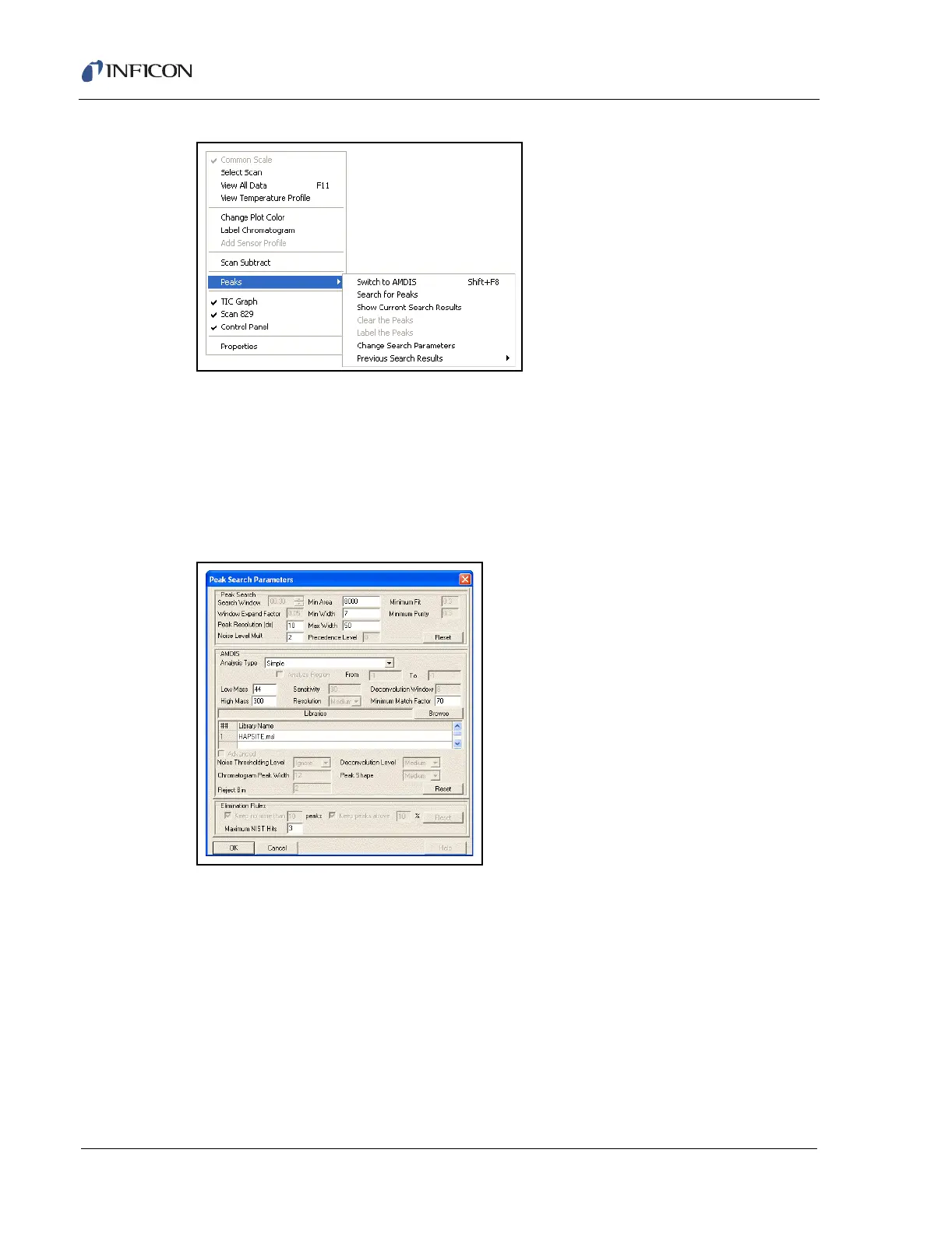
Figure 9-31 Peaks Menu Choices
To view and adjust the search parameters, select Change Search Parameters
from the submenu.
Figure 9-32 displays the parameters that will determine what peaks are found. The
Peak Search Parameters window is divided into sections of Peak Search, AMDIS,
Libraries, and Elimination Rules. These can be modified to make the search as
selective or as general as required.
Figure 9-32 Peak Search Parameters Window
After the Peak Search parameters have been optimized, select Peaks >> Search
for Peaks. After analysis, the following will be displayed (see Figure 9-33):













 To Next Page