11 - 51
IPN 074-397-P1G
HAPSITE Smart Operating Manual
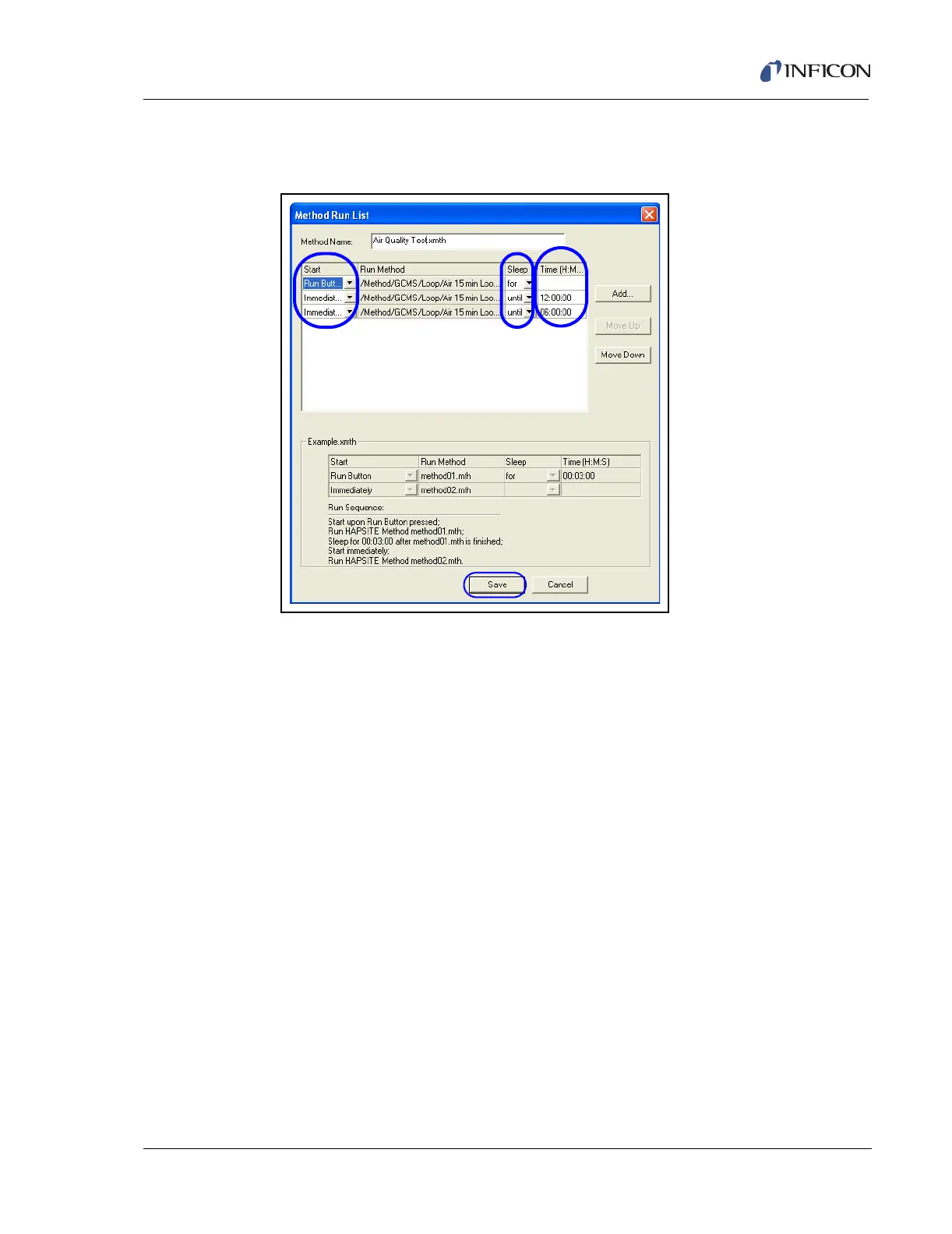
6 Repeat Step 5 until all desired methods are listed in the Method Run List. See
Figure 11-54.
Figure 11-54 Sequenced Method Options
7 In the Start column chose either Run Button or Immediately for each method.
This selection determines how each method in the run is started. Refer to
Figure 11-54.
8 In the Sleep column, chose for or until for each method. Refer to Figure 11-54.
9 In the Time column enter the desired time for the next method to start or the
length of time to sleep before the next method starts. Refer to Figure 11-54.
10 Click Save. Refer to Figure 11-54.
11 Save the sequenced method to the desired location. Click OK. See Figure
11-55.













 To Next Page