15 - 44
IPN 074-397-P1G
HAPSITE Smart Operating Manual
Insure all tools are clean, (wipe them with methanol), and
wear powder free gloves for the rest of the procedure.
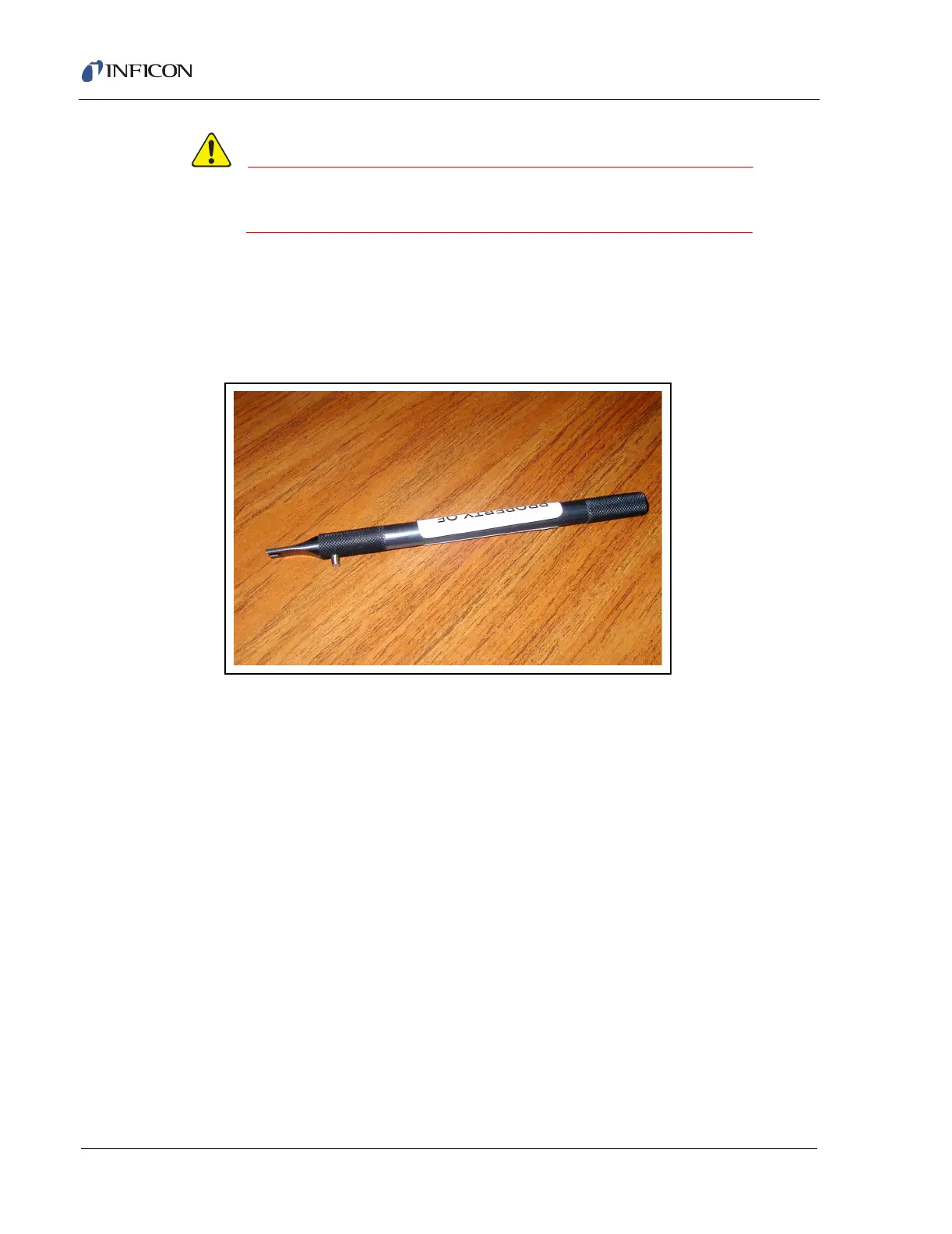
10 Insert the forked end of the ionizer removal tool (see Figure 15-47) behind the
collar on the stainless steel tube about 1/4 inch from the left side manifold wall.
11 Insure the stainless steel pin on the ionizer removal tool is facing toward the left
manifold wall.
Figure 15-47 Ion Source Removal Tool
12 Apply pressure, using the stainless steel pin as a leverage point, slide the
extension tube from the membrane isolation valve into the ion volume. The
extension tube should disengage completely from the membrane isolation
valve.
NOTE: If the extension tube does not slide easily into the ion column, loosen
the ionizer then use the ionizer removal tool to reposition the ionizer,
enabling the extension tube to slide into the ion volume as displayed in
Figure 15-48.













 To Next Page