2 - 22
IPN 074-397-P1G
HAPSITE Smart Operating Manual
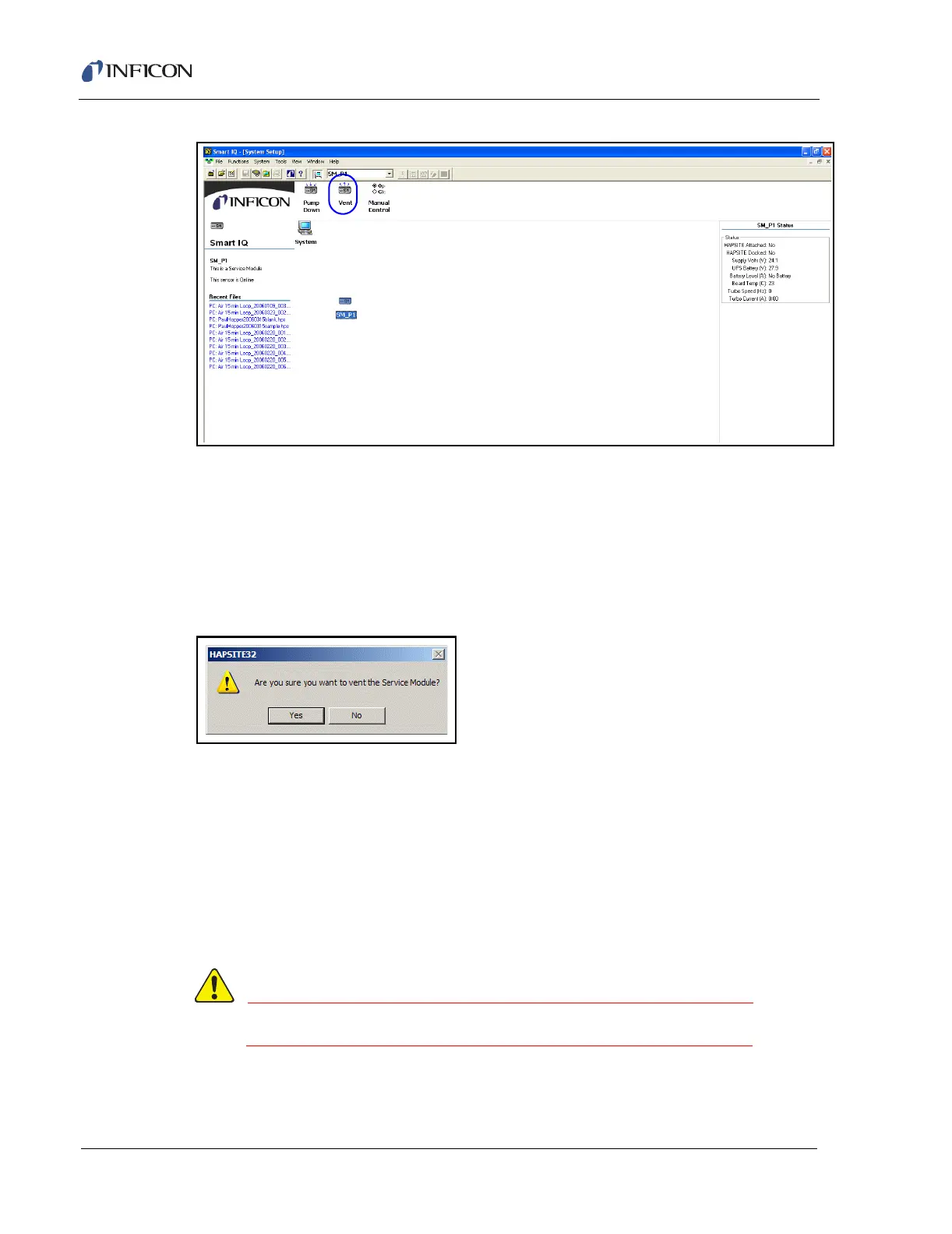
Figure 2-30 System Setup Screen with Service Module
NOTE: If the Service Module icon does not appear, the communications may need
to be configured. See section 8.6.3, Establishing Communication with the
Service Module, on page 8-26, for information on how to set up a COM port
for communicating with the Service Module.
Click on the Vent icon. The dialog shown in Figure 2-31 will appear to confirm to
Vent the Service Module.
Figure 2-31 Vent Service Module Confirm Window
Select Yes to vent the Service Module. A window will appear counting down a
fifteen-second delay while the vent procedure completes. Once completed, remove
the aluminum plug.
Next, clean any debris or dust from the Viton® o-ring using a lint-free wipe with
methanol. Wipe the top of the o-ring, following the contour to clean the entire top
exposed section. Avoid pushing dust or debris into the middle opening to the
pumps. This will ensure a tight seal to the HAPSITE, allowing the system to
maintain vacuum. See Figure 2-32, which shows the o-ring being cleaned.
Wear gloves and safety glasses when handling methanol.













 To Next Page