120
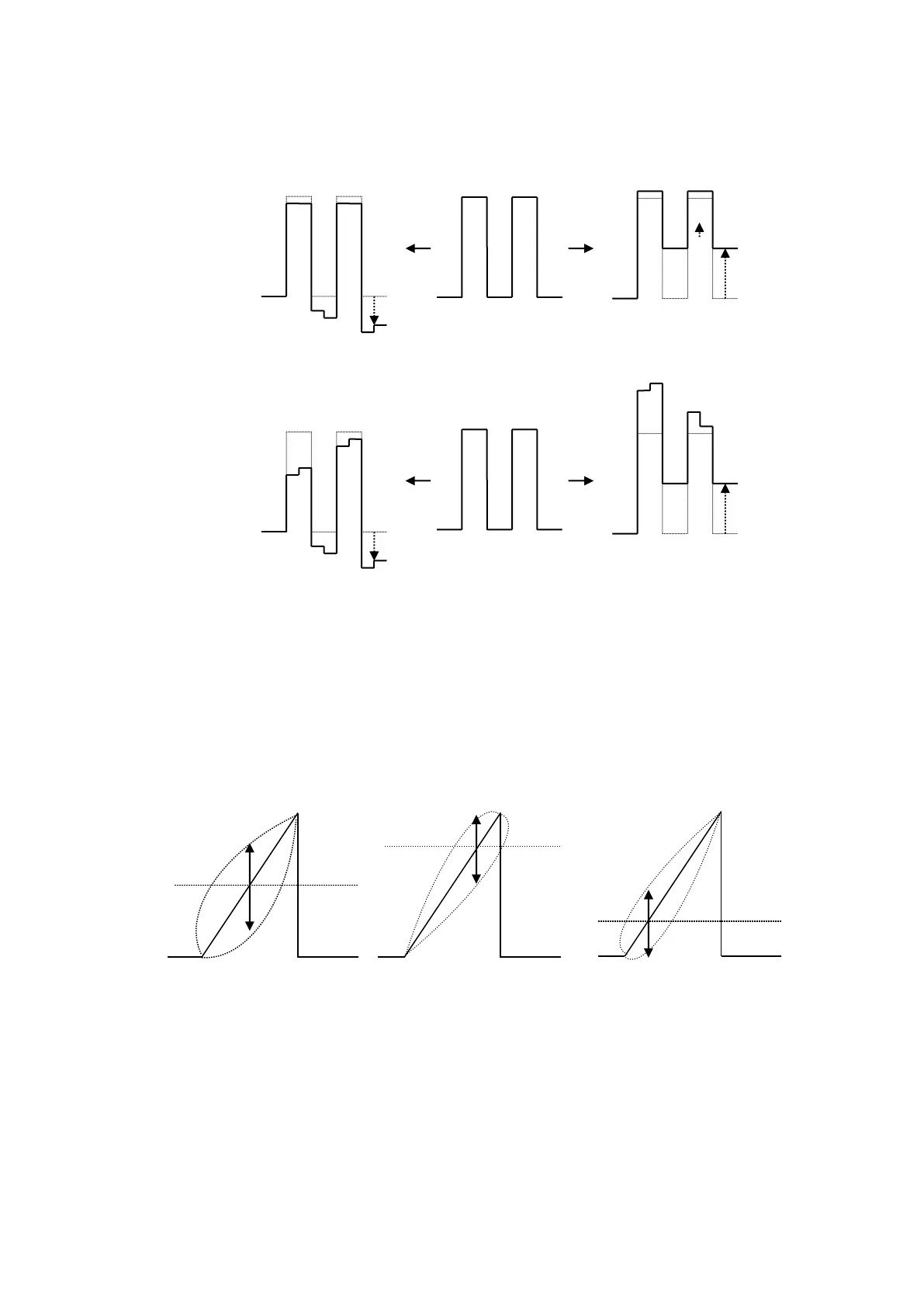
(2) The figures below illustrate the change in signal waveform when the BLACK level is adjusted
along the R axis in balanced or differential mode. These changes will also be applied to the G
or B axis.
BALANCE mode
DIFFERENTIAL mode
Gamma Curve
When performing gamma corrections, the following three adjustment type are available:
Center: Gamma curve is weighted toward mid tones (near 50%).
White: Gamma curve is weighted toward Highlights (near 75%).
Black: Gamma curve is weighted toward Shadows (near 25%)
When set to a negative value:
When set to a positive value:
When set to a negative value:
When set to a positive value:
Gamma Correction Curve Adjustments
If CENTER is selected:
(default)



 To Next Page