8 - 25
IPN 074-397-P1G
HAPSITE Smart Operating Manual
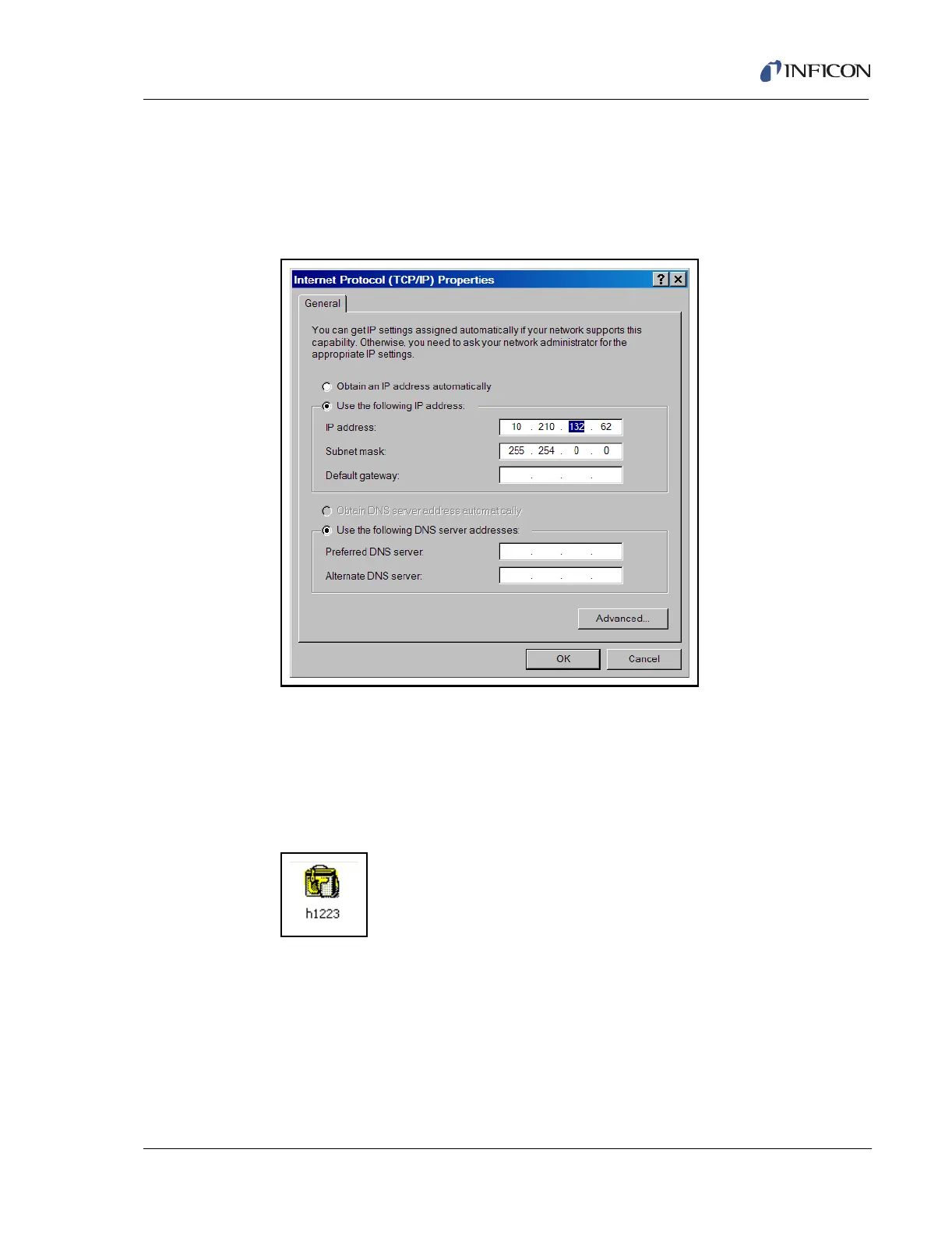
7 Select Use the following IP address and enter the IP address of the
HAPSITE, (refer to Step 3), with the number 128 added to the third number of
the first line of the IP address. This is necessary in order for the system to
configure communications properly. Example: 10.210.4.62 becomes
10.210.132.62. See Figure 8-44. Press OK.
Figure 8-44 Entering IP Address
8 Press OK in the Local Area Connection Properties Window to close the
window. See Figure 8-43.
9 Communication between the HAPSITE and the laptop is now established as
indicated by the HAPSITE Sensor in the Smart IQ System Setup Window. See
Figure 8-45.
Figure 8-45 Active HAPSITE Sensor Icon













 To Next Page