15 - 35
IPN 074-397-P1G
HAPSITE Smart Operating Manual
8 Click on the Full Scan icon in the Tune window. See Figure 15-37.
Figure 15-37 Full Scan Icon
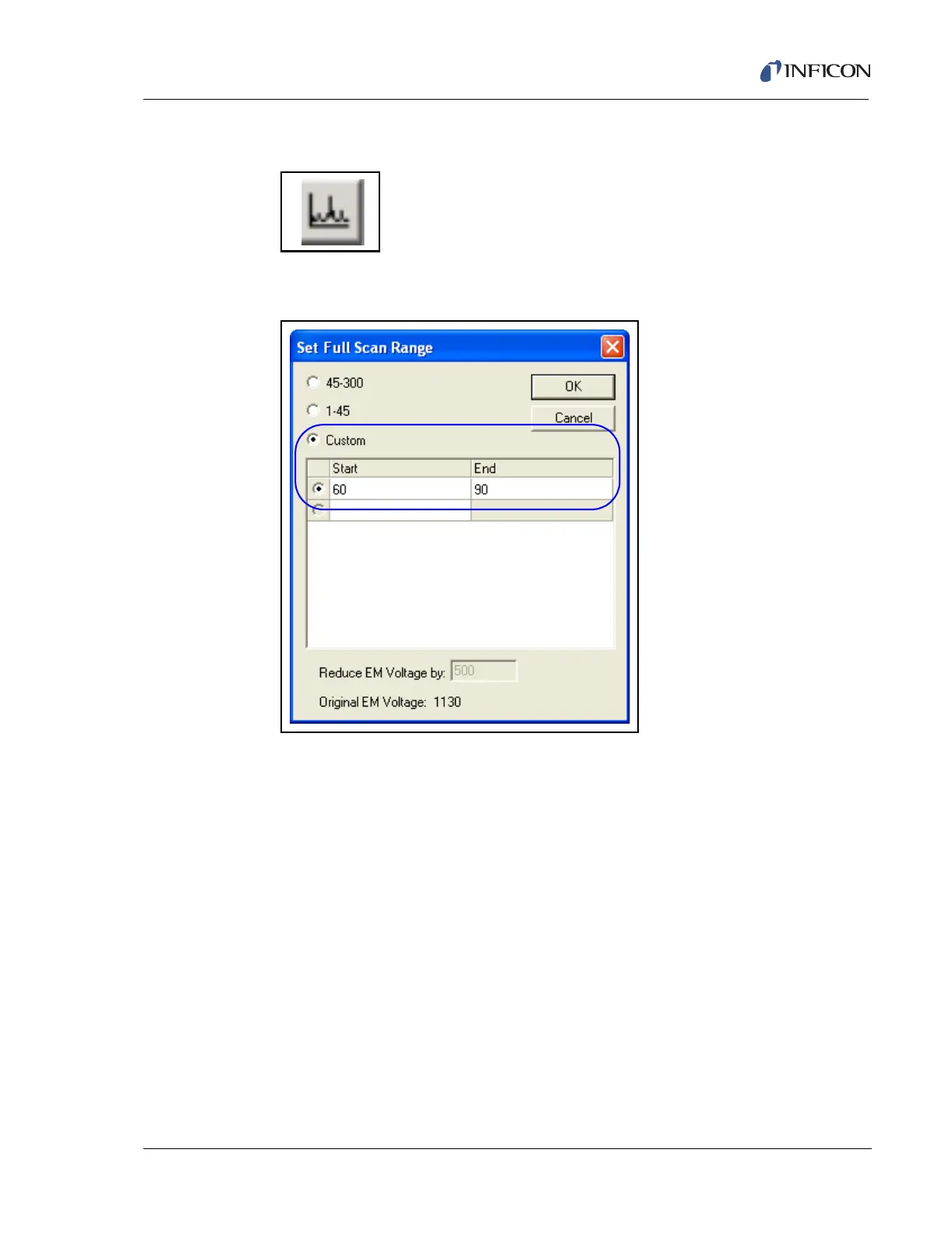
9 Click the RMB on the X-axis to access the Full Scan Range. See Figure 15-38.
Figure 15-38 Setting Full Scan Range
10 Select Custom. Type in a range of 60 to 90. This will enable the analyst to scan
for both the 69 and 83 masses (these are the predominant masses in the
MicroDuster 1,1,1,2-tetrafluorefloroethane that is being used to check for
leaks). See Figure 15-39.



 To Next Page