108
5.3 Exposure with DR Detector (Aero Sync mode)
5.3.7 Examination completion
and output
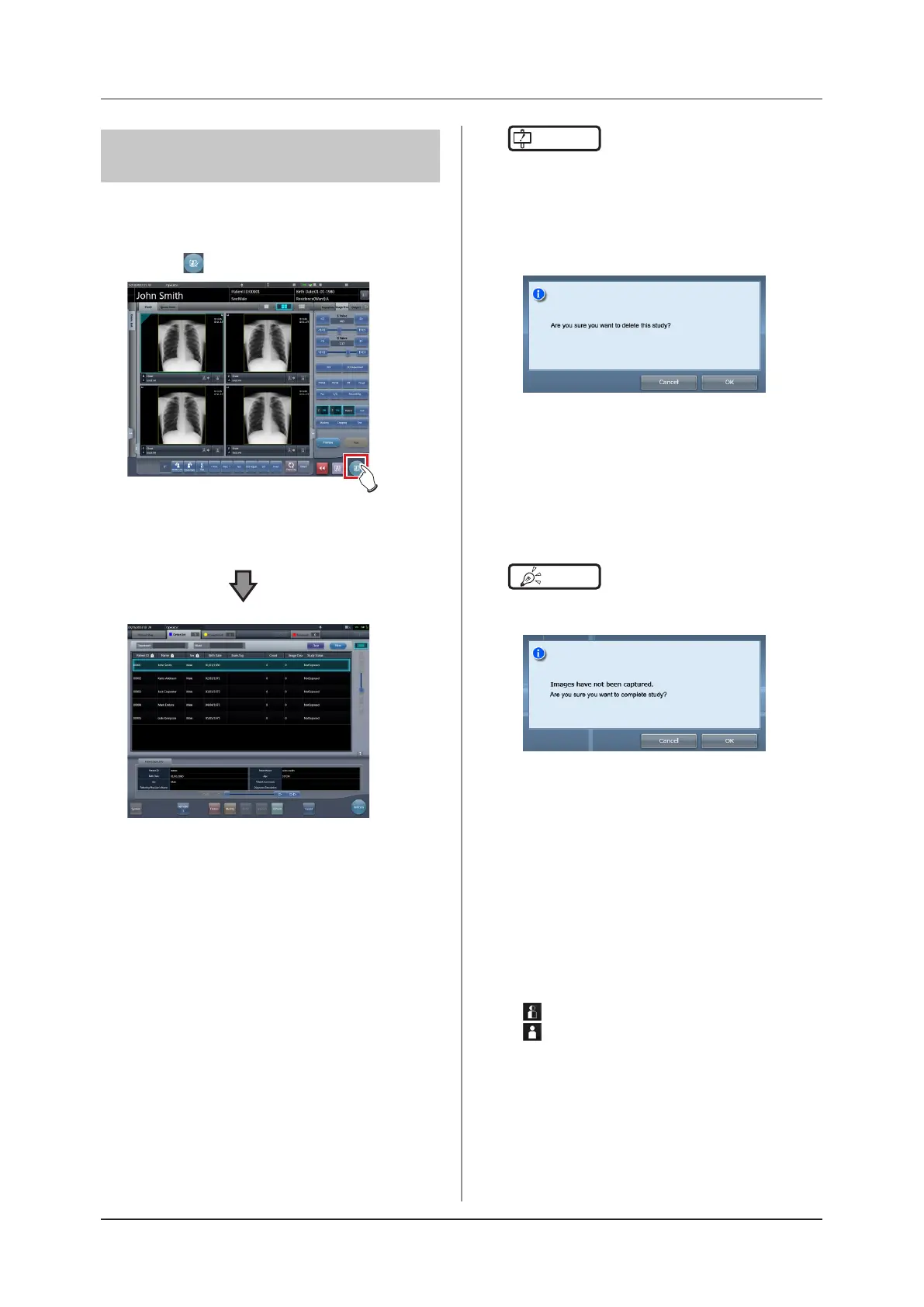
When all exposures are nished, end the examination
and perform output.
1
Press [ ].
• When the examination is nished, exposed im-
ages are batch output to a preset output desti-
nation.
• The display returns to the initial screen.
IMPORTANT
•••••••••••••••••••••••••••••••••••••
• Always check the X-ray irradiation results before n-
ishing the examination.
• When the examination ends and no exposure images
exist, the examination itself is deleted. At this time, a
conrmation screen is displayed on whether to delete
the examination.
→ Press [OK] to delete the examination itself.
→ Press [Cancel] to return to the previous screen.
* A message "No images are captured. Cannot com-
plete study." may be displayed depending on the
settings. In such cases, press the [Pause] button
or [Termination] button. Either of the two buttons is
displayed depending on the settings.
•••••••••••••••••••••••••••••••••••••••••••••••••••••
HINT
•••••••••••••••••••••••••••••••••••••
• If there is an unexposed image, a conrmation screen
is displayed.
→ Press [OK] to complete the examination by delet-
ing data for the unexposed portion and display the
initial screen.
→ Press [Cancel] to return to the previous screen.
• When outputting to a host, the output destination can
be switched between the predetermined host and a
backup host. Furthermore, when the output conditions
are dierent for each backup destination, recalculation
of output size is performed.
• Depending on the setting at the time of installation,
on the edge of the output lm (the output image when
output to a host) a mark is added showing whether the
image is ipped or not.
: Flipped
: Not ipped
• If the AeroDR 3 1417HD is used to perform an expo-
sure with a reading resolution of 100μm, the resolution
can be converted to 175μm and output, depending on
the settings during setup.
•••••••••••••••••••••••••••••••••••••••••••••••••••••













 To Next Page