164
6.5 Exposure Screen ([Output] Tab) Functions
6.5.4 Change of printer output
conditions
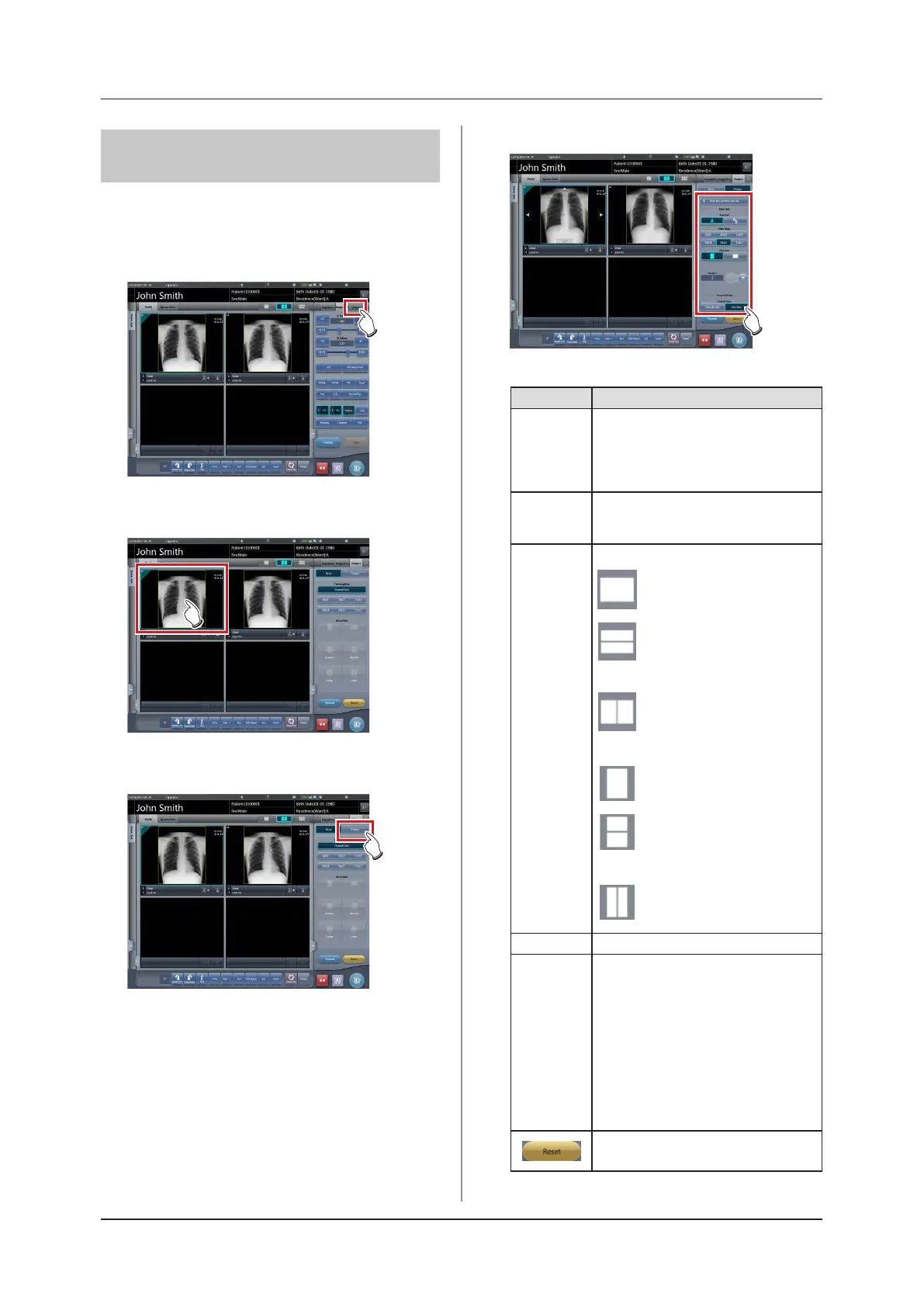
The conditions of images output to a printer can be
changed.
1
Select the [Output] tab.
2
Select an image to output.
3
Press [Printer].
4
Change the output conditions.
• Setting items are as follows.
Item Options
Format
A format
Outputs 1 image on 1 sheet.
AB format
Outputs 2 images in alignment left-right
or top-bottom 1 by 1.
Film size
Only sizes that can be set in the printer
such as 8×10, 10×12, 11×14, 14×14,
and 14×17 can be displayed.
Horizontal output
A format
Only 1 image can be output.
AB format
The A image is displayed on
top and the B image is on the
bottom.
Direction
The A image is displayed on
the left and the B image is on
the right.
Vertical output
A format
Only 1 image can be output.
AB format
The A image is displayed on
top and the B image is on the
bottom.
The A image is displayed on
the left and the B image is on
the right.
Number 1-9
Output type
Overall size
Print an image after reducing the size
so that the image size is full size for the
lm to be printed. When the lm size is
larger than the image, print the image at
the same magnication.
Life size
Print the image at the same magnica-
tion. When the read image is larger than
the output area of the lm, parts outside
the output area are cut o.
Returns to the state when image was
displayed.













 To Next Page