256
7.6 Auto stitching exposure with AeroDR Detector
7
Expose the second and third.
• Repeat from step 5 to perform exposure.
• Set up the X-ray device before exposure just
like for the rst exposure. Perform exposure af-
ter checking the exposure settings.
• Exposed preview image is displayed.
IMPORTANT
•••••••••••••••••••••••••••••••••••••
• Preview images is first displayed on the exposure
screen. Because signal reception does not start until
all exposure is complete, it may take a while before
the image is displayed.
• If [Cancel] is pressed during a single examination, re-
exposure or additional exposure cannot be performed
for that examination.
• If you want to reject an image during exposure, press
[Cancel] followed by [ ].
• You can perform reject even after all images have
been exposed. The target of reject is the image before
and after combination.
• Rejecting any image within a single examination
makes other images also the target for rejecting.
•••••••••••••••••••••••••••••••••••••••••••••••••••••
7.6.3 Image combination
Images exposed by auto stitching using the DR Detec-
tor are combined automatically. The following proce-
dure describes an example of combining 3 images.
IMPORTANT
•••••••••••••••••••••••••••••••••••••
• Automatic combination may fail depending on the con-
dition of the exposed image. Always check the com-
bination position visually, and adjust manually when
necessary.
•••••••••••••••••••••••••••••••••••••••••••••••••••••
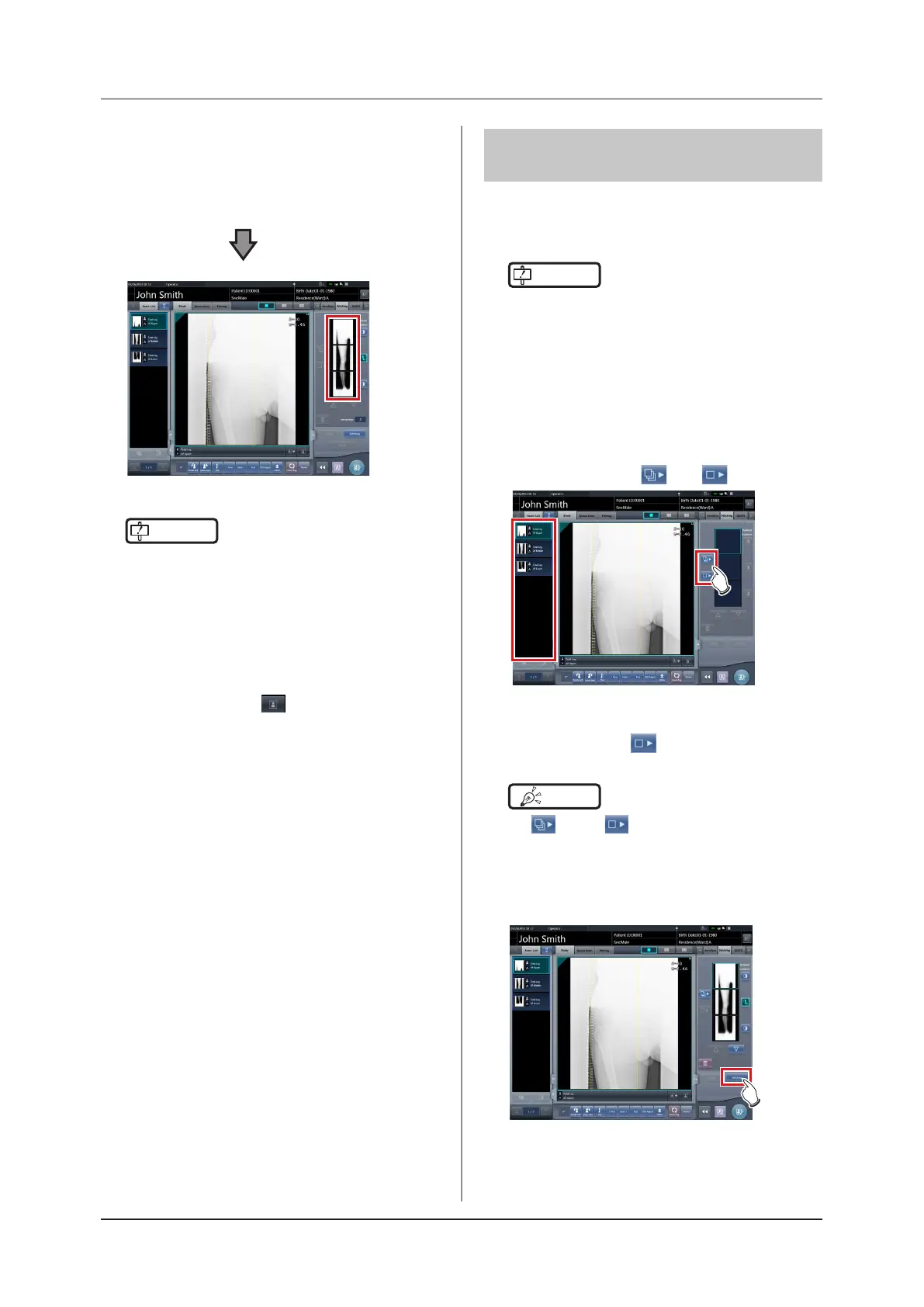
1
Select the images to be combined.
• Select images only if not already selected.
• Select the images to be combined from the or-
der list and press [ ] or [
].
• The selected images are displayed in the com-
bined image display area.
• If you pressed [ ], continuously select the
associated images (second and third).
HINT
•••••••••••••••••••••••••••••••••••••
• [
] and [
] can be pressed only when the
Exam. Tag for stitching exposure is selected.
•••••••••••••••••••••••••••••••••••••••••••••••••••••
2
Press [Stitching].
• The combination position conrmation screen is
displayed.













 To Next Page