319
7.16 Print composer
Chapter 7
7.16.4 Rearrangement of
images
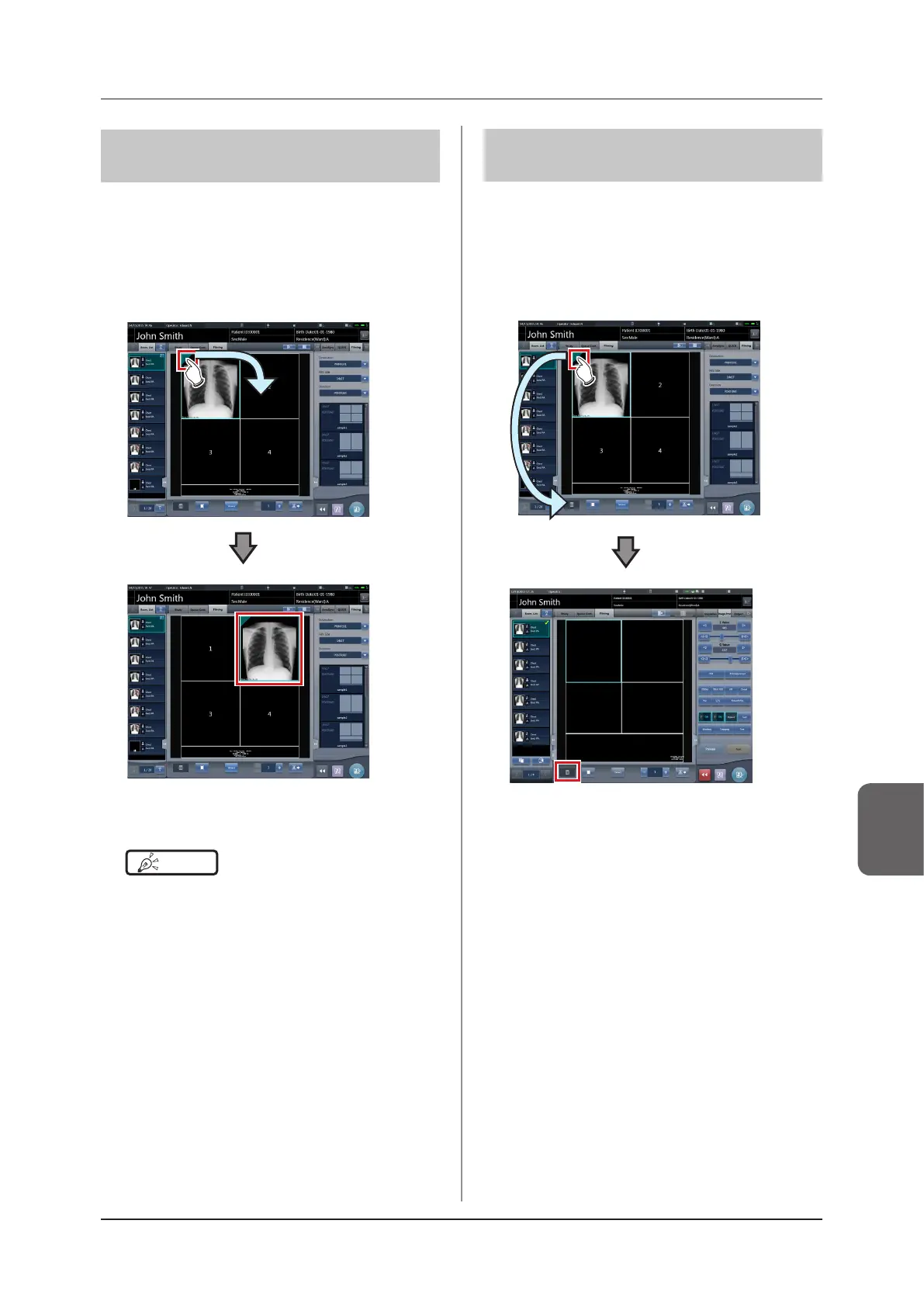
The following describes the procedure for rearranging
the images in the lm editing area.
1
Drag the triangular mark in the upper left
corner of the image to be moved, and
drop it into the destination image box.
• The image is displayed in the destination image
box.
HINT
•••••••••••••••••••••••••••••••••••••
• If you move a new image to the image box to which
another image has already been assigned, the image
that is currently in the image box will be replaced with
the new one.
•••••••••••••••••••••••••••••••••••••••••••••••••••••
7.16.5 Deletion of images
The following describes the procedure for deleting im-
ages from the lm editing area.
1
Drag the triangular mark in the upper left
corner of the image to be deleted, and
drop it into the trash box.
• The image has been deleted.



 To Next Page
 Loading...










