158
6.4 Functions of the exposure screen
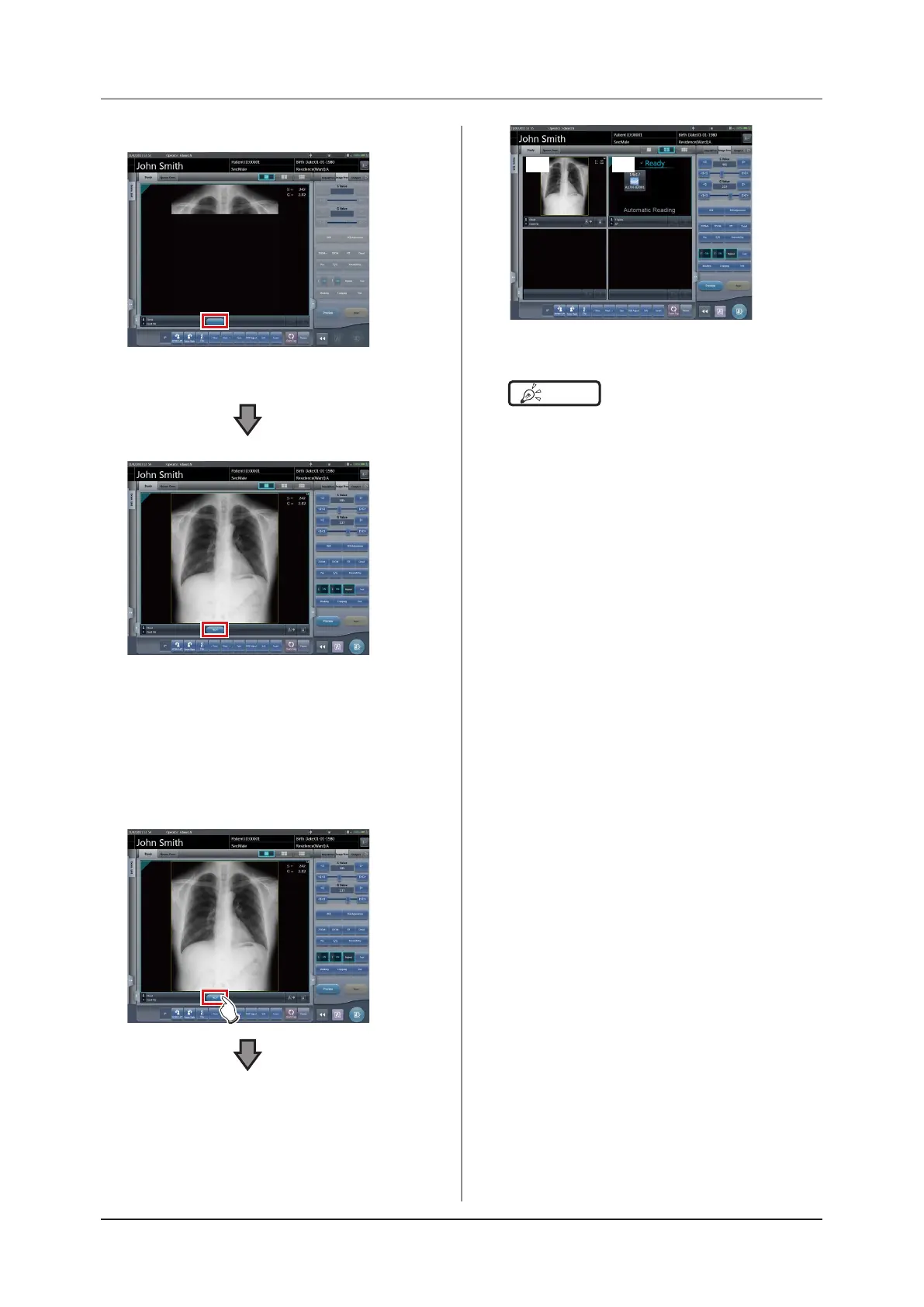
• Changes to 1×1 display and begins reception.
• The button is displayed in the Exam. Tags dis-
play area.
•
When reception of exposed images is finished
(images are displayed), the button displays a
countdown in seconds.
•
Before the countdown reaches 0, if any operation is
performed on the image, the countdown is stopped,
and the button changes to display "NEXT".
2
Press [NEXT].
(1) (2)
•
Returns to the 2×2 display screen and the focus
moves to the next unexposed frame.
HINT
•••••••••••••••••••••••••••••••••••••
• When the button countdown reaches 0, the previous
screen will be displayed and the focus will move to the
next Exam. Tags.
•••••••••••••••••••••••••••••••••••••••••••••••••••••













 To Next Page