336
7.18 Checkup mode
2
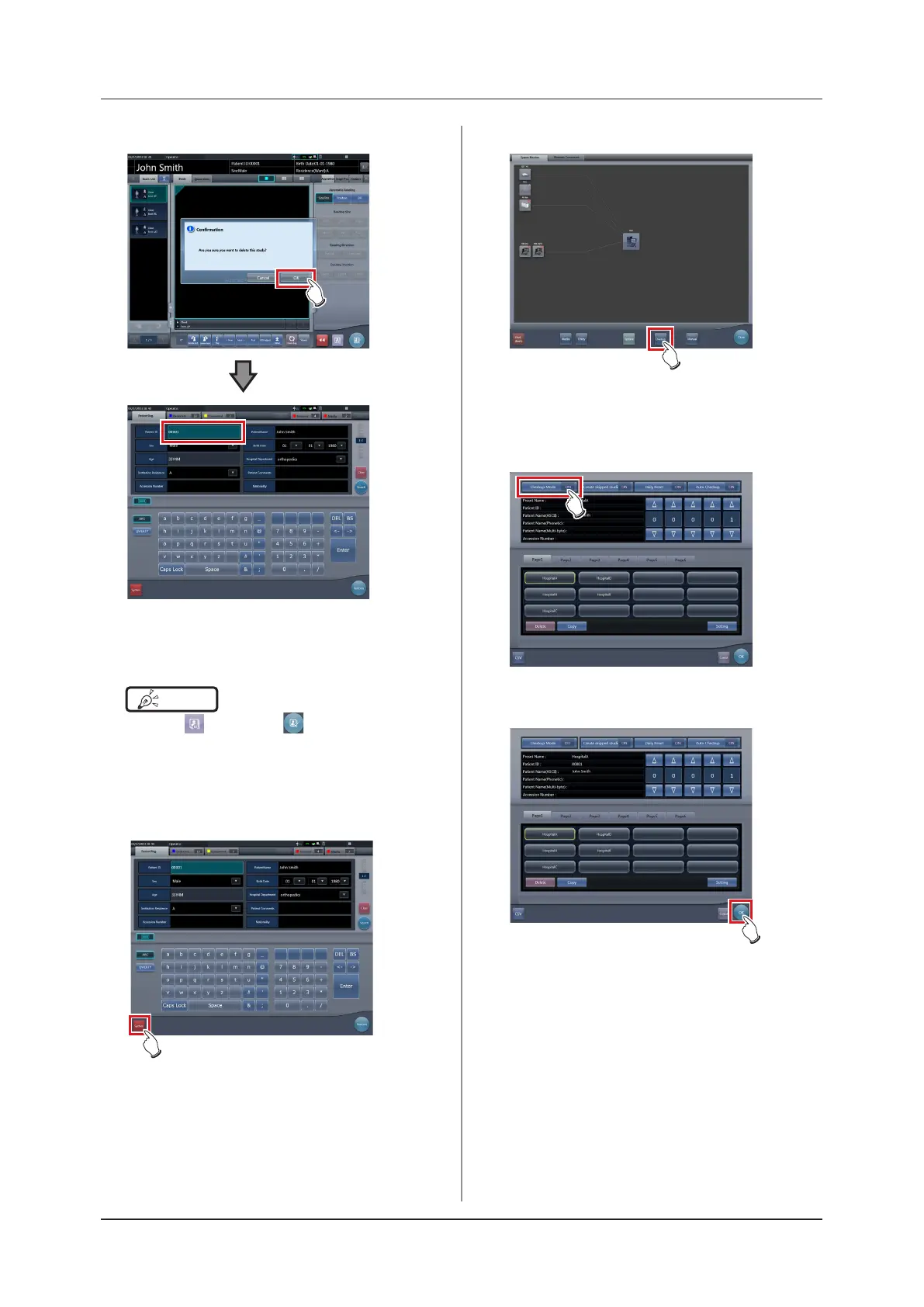
Press [OK].
• The display returns to the initial screen with the
number at the ending time issued.
• Press [Perform] to restart the checkup.
HINT
•••••••••••••••••••••••••••••••••••••
• Press [ ] instead of [ ] to save the number at
the time it was paused and return to the initial screen
with the next number issued.
•••••••••••••••••••••••••••••••••••••••••••••••••••••
3
Press [System] on the initial screen.
• The system monitor screen is displayed.
4
Press [Checkup].
• The checkup setting screen is displayed.
5
Press [Checkup Mode] and switch to
[OFF].
6
Press [OK].
• The display returns to the system monitor
screen.













 To Next Page