3 - 2
IPN 074-397-P1G
HAPSITE Smart Operating Manual
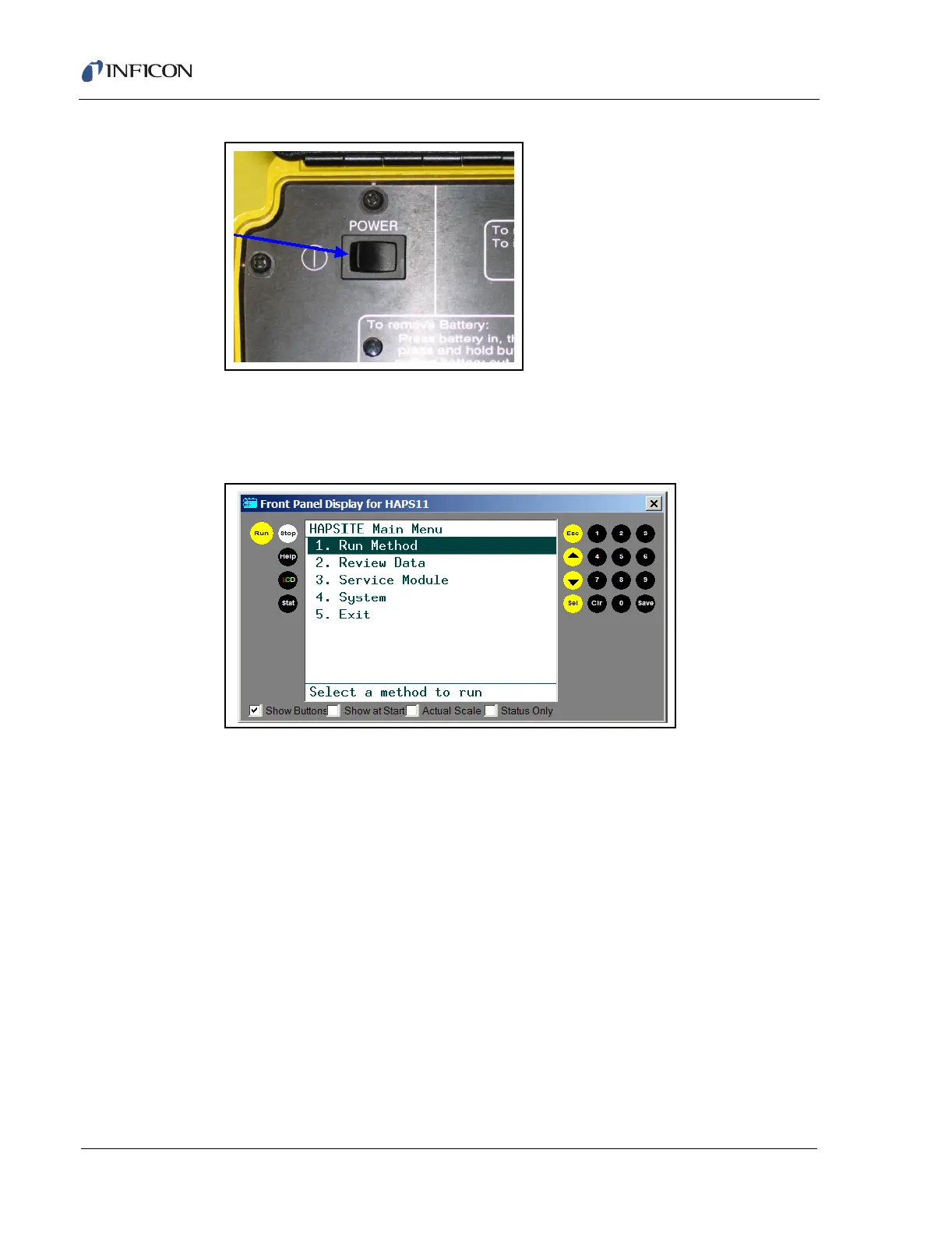
Figure 3-1 The Power Switch
3 To warm up the system and perform a tune check, a method must be chosen
to run, unless a startup method has been activated. Press 1, then SEL. See
Figure 3-2.
Figure 3-2 Main Menu
HINT: The HAPSITE can be configured to use a startup method. If a startup
method is chosen, Step 3 on page 3-2 through Step 5 on page 3-5 will
be automatically run. Currently, instruments are shipped with the
Survey method selected as the startup method.
4 Select a method to run.
To select a menu option:
use up and down arrows to highlight the desired method, press SEL.
OR
press the number of the selection and then press SEL.
HINT: Refer to Section 3.3, Survey Mode, on page 3-18 or Section 3.4,
GC/MS Mode with Loop, on page 3-23 for additional instructions.
HINT: This example will use a GCMS Method with the sample loop installed.
See Figure 3-3.













 To Next Page